User Profile

jjang
 New Contributor
Joined 8 years ago


User Widgets
Contributions
Re: [MAX10] when Boot (CFM0) All IO port High → All port Low
it's mean. during Configuration => User Can modify each pin pull-up/down ? i tried both of them . doesn't not work. during configuration.. My Device, 10M08SAE144C8G (3.3v Single Power Supply) set(Checked) Weak pull up Settings Pin planner → Reserved → > as output driving ground → High (when Configuration Time) , Normallay Low(when PWR UnStable) and Sometime High for Few ns > as output driving Vcc → High (when Configuration Time), Glitch_High(when PWR UnStable) unset(unChecked) Weak pull up Settings Pin planner → Reserved → > as output driving ground → LOW (when Configuration Time), Normallay Low(when PWR UnStable) and Sometime High for Few ns > as output driving Vcc → LOW (when Configuration Time), Glitch_High(when PWR UnStable)1.4KViews0likes0CommentsUsing Altera PLL make 500Khz or below
When i Using ALTPLL, i Usually make 500khz and below xx kHz Frequency Clock. @ 50Mhz / 100Mhz Input clock. But Cyclone 5, Different PLL IP Core. - ALTPLL → Altera PLL, so it doesn't support for Low Frequency Clock. does have any way to make 500kHz or 10kHz frequency Clock?Solved1.8KViews0likes4Comments"What does Symbol width mean?"
I'm not sure about the concept of Symbol width used in "Avalon-MM Pipeline Bridge" or "Clock Crossing Bridge." Could you please provide more information or clarify your question? When the term "symbol" is mentioned, it doesn't seem to specifically refer to BPSK or QPSK. The datasheet mentions "Width of a single symbol in bits," which is quite confusing. i asked GPT : gpt said > In Avalon MM, a 'symbol' refers to the internal data transfer unit in the FPGA it's mean.. Case 1: > Data Width: 16 > Symbol Width: 16 => In one Read operation, it reads/writes the full Data width. Case 2: > Data Width: 16 > Symbol Width: 8 => It requires two Read operations, and in each Read, it reads/writes 8 bits. and what's different address units (Symbols, WORDS)2KViews0likes2CommentsRe: How to use Nios ↔ Logic (Avalon mm Burst Transfer)
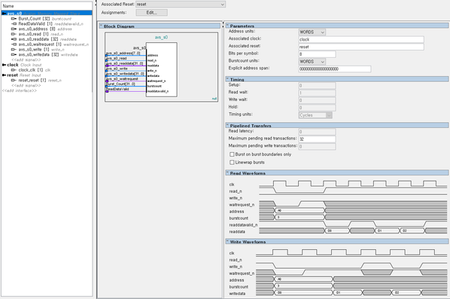
i just finish read Avalon mm Interface Spec Sheet . and i tried to make it. 1. I Dened like that Nios.. 2. Nios Connection when Connection Initial Nios Core Settings don't have Burst Count [32] so i tried to make it - nios → Caches and Memory Interfaces → Data Cache → Add Burstcount signal to data_master → Enable - Avalon MM -Slave <----> NIOS Core Data Master : Burst_Count [32] <-----> : none : ReadDataValid [1] <-----> : ReadDataValid [1] : Addr [8] <----> : Addr [14] : Read [1] <----> : Read [1] : Read_Data[32] <----> : Read_Data[32] : wait_Request [1] <----> : wait_Request [1] : write [1] <----->: write [1] : Write_Data [32] <----->: Write_Data [32] : none <-----> : Byte_Enable [4] : none <----> : debug_mem_slave_debugaccess_to_roms [1] for burst transfer is it good connection?918Views0likes0Comments