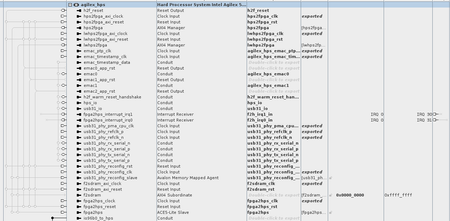
embedded peripheral
34 Topics
rsu_client failing to write to slot
Hello, I am trying to exercise the rsu_client (from Intel's remote system update feature) by erasing a partition on the flash and writing a new file and loading that on the next reboot. This feature works but very very occasionally I encounter an issue where the writing portion fails and the only way that I know to recover from this is to rewrite the flash with the JIC file. I am wondering if someone can advise on how/why this could happen? The feature works robustly most of the time but the said error would require a manual intervention by connecting the JTAG cable. also is it possible to recover from this using the existing rsu_client? I have attached some of the output of the rsu_client for your reference. I do not see any specific message when running `dmesg` on HPS or by inspecting the log in u-boot related to the SPTs/CPBs or QSPI read failure. Note that I do not think this is related to the Flash being worn-out from 1000s of write cycles, the Flash is new and I am seeing this issue on multiple different boards. root@stratix10:~# rsu_client --log VERSION: 0x00000202 STATE: 0x00000000 CURRENT IMAGE: 0x0000000001000000 FAIL IMAGE: 0x0000000000000000 ERROR LOC: 0x00000000 ERROR DETAILS: 0x00000000 RETRY COUNTER: 0x00000000 Operation completed root@stratix10:~# rsu_client --list 0 NAME: P1 OFFSET: 0x0000000001000000 SIZE: 0x01000000 PRIORITY: 1 Operation completed root@stratix10:~# rsu_client --list 1 NAME: P2 OFFSET: 0x0000000002000000 SIZE: 0x01000000 PRIORITY: [disabled] Operation completed root@stratix10:~# rsu_client --list 2 NAME: P3 OFFSET: 0x0000000003000000 SIZE: 0x01000000 PRIORITY: [disabled] Operation completed root@stratix10:~# rsu_client -y DCMF0: OK DCMF1: OK DCMF2: OK DCMF3: OK Operation completed root@stratix10:~# rsu_client -m DCMF0 version = 23.1.0 DCMF1 version = 23.1.0 DCMF2 version = 23.1.0 DCMF3 version = 23.1.0 Operation completed root@stratix10:~# rsu_client --erase 1 Operation completed root@stratix10:~#rsu_client --add application.hps.rpd --slot 1 librsu: priority_add(): Compressing CPB [MED] librsu: erase_dev(): error: Erase length 32768 not erase block aligned [LOW] librsu: writeback_cpb(): error: Unable to ease CPBx [LOW] ERROR: Failed to enable slot Thank you!Solved1.8KViews0likes8Comments
Agilex 5/3 FreeRTOS SDK
Stable Version: v25.4 Quartus Version: 25.3 Supported devices: Agilex™ 3 and Agilex™ 5 Source : https://github.com/Ignitarium-Technology/freertos-socfpga Branch/Tag: v25.4 Release Date: January 16, 2026 Hello Everyone, FreeRTOS port for A55/A76 HPS in Agilex 5/3 devices are now available for public. visit the GitHub page for instructions on how to get started. Features and comments Yes: Feature available and tested, No: Feature not available in SDK, NA : Not applicable , NT: Not tested Feature Agilex3 Agilex5 Supported features Limitations/ Known issues A55 boot Yes Yes Single core boot SMP not supported A76 boot NA Yes Single core boot SMP not supported QSPI boot Yes Yes SD boot Yes Yes eMMC boot Yes Yes NAND boot No No Clk mngr driver Yes Yes API to get clock speed of different blocks Reset mngr driver Yes Yes Peripheral reset assert/de-assert DMA driver Yes Yes Memory to memory transfer Only support memory to memory GPIO driver Yes Yes Write, read and interrupt support Timer driver yes yes User defined and free running modes UART driver yes yes Full duplex Tx and Rx DMA not supported I2C driver Yes Yes Master mode write and read Standard and fast modes DMA not supported I3C driver Yes Yes Master mode write and read i3c and legacy i2c devices IBI not supported SPI driver Yes Yes Master mode write and read DMA is not supported QSPI driver Yes Yes QSPI flash read/write/erase NAND driver No No SDM mailbox driver Yes Yes SDM commands with SIP_SVC SMMU enable support Yes Yes Static identity mapping for cache coherency SDMMC driver Yes Yes standard and HS speeds SDMMC and eMMC devices Fat FS support Ethernet stack Yes Yes TCP/IP, UDP, ICMP and DHCP IPv4 and IPv6 support 100mbps and 1gbps operation USB 2.0 stack NT Yes USB mass storage class Tested with a custom board and SOF USB 3.1 stack NT yes USB mass storage operation WDT driver Yes Yes interrupt or reset on timer expiry EDAC support Yes Yes Error injection and detection for EMAC, USB and QSPI blocks OCRAM not supported IOSSM driver Yes Yes Error injection and detection Bridge driver NT Yes Enable, Disable Reboot mngr Yes Yes Warm/Cold reboot FPGA manager Yes Yes FPGA configuration Note: If you find any issues, please raise an issue in the GitHub page. For more support/assistance visit our website .699Views1like2Comments
Agilex 5/3 FreeRTOS Heterogeneous SMP SDK Release
Stable Version: v26.1 Quartus Version: 26.1 Supported devices: Agilex™ 3 and Agilex™ 5 Source: https://github.com/Ignitarium-Technology/freertos-socfpga Branch/Tag: v26.1-HSMP Release Date: June 24, 2026 Hello Everyone, A new version of the FreeRTOS SDK for Agilex 5/3 is now available. Apart from other fixes and features, the FreeRTOS port now supports heterogeneous SMP for Agilex™ 5 devices. Visit the GitHub repository for instructions on how to get started. Features and Comments Feature Agilex3 Agilex5 Agilex3 SMP Agilex5 SMP Supported Features Limitations / Known Issues A55 boot Yes Yes Yes Yes Single-core boot, Dual-core SMP, Quad-core SMP (Agilex 5) A76 boot NA Yes NA Yes Single-core boot, Dual-core SMP, Quad-core SMP QSPI boot Yes Yes Yes Yes eMMC boot Yes Yes Yes Yes SD boot Yes Yes Yes Yes NAND boot No No No No Clock Manager Yes Yes Yes Yes API to get clock speed of different blocks Reset Manager Yes Yes Yes Yes Peripheral reset assert/de-assert DMA driver Yes Yes Yes Yes Memory-to-Memory, Memory-to-Peripheral and Peripheral-to-Memory GPIO driver Yes Yes Yes Yes Write, read and interrupt support Timer driver Yes Yes Yes Yes User-defined and free-running modes UART driver Yes Yes Yes Yes Full-duplex TX and RX DMA not supported (planned for future release) I2C driver Yes Yes Yes Yes Master/Slave mode, standard and fast modes QSPI driver Yes Yes Yes Yes QSPI flash read/write/erase I3C driver Yes Yes Yes Yes Master mode, I3C and legacy I2C devices IBI not supported (planned for future release) SPI driver Yes Yes Yes Yes Master/Slave mode write and read NAND driver No No No No SDM Mailbox driver Yes Yes Yes Yes SDM commands with SIP_SVC SMMU support Yes Yes Yes Yes Static identity mapping for cache coherency SDMMC driver Yes Yes Yes Yes Standard and HS speeds, SDMMC and eMMC devices, FATFS support Ethernet stack Yes Yes Yes Yes TCP/IP, UDP, ICMP, DHCP, IPv4 and IPv6 USB 2.0 stack NT Yes NT Yes USB mass storage class Tested with a custom board and SOF USB 3.1 stack NT Yes NT Yes USB mass storage operation WDT driver Yes Yes Yes Yes Interrupt or reset on timer expiry EDAC support Yes Yes Yes Yes Error injection and detection for EMAC, USB and QSPI blocks OCRAM not supported IOSSM driver Yes Yes Yes Yes Error injection and detection Bridge driver Yes Yes Yes Yes Enable/Disable bridges Reboot Manager Yes Yes Yes Yes Warm/Cold reboot FPGA Manager Yes Yes Yes Yes FPGA configuration Legend: Yes: Feature available and tested No: Feature not available in SDK NA: Not applicable NT: Not tested Note: If you find any issues, please raise an issue on the GitHub repository. For more support and assistance, visit our website.599Views0likes0Comments
Cyclone V: how to enable USB1 with a ULPI USB PHY (USB3320)?
I want to enable USB1 (USB 2.0 controller) of the Cyclone V in host-only mode. But Vbus is not present and no device is detected. A ULPI-compatible Microchip USB3320 USB PHY is connected to the Cyclone V with a ULPI interface. The CPEN pin of the USB3320 controls a power switch on the board. To enable the 5V Vbus voltage, used to power USB devices, the CPEN pin must be driven high. Its POR state is low. HPS_GPIO0 is connected to the active-low RESET# pin of the USB3320. To check if Vbus is on, I connected a mouse, that should light up when connected to a USB host. The main DT file is socfpga.dtsi. I altered it a little in both Barebox and Linux v6.6.22: &usbphy0 { reset-gpios = <&porta 0 GPIO_ACTIVE_LOW>; status = "okay"; }; &usb1 { status = "okay"; dr_mode = "host"; }; Barebox shows that GPIO0 (RESET#) is an output and is high, which is OK: barebox:/ gpioinfo ff708000.gpio@ff708000:[email protected] GPIOs 454-482, chip ff708000.gpio@ff708000:[email protected]: dir val requested name label GPIO 0: out hi active low soc:usbphy.of reset GPIO 1: in lo false GPIO 2: in lo false Barebox shows that the dwc2 driver binds to usb1: barebox@Enclustra Mercury+ SA2:/ drvinfo dwc2 Driver Device(s) -------------------- dwc2 [email protected] Linux boot log: # dmesg | grep -Ei 'usb|dwc2' [ 0.042372] usbcore: registered new interface driver usbfs [ 0.042408] usbcore: registered new interface driver hub [ 0.042448] usbcore: registered new device driver usb [ 0.896138] usbcore: registered new interface driver usb-storage [ 0.920377] usbcore: registered new interface driver usbhid [ 0.932106] usbhid: USB HID core driver [ 1.086689] usb_phy_generic soc:usbphy: dummy supplies not allowed for exclusive requests [ 1.095129] dwc2 ffb40000.usb: supply vusb_d not found, using dummy regulator [ 1.111913] dwc2 ffb40000.usb: supply vusb_a not found, using dummy regulator [ 1.137639] dwc2 ffb40000.usb: DWC OTG Controller [ 1.142362] dwc2 ffb40000.usb: new USB bus registered, assigned bus number 1 [ 1.149465] dwc2 ffb40000.usb: irq 48, io mem 0xffb40000 [ 1.155604] hub 1-0:1.0: USB hub found I was told that the "dummy regulator" messages are nothing to worry about. More Linux commands: # lsusb Bus 001 Device 001: ID 1d6b:0002 Linux 6.6.22 dwc2_hsotg DWC OTG Controller # gpioinfo gpiochip0 gpiochip0 - 29 lines: line 0: unnamed "reset" output active-low [used] line 1: unnamed unused input active-high line 2: unnamed unused input active-high Pastebin my configuration: https://paste.debian.net/hidden/77078877 Buildroot defconfig: https://paste.debian.net/hidden/e8b1d0fc Linux defconfig: https://paste.debian.net/hidden/d578d0f9Solved599Views0likes3Comments
Agilex 5 with HPS Cryptographic services and bootflow
Hi I have a question regarding boot flow on agilex 5 with HPS with security in mind. I am aware how this is typically implemented on other SoCs like NXP but as for the Agilex - I just started working on this SoC From what I understand (based on the docs and tf-a source code in particular VAB part) the flow is the following: SDM verfies fsbl signature and loads it SDM releses HPS from reset Fsbl loads next stages (BL31 BL33) each time communicating with SDM through mailbox asking SDM to verify the image signaturure Then we can be sure that we only use legitimate binaries. Am I right? I have found in the agilex 5 product table that some variants are equipped with Cryptographic services and some not. Are these Cryptographic services needed to perform the above flow? If the variant I have is not equipped with such IP is there any other way to securely boot all boot chain up to Linux?599Views0likes22Comments
Operating system kernel-level FPGA bridge communication
We are using a custom (Agilex 5) platform and need to access the FPGA bridges from the Linux kernel. We are unable to locate the corresponding device tree nodes or modifications required to access these memory-mapped regions. We're aware of the devmem2 package, but we want to access the FPGA from the kernel side without relying on it. Please guide us on how to configure the device tree and use kernel-level commands or interfaces to access the HPS-to-FPGA and Lightweight HPS-to-FPGA bridges. configuration from Linux. CONFIG_OF_RESOLVE y CONFIG_OF_OVERLAY y CONFIG_OF_CONFIGFS y CONFIG_FPGA_MGR_STRATIX10_SOC y CONFIG_FPGA_BRIDGE y CONFIG_FPGA_REGION y CONFIG_OF_FPGA_REGION y CONFIG_OVERLAY_FS y599Views0likes14CommentsAgilex 5E HPS and Linux
Hi. 1. Is there a simple method to run two Linux systems on HPS, i.e.: Linux 1 - 2xA55 and Linux 2 - 2xA76 with different sets of peripherals? 2. Is it possible to use one Ethernet port by these two Linux systems. 3. Is there a simple method for communication between these two Linux systems?500Views0likes8CommentsAgilex 5 EMAC GMII loopthrough: signals are not toggling in Fabric
I am trying to route GMII signals through the Agilex5 HPS to the Fabric. In the .dts I am using, I have the following settings for the two EMACs: &gmac0 { status = "okay"; mac-mode = "gmii"; phy-mode = "gmii"; // must be added, and if no PHY, then add fixed link //phy-handle = <&emac0_phy0>; max-frame-size = <9000>; fixed-link { speed = <1000>; full-duplex; }; mdio0 { #address-cells = <1>; #size-cells = <0>; compatible = "snps,dwmac-mdio"; emac0_phy0: ethernet-phy@0 { reg = <0>; }; }; }; &gmac1 { status = "okay"; mac-mode = "gmii"; phy-mode = "gmii"; //phy-handle = <&emac1_phy0>; max-frame-size = <9000>; fixed-link { speed = <1000>; full-duplex; }; mdio0 { #address-cells = <1>; #size-cells = <0>; compatible = "snps,dwmac-mdio"; emac1_phy0: ethernet-phy@0 { reg = <0>; }; }; }; In the RTL I am connecting the two EMACs as followed: logic user_clk_pll_125, user_clk_pll_25, user_clk_pll_2_5; // 1G / 100M / 10M (* noprune *) logic [7:0] tx_dummy_counter; (* noprune *) logic emac0_mac_tx_clk_o_wire, emac0_mac_tx_clk_i_wire, emac0_mac_rx_clk_wire, emac0_mac_rst_tx_n_wire, emac0_mac_rst_rx_n_wire; (* noprune *) logic emac0_mac_txen_wire, emac0_mac_txer_wire, emac0_mac_rxdv_wire, emac0_mac_rxer_wire, emac0_mac_col_wire, emac0_mac_crs_wire; (* noprune *) logic [7:0] emac0_mac_rxd_wire; (* noprune *) logic [2:0] emac0_mac_speed_wire; (* noprune *) logic [7:0] emac0_mac_txd_o_wire; (* noprune *) logic [7:0] rx_dummy_counter; (* noprune *) logic emac1_mac_tx_clk_o_wire, emac1_mac_tx_clk_i_wire, emac1_mac_rx_clk_wire, emac1_mac_rst_tx_n_wire, emac1_mac_rst_rx_n_wire; (* noprune *) logic emac1_mac_txen_wire, emac1_mac_txer_wire, emac1_mac_rxdv_wire, emac1_mac_rxer_wire, emac1_mac_col_wire, emac1_mac_crs_wire; (* noprune *) logic [7:0] emac1_mac_rxd_wire; (* noprune *) logic [2:0] emac1_mac_speed_wire; (* noprune *) logic [7:0] emac1_mac_txd_o_wire; assign emac0_mac_rx_clk_wire = emac1_mac_tx_clk_o_wire; // 1G assign emac1_mac_rxdv_wire = emac0_mac_txen_wire; assign emac1_mac_rxer_wire = emac0_mac_txer_wire; assign emac1_mac_rxd_wire = emac0_mac_txd_o_wire; assign emac1_mac_col_wire = 1'b0; assign emac1_mac_crs_wire = 1'b0; assign emac0_mac_rx_clk_wire = emac0_mac_tx_clk_o_wire; // 1G assign emac0_mac_rxdv_wire = emac1_mac_txen_wire; assign emac0_mac_rxer_wire = emac1_mac_txer_wire; assign emac0_mac_rxd_wire = emac1_mac_txd_o_wire; assign emac0_mac_col_wire = 1'b0; assign emac0_mac_crs_wire = 1'b0; The GMII signals are exported from the Agilex HPS as followed: When the system boots, the following can be seen is dmesg: [ 1.443647] socfpga-dwmac 10810000.ethernet: Adding to iommu group 0 [ 1.450679] socfpga-dwmac 10810000.ethernet: IRQ eth_wake_irq not found [ 1.457291] socfpga-dwmac 10810000.ethernet: IRQ eth_lpi not found [ 1.463542] socfpga-dwmac 10810000.ethernet: RX VLAN HW Stripping [ 1.469741] socfpga-dwmac 10810000.ethernet: SMTG Hub Cross Timestamp supported [ 1.477398] socfpga-dwmac 10810000.ethernet: User ID: 0x76, Synopsys ID: 0x31 [ 1.484534] socfpga-dwmac 10810000.ethernet: XGMAC2 [ 1.489489] socfpga-dwmac 10810000.ethernet: DMA HW capability register supported [ 1.496943] socfpga-dwmac 10810000.ethernet: RX Checksum Offload Engine supported [ 1.504396] socfpga-dwmac 10810000.ethernet: COE Type 1 [ 1.509603] socfpga-dwmac 10810000.ethernet: TX Checksum insertion supported [ 1.516623] socfpga-dwmac 10810000.ethernet: TSO supported [ 1.522089] socfpga-dwmac 10810000.ethernet: Enable RX Mitigation via HW Watchdog Timer [ 1.530076] socfpga-dwmac 10810000.ethernet: device MAC address 42:ca:f5:1e:55:80 [ 1.537533] socfpga-dwmac 10810000.ethernet: Enabled L3L4 Flow TC (entries=16) [ 1.544737] socfpga-dwmac 10810000.ethernet: Enabled RFS Flow TC (entries=10) [ 1.551847] socfpga-dwmac 10810000.ethernet: TSO feature enabled [ 1.557831] socfpga-dwmac 10810000.ethernet: SPH feature enabled [ 1.563815] socfpga-dwmac 10810000.ethernet: TX COE limited to 2 tx queues [ 1.570665] socfpga-dwmac 10810000.ethernet: Using 40/40 bits DMA host/device width [ 1.581335] socfpga-dwmac 10820000.ethernet: Adding to iommu group 1 [ 1.588338] socfpga-dwmac 10820000.ethernet: IRQ eth_wake_irq not found [ 1.594945] socfpga-dwmac 10820000.ethernet: IRQ eth_lpi not found [ 1.601179] socfpga-dwmac 10820000.ethernet: RX VLAN HW Stripping [ 1.607380] socfpga-dwmac 10820000.ethernet: SMTG Hub Cross Timestamp supported [ 1.614905] socfpga-dwmac 10820000.ethernet: User ID: 0x76, Synopsys ID: 0x31 [ 1.622027] socfpga-dwmac 10820000.ethernet: XGMAC2 [ 1.626982] socfpga-dwmac 10820000.ethernet: DMA HW capability register supported [ 1.634436] socfpga-dwmac 10820000.ethernet: RX Checksum Offload Engine supported [ 1.641890] socfpga-dwmac 10820000.ethernet: COE Type 1 [ 1.647097] socfpga-dwmac 10820000.ethernet: TX Checksum insertion supported [ 1.654117] socfpga-dwmac 10820000.ethernet: TSO supported [ 1.659583] socfpga-dwmac 10820000.ethernet: Enable RX Mitigation via HW Watchdog Timer [ 1.667568] socfpga-dwmac 10820000.ethernet: device MAC address 3e:47:0a:4f:7b:96 [ 1.675024] socfpga-dwmac 10820000.ethernet: Enabled L3L4 Flow TC (entries=16) [ 1.682221] socfpga-dwmac 10820000.ethernet: Enabled RFS Flow TC (entries=10) [ 1.689330] socfpga-dwmac 10820000.ethernet: TSO feature enabled [ 1.695314] socfpga-dwmac 10820000.ethernet: SPH feature enabled [ 1.701298] socfpga-dwmac 10820000.ethernet: TX COE limited to 2 tx queues [ 1.708147] socfpga-dwmac 10820000.ethernet: Using 40/40 bits DMA host/device width [ 1.718293] socfpga-dwmac 10830000.ethernet: Adding to iommu group 2 [ 1.725245] socfpga-dwmac 10830000.ethernet: IRQ eth_wake_irq not found [ 1.731850] socfpga-dwmac 10830000.ethernet: IRQ eth_lpi not found [ 1.738075] socfpga-dwmac 10830000.ethernet: RX VLAN HW Stripping [ 1.744242] socfpga-dwmac 10830000.ethernet: SMTG Hub Cross Timestamp supported [ 1.751730] socfpga-dwmac 10830000.ethernet: User ID: 0x76, Synopsys ID: 0x31 [ 1.758854] socfpga-dwmac 10830000.ethernet: XGMAC2 [ 1.763807] socfpga-dwmac 10830000.ethernet: DMA HW capability register supported [ 1.771261] socfpga-dwmac 10830000.ethernet: RX Checksum Offload Engine supported [ 1.778712] socfpga-dwmac 10830000.ethernet: COE Type 1 [ 1.783917] socfpga-dwmac 10830000.ethernet: TX Checksum insertion supported [ 1.790936] socfpga-dwmac 10830000.ethernet: TSO supported [ 1.796400] socfpga-dwmac 10830000.ethernet: Enable RX Mitigation via HW Watchdog Timer [ 1.804372] socfpga-dwmac 10830000.ethernet: Enabled L3L4 Flow TC (entries=16) [ 1.811565] socfpga-dwmac 10830000.ethernet: Enabled RFS Flow TC (entries=10) [ 1.818673] socfpga-dwmac 10830000.ethernet: TSO feature enabled [ 1.824656] socfpga-dwmac 10830000.ethernet: SPH feature enabled [ 1.830639] socfpga-dwmac 10830000.ethernet: TX COE limited to 2 tx queues [ 1.837487] socfpga-dwmac 10830000.ethernet: Using 40/40 bits DMA host/device width ... [ 11.730428] socfpga-dwmac 10830000.ethernet eth2: Register MEM_TYPE_PAGE_POOL RxQ-0 [ 11.747001] socfpga-dwmac 10830000.ethernet eth2: Register MEM_TYPE_PAGE_POOL RxQ-1 [ 11.770275] socfpga-dwmac 10830000.ethernet eth2: Register MEM_TYPE_PAGE_POOL RxQ-2 [ 11.778338] socfpga-dwmac 10830000.ethernet eth2: Register MEM_TYPE_PAGE_POOL RxQ-3 [ 11.782322] socfpga-dwmac 10830000.ethernet eth2: Register MEM_TYPE_PAGE_POOL RxQ-4 [ 11.787412] socfpga-dwmac 10830000.ethernet eth2: Register MEM_TYPE_PAGE_POOL RxQ-5 [ 11.790998] socfpga-dwmac 10830000.ethernet eth2: Register MEM_TYPE_PAGE_POOL RxQ-6 [ 11.796018] socfpga-dwmac 10830000.ethernet eth2: Register MEM_TYPE_PAGE_POOL RxQ-7 [ 11.813781] fpga_manager fpga0: Stratix10 SOC FPGA Manager registered [ 11.913063] socfpga-dwmac 10830000.ethernet eth2: PHY [stmmac-2:01] driver [Micrel KSZ9031 Gigabit PHY] (irq=POLL) [ 11.913393] socfpga-dwmac 10830000.ethernet eth2: No Safety Features support found [ 11.913478] socfpga-dwmac 10830000.ethernet eth2: IEEE 1588-2008 Advanced Timestamp supported [ 12.001908] socfpga-dwmac 10830000.ethernet eth2: registered PTP clock [ 12.007839] socfpga-dwmac 10830000.ethernet eth2: FPE workqueue start [ 12.007940] socfpga-dwmac 10830000.ethernet eth2: configuring for phy/rgmii-id link mode [ 12.155854] socfpga-dwmac 10820000.ethernet eth1: Register MEM_TYPE_PAGE_POOL RxQ-0 [ 12.159161] socfpga-dwmac 10820000.ethernet eth1: Register MEM_TYPE_PAGE_POOL RxQ-1 [ 12.180998] socfpga-dwmac 10820000.ethernet eth1: Register MEM_TYPE_PAGE_POOL RxQ-2 [ 12.191086] socfpga-dwmac 10820000.ethernet eth1: Register MEM_TYPE_PAGE_POOL RxQ-3 [ 12.199787] socfpga-dwmac 10820000.ethernet eth1: Register MEM_TYPE_PAGE_POOL RxQ-4 [ 12.208205] socfpga-dwmac 10820000.ethernet eth1: Register MEM_TYPE_PAGE_POOL RxQ-5 [ 12.218464] socfpga-dwmac 10820000.ethernet eth1: Register MEM_TYPE_PAGE_POOL RxQ-6 [ 12.229854] socfpga-dwmac 10820000.ethernet eth1: Register MEM_TYPE_PAGE_POOL RxQ-7 [ 12.247722] socfpga-dwmac 10820000.ethernet eth1: No Safety Features support found [ 12.247967] socfpga-dwmac 10820000.ethernet eth1: IEEE 1588-2008 Advanced Timestamp supported [ 12.331440] socfpga-dwmac 10820000.ethernet eth1: registered PTP clock [ 12.332900] socfpga-dwmac 10820000.ethernet eth1: FPE workqueue start [ 12.332987] socfpga-dwmac 10820000.ethernet eth1: configuring for fixed/gmii link mode [ 12.343803] socfpga-dwmac 10820000.ethernet eth1: Link is Up - 100Mbps/Full - flow control off [ 12.344209] IPv6: ADDRCONF(NETDEV_CHANGE): eth1: link becomes ready [ 12.449807] of-fpga-region soc:base_fpga_region: FPGA Region probed [ 12.469882] socfpga-dwmac 10810000.ethernet eth0: Register MEM_TYPE_PAGE_POOL RxQ-0 [ 12.479649] socfpga-dwmac 10810000.ethernet eth0: Register MEM_TYPE_PAGE_POOL RxQ-1 [ 12.482568] socfpga-dwmac 10810000.ethernet eth0: Register MEM_TYPE_PAGE_POOL RxQ-2 [ 12.490255] socfpga-dwmac 10810000.ethernet eth0: Register MEM_TYPE_PAGE_POOL RxQ-3 [ 12.493314] socfpga-dwmac 10810000.ethernet eth0: Register MEM_TYPE_PAGE_POOL RxQ-4 [ 12.501735] socfpga-dwmac 10810000.ethernet eth0: Register MEM_TYPE_PAGE_POOL RxQ-5 [ 12.514200] socfpga-dwmac 10810000.ethernet eth0: Register MEM_TYPE_PAGE_POOL RxQ-6 [ 12.536765] socfpga-dwmac 10810000.ethernet eth0: Register MEM_TYPE_PAGE_POOL RxQ-7 [ 12.582718] socfpga-dwmac 10810000.ethernet eth0: No Safety Features support found [ 12.583005] socfpga-dwmac 10810000.ethernet eth0: IEEE 1588-2008 Advanced Timestamp supported [ 12.591157] socfpga-dwmac 10810000.ethernet eth0: registered PTP clock [ 12.601012] socfpga-dwmac 10810000.ethernet eth0: FPE workqueue start [ 12.601201] socfpga-dwmac 10810000.ethernet eth0: configuring for fixed/gmii link mode [ 12.611650] socfpga-dwmac 10810000.ethernet eth0: Link is Up - 100Mbps/Full - flow control off [ 12.615095] IPv6: ADDRCONF(NETDEV_CHANGE): eth0: link becomes ready ... (this log was from testing 100M, but the same occurs for 1G) In signal tap, no wires are toggled (even though it seems the output clocks are fine) Please help!499Views0likes11CommentsStore custom keys on SDM Agilex3
Hi I know it's possible to store encryption and siging keys on the SDM for fpga firmware decryption and authentication, but is it possible to store my own keys on it? I will use the key to decrypt my own software files on the HPS, so I need some way to send the ecrypted software to the SDM then the SDM will use the key to decrypt it and send it back. Is there any documentation or tutorial for this?498Views0likes13CommentsAgilex 5/3 FreeRTOS SMP Support
Stable Version: v25.4 Quartus Version: 25.4 Supported devices: Agilex™ 3 and Agilex™ 5 Source : https://github.com/Ignitarium-Technology/freertos-socfpga Branch/Tag: v25.4-SMP Release Date: March 30, 2026 Hello Everyone, FreeRTOS port for A55/A76 HPS now supports SMP. visit the GitHub page for instructions on how to get started. Features and comments Features Agilex3 Agilex5 Agilex3 SMP Agilex5 SMP (A55 x 2 or A76 x 2) Supported features Limitations/ Known issues A55 boot Yes Yes Yes Yes Single core boot, Dual core SMP A76 boot NA Yes NA Yes Single core boot, Dual core SMP QSPI boot Yes Yes Yes Yes SD boot Yes Yes Yes Yes eMMC boot Yes Yes Yes Yes NAND boot No No No No Clk mngr driver Yes Yes Yes Yes API to get clock speed of different blocks Reset mngr driver Yes Yes Yes Yes Peripheral reset assert/de-assert DMA driver Yes Yes Yes Yes Memory to memory transfer Only support memory to memory GPIO driver Yes Yes Yes Yes Write, read and interrupt support Timer driver Yes Yes Yes Yes User defined and free running modes UART driver Yes Yes Yes Yes Full duplex Tx and Rx DMA not supported (Planned for future release I2C driver Yes Yes Yes Yes Master mode write and read Standard and fast modes DMA not supported (Planned for future release I3C driver Yes Yes Yes Yes Master mode write and read i3c and legacy i2c devices IBI not supported (Planned for future release) SPI driver Yes Yes Yes Yes Master mode write and read DMA is not supported QSPI driver Yes Yes Yes Yes QSPI flash read/write/erase NAND driver No No No No SDM mailbox driver Yes Yes Yes Yes SDM commands with SIP_SVC SMMU enable support Yes Yes Yes Yes Static identity mapping for cache coherency SDMMC driver Yes Yes Yes Yes standard and HS speeds SDMMC and eMMC devices Fat FS support Ethernet stack Yes Yes Yes Yes TCP/IP, UDP, ICMP and DHCP IPv4 and IPv6 support USB 2.0 stack NT Yes NT Yes USB mass storage class Tested with a custom board and SOF USB 3.1 stack NT Yes NT Yes USB mass storage operation WDT diver Yes Yes Yes Yes interrupt or reset on timer expiry EDAC support Yes Yes Yes Yes Error injection and detection for EMAC, USB and QSPI blocks OCRAM not supported IOSSM driver Yes Yes Yes Yes Error injection and detection Bridge driver NT Yes NT Yes Enable, Disable Reboot mngr Yes Yes Yes Yes Warm/Cold reboot FPGA manager Yes Yes Yes Yes FPGA configuration Yes: Feature available and tested, No: Feature not available in SDK, NA : Not applicable , NT: Not tested Note: If you find any issues, please raise an issue in the GitHub page. For more support/assistance visit our website .400Views2likes11Comments