AEsqu Contributor
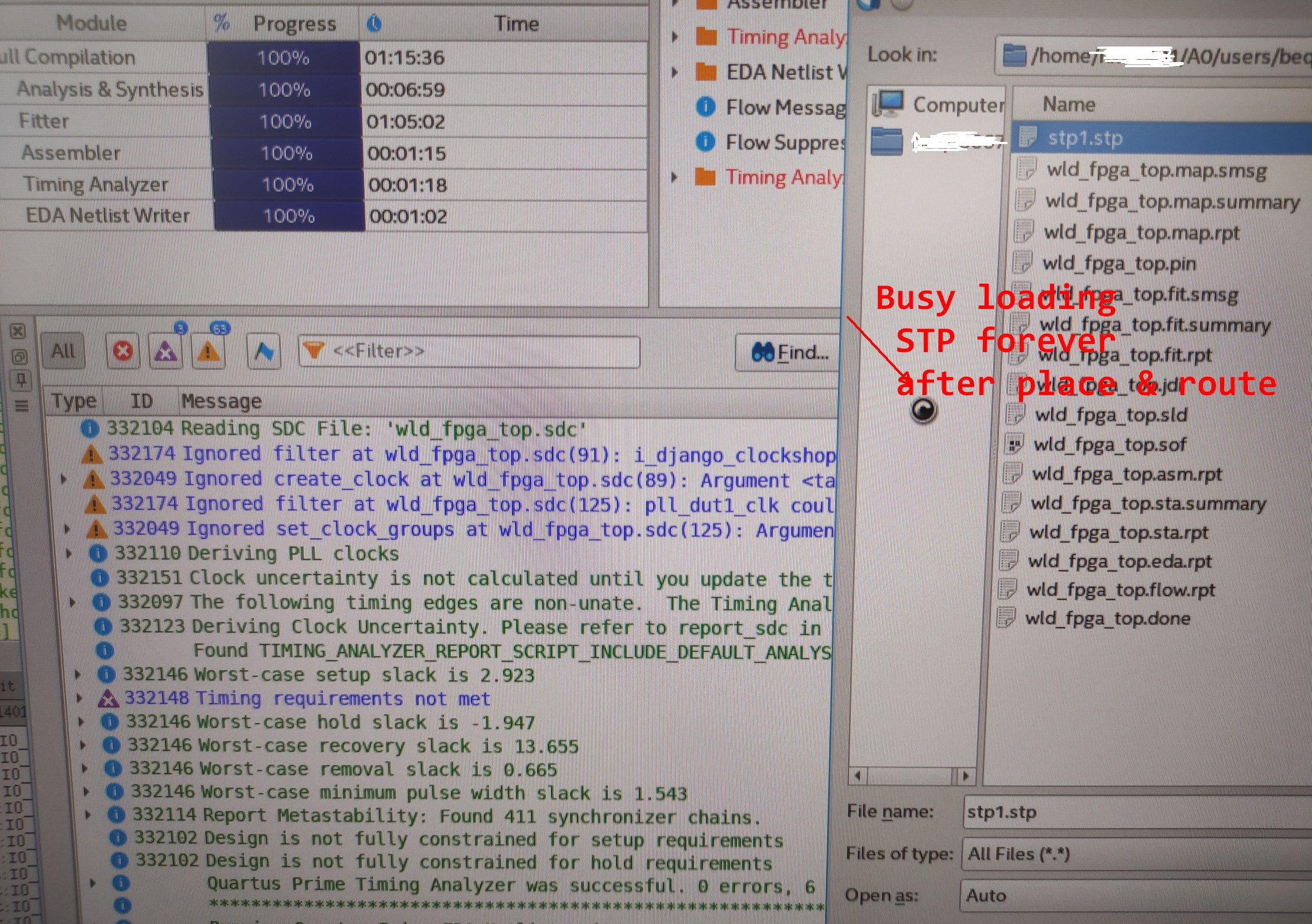
ContributorContributorWhen I keep the ILA windows under Linux (redhat) while doing a new full place and route to get new probes, using the Ethernet blaster II, when Quartus has finished the tasks (fitter, ..),
Quartus GUI is not responding, no graphics refresh at all.
I'm obliged to bkill quartus, re-open it and re-open the .stp to capture new traces with the ILA.
Could you check if there is a bug in that area?
Quartus II 21.1.0 STD
Alex.

 Super Contributor
Do you see any error message or Internal Error window pop up? It will be hard to pinpoint the issue that you are facing.
Does you see this issue with a specific design? Does the Quartus tool compile successfully before?
Have you try to run it in a different machine?
Have you check that your OS version support the Quartus software?
Best Regards,
Richard Tan
 ContributorContributor
I can see that there was a kind of similar issue in the past, not sure if this is still somewhat related or not:
https://www.intel.ca/content/www/ca/en/support/programmable/articles/000079443.html
To work around this problem, open quartus2.qreg and remove any lines that contain the text "Node_finder". The quartus2.qreg file can be found in the following location:
This problem is fixed beginning with the Quartus II software version 12.1.
Super ContributorIs ILA the Integrated Logic Analyzer from Xilinx?
If so, this is my first time seeing a customer using Quartus with ILA.
Any reason why you want to use ILA instead of our Signal tap logic analyzer?
p/s: the KDB is not applicable as the Quartus impacted is old version.
ContributorI mean't signal tap (for internal logic analyzer). I did use ILA on Xilinx too for a Xilinx FPGA.
In this case this is an Altera cyclone V FPGA so I use Quartus/signal tap.
Super ContributorI am quite stump as to why the GUI hang.
Does this issue occur with a specific design?
If run the same design by using different machine (with higher RAM), will the issue re-occur?
ContributorWe have machines with huge amount of RAM.
The issue happens with big design in the VQM from Synplify.
If the VQM is big but code get's optimized away (tie clk/rst), then Quartus is fine with Signal tap (only top level remains, 5% usage or so of the FPGA).
ContributorEdit: I also freeze with a small design when trying to move a waveform or change recompile condition.
I'm wondering if closing the two bottom windows (to gain waveform display space) is not helping reproducing the crash.
Super ContributorHi,
Could you share the design so I could try to duplicate it from my side?
The small design will do.
Best Regards,
Richard Tan
ContributorHi Richard,
I cannot share my design.
Alex.
Super ContributorI tried on both Window 10 and Linux (RHEL) but unfortunately not able to duplicate the issue, with both Quartus and signal tap GUI open & compile at the same time.
ps: I tried using the simple design example below. Example_ISSP_SignalTap.qar, in case this is design dependent issue and you may try to duplicate from your side.
Unfortunately without a way to duplicate the issue, I am not able to further debug. Unless you can give me some pointer to duplicate the issue, else we can only hope someone from the community who comes across similar issue may have some answer.
Best Regards,
Richard Tan
ContributorPlease try with a big design at your side (that uses at least 70% of the FPGA for example).
I don't have access to your example:
2022-06-28 13:34:49 | Error 403 | https://learning.intel.com/Developer
Super ContributorContributorContributorI moved to Quartus 13.1.0162 as I work again on the STRATIX III FPGA.
When I create the .stp and the .sof under Linux with Quartus 13.1
and then loading the .stp and programming the .sof using Quartus Prime 21.1 Standard Edition under Windows 10 ( I use the USB blaster at the moment, so I need to do it locally),
an error crash report windows always popup after loading a second time the .stp (after I modified the .sof/.stp under linux).
I installed Quartus II 13.1 (64-bit) pay edition under windows 10 and then there is no crash anymore.
So the bug lies in the Quartus 21.1 under linux and windows as for the .stp loading area.