Forum Discussion

 New Contributor
Simulating by ModelSIM signals multiple blocks nested inside each other on quartus||
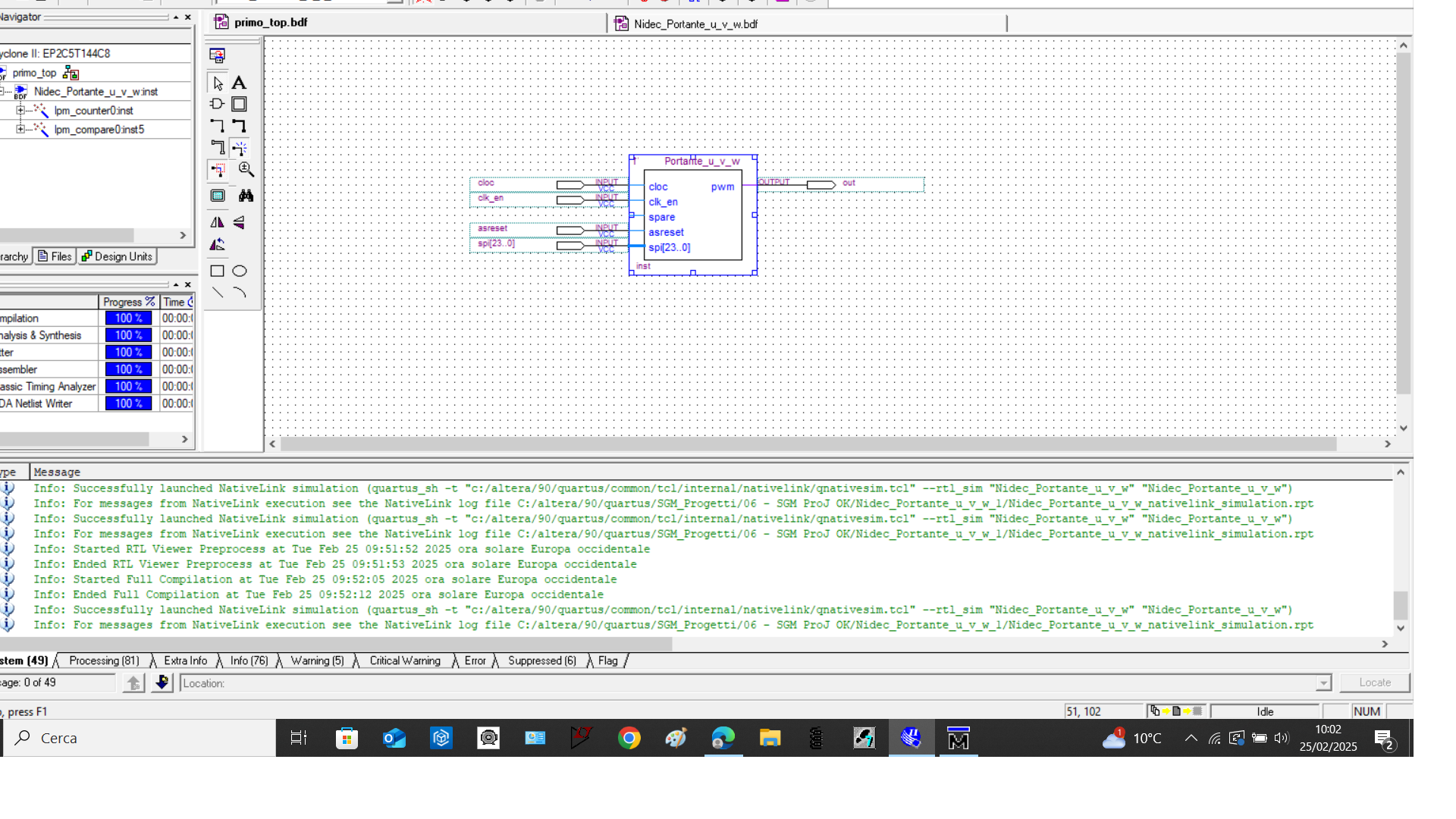
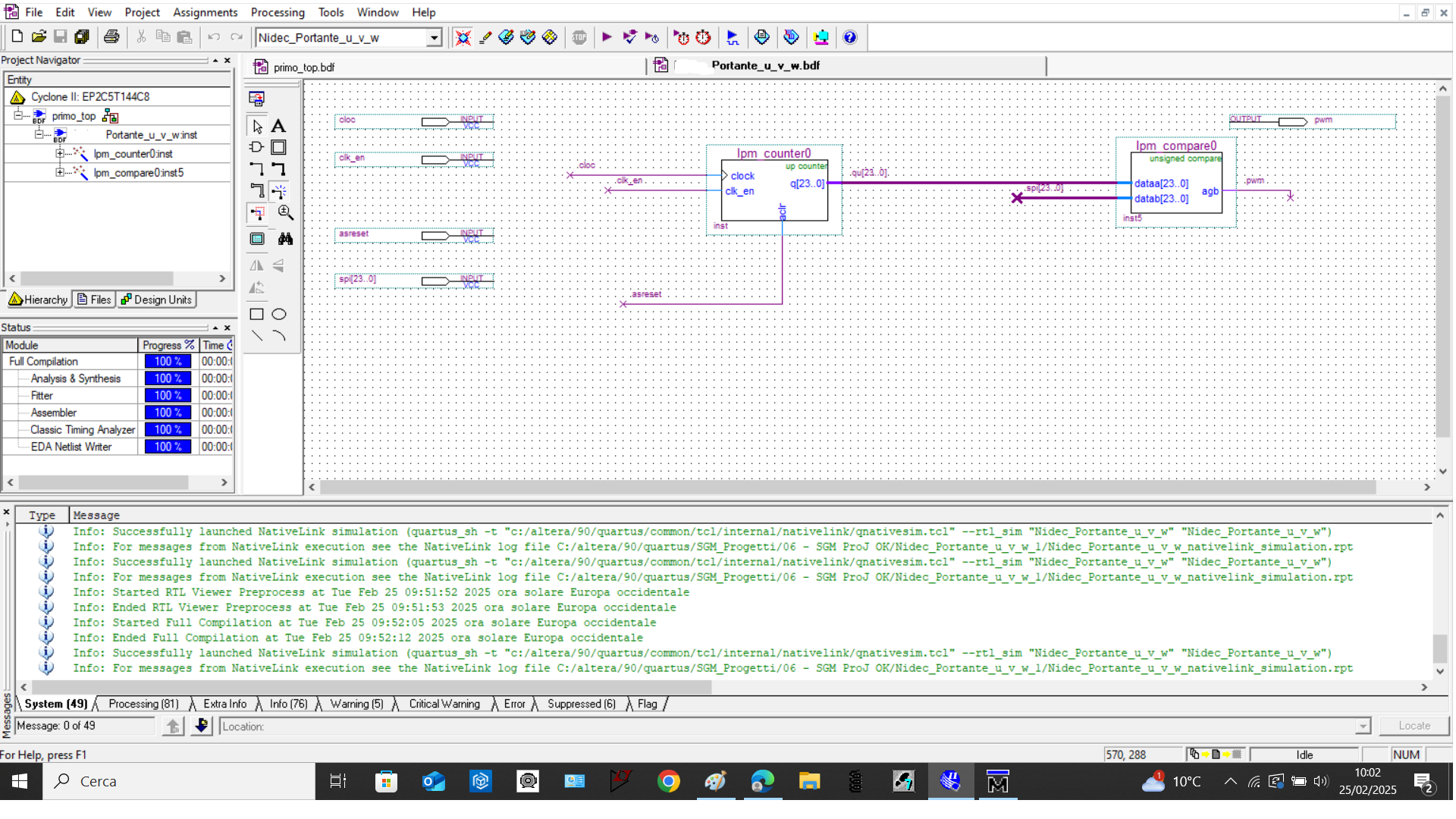
good morning, in the quartus|| environment I inserted in a new schematic file, two blocks: an LPM Counter and an LPM compare and other signal like clock, ect. After that I created a new block containing the two block. Now if I try to simulate the entire program with modelSIM, in the work folder only the signals of the two blocks "LPM Counter" and "LPM compare" appear but not all those that are there. How can I solve this problem.
Hi,
Please follow the previous mentioned steps.
In work library, double click the main screenshot:
In object panel, you'll see those signals clk, clk_en, cnt_en, as_res, spi, out. Select all and right-click -> Add Wave screenshot:
Those signals will be added to wave panel screenshot:
Thanks,
Regards,
Sheng
20 Replies
 FvM
FvMSuper Contributor
Hi,
I thought up to now, schematic design must be converted to HDL for ModelSim? Savino
hi, i am a little bit confused. in order to simulate all the signals I need, do I have to convert the main file (which contains other blocks) into an HDL file? How do I do it?
- Savino
I converted the file in verilog HDL but when i lunch modelSIM, in work folder still i dont see all the entire signal i need
 ShengN_altera
Hi,
Probably provide the design for a view?
- Savino
hi, I had already provide up the two file of the design. Below attached again. My goal is view and force some signals in simulation by means ModelSim, all signal in the project, like spi signal ecc because when i lunch ModelSim, in work folder i only can simulate and force the signals of the two megafunction block and not the other signal. It seems that it only needs blocks from the magafunction libraries to work. So how can i simulate nad force all signals in my design?
- ShengN_altera
Hi,
Possible provide the .qar file? Go to Project -> Archive Project
- Savino
- ShengN_altera
Hi,
You have to change the .bdf to HDL files. After compilation, go to Tools -> Run Simulation Tool -> RTL Simulation.
In modelsim, go to Library tab and under work right click main -> Simulate. In Objects panel, there'll be signals, select them -> right-click and Add Wave.
Or go to Sim panel, right-click main -> Add Wave. If want more signals from submodule, right-click main -> Add to -> Wave -> All items in region and below.
Those signals will be added to the Wave panel.
Thanks,
Regards,
Sheng
- Savino
Hi, I think I didn't explain myself. Tomorrow I will try to write again what is my issue
- ShengN_altera
Hi,
Sure, let me know if i miss anything?
Thanks,
Regards,
Sheng
- Savino
So, in the attached project there is a file containing two megafunction blocks, an LPM_Counter and an LPM_Compare, called "Portante_u_v_w". After connecting the various inputs and outputs to them, I created a new file called "Main" from this "Schematic" file. In the "Main" file there are the same inputs and outputs present in the schematic containing the two megafunction objects described above.
The problem now is that: both with the "Main" file open, and with the "Portante_u_v_w" file, I launch the RTL SImulation simulation, ModelSIm opens, but in the work folder I can only add and display the inputs and outputs of the LPM_Counter and LPM_Compare megafunction objects, but not the external signals. So for example, looking at the input and output signals shown in the "Main" file, I can't add the waves in the ModelSIm environment, but only the signals of the individual megafunction objects. I hope it's clear now what I want to solve.
Again, I repeat my request: with the "Main" file open, I want to be able to simulate and add waves in the ModelSim environment the signals that appear in the "Main" file, that is:
- clk
- clk_en
- cnt_en
- as_res
- spi
- outI hope now is clear and i hope to reach my goal.
- ShengN_altera
Hi,
Please follow the previous mentioned steps.
In work library, double click the main screenshot:
In object panel, you'll see those signals clk, clk_en, cnt_en, as_res, spi, out. Select all and right-click -> Add Wave screenshot:
Those signals will be added to wave panel screenshot:
Thanks,
Regards,
Sheng