User Profile

JLee25
 Contributor
Joined 8 years ago


User Widgets
Contributions
Re: VVP Protocol Converter Not work
Hi Wincent_Altera , I have update on this issue.. I instantiate IP core one by one and it's fine except the VVP protocol converter, LITE to Avalon Stream.. For unknown reason, the Sink side ready always kept now.. Thanks for supporting. Best Regards,12Views0likes1CommentRe: VVP Protocol Converter Not work
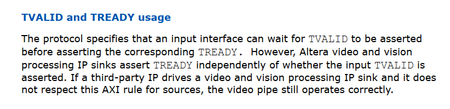
Hi Wincent_Altera , I instantiate a VVP Chroma ReSampler by converter YCC 422 to 444. For unknown reason, the CRS did not set the Tready even after updating the registers. And I did not see the Tready raised high after reset. This behavior is not as mentioned in UG page 21.. Any suggestion for me to check. Thank you.37Views0likes2CommentsRe: VVP Protocol Converter Not work
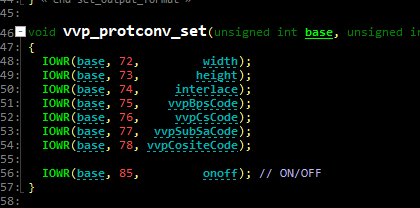
Hi Wincent_Altera , Conversion between 4->2 and 4->2 should be work, I am not seeing any complaints from Platform Designer. And Quartus generates the design successfully. I switch the mode from Lite to Full, the situation remained the same. Neither is running. Do you know where is a UG mentioned about how to program the Lite mode? As I found from the LUT reference, I suppose only video data is needed. How about the register address "75" for vvpBpsCode ? Thank you.25Views0likes1CommentRe: VVP Protocol Converter Not work
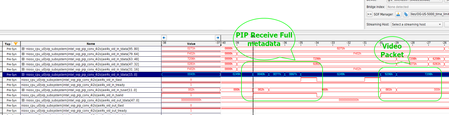
Hi Wincent_Altera , I just revised the design and use Altera Stream Full instead of Lite mode. In this case, no need to provide any parameters to IP core. Unfortunately the Pixels in Parallel converter is not output any data even it received data. Here's the test, CVI -> Protocol Convert (Avalon to Altera Full) -> PIP (4 pixels to 2 pixels) -> PIP (2 pixels to 4 pixels) -> Protocol Convert ( Altera to Avalon) -> CVI. Here's the PIP RX data, As noticed the PIP output Tready is always high but the core is not output any data. Any comments?12Views0likes1CommentRe: VVP Protocol Converter Not work
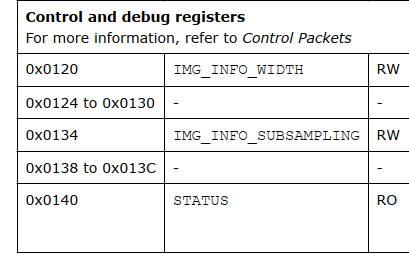
Hi Wincent_Altera , I did a simple VVP test with Lite Mode with Pixel in Parallel Converter.. Here's the pipeline, CVI (Avalon Streaming Bus, VIP) -> Protocol Converter (Avalon Streaming -> Altera Lite, VVP) -> Pixel in Parallel Converter (Quad to Dual pixels, YCC 422) -> Pixel in Parallel Converter (Dual to Quad pixels, YCC 422) -> Protocol Converter (Altera Lite to Avalon) -> CVO. I also did update the register values of protocol converter and readback, confirm the core status. Width is 3840 and SubSample is 2 From the STP I fund this core is not output any data even the sink is "Ready" and source is putting data. Do you have any suggestions? The IP version is "18060001" . Thank you.5Views0likes0CommentsRe: VVP Protocol Converter Not work
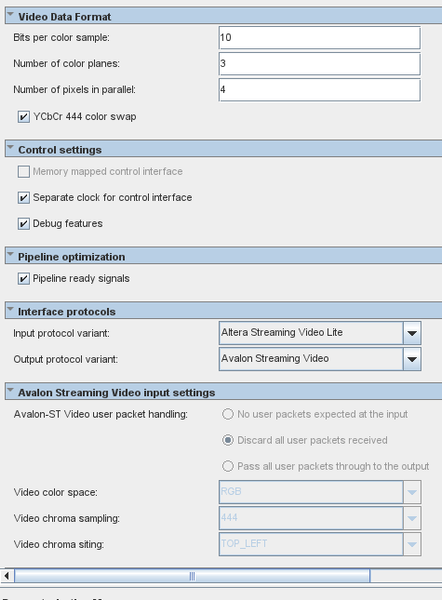
Hi Wincent_Altera , I checked the point you mentioned about the missing MM control interface on GUI using the "UDX 3D LUT" example. And quite confirmed that this is what you will see on the platform designer. Below is the capture of the UDX design And I am quite sure that I can access the settings even the MM interface is not enabled... And I expect to see the TREADY signal after IP core reset and write proper configuration values per VVP UG chap 3. But I don't know this is not happened for components like frame buffer, 1D LUT... Regards,3Views0likes0CommentsVVP Protocol Converter Not work
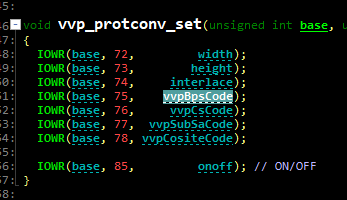
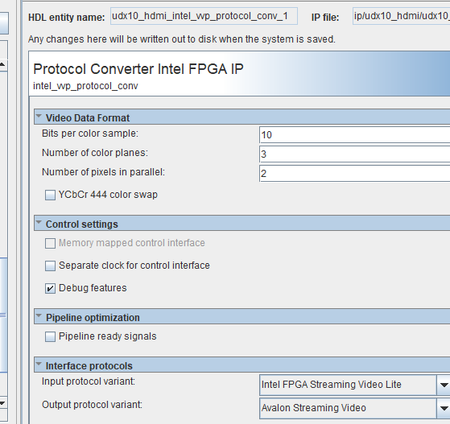
Hello, I am looking for how to use the VVP protocol converter, by converting Altera Stream Video Lite to Avalon Streaming Video. I generate a simple pipeline with Protocol Converter to Frame Buffer on Cyclone 10 GX... Here's the settings of the converter, And the Register settings for this IP, For unknown reason, I am unable able to see the protocol converter ready to work by setting rx ready signal goes "high" on STP. Even when the tx side ready signal is OK. Readback the register, the mode is fine and the CTRL is bit 0 is set already.. What would be wrong on my settings? Please help. Thank you.173Views0likes11Comments