User Profile

K606
 Contributor
Joined 1 year ago


User Widgets
Contributions
- 46Views0likes1Comment
Ticket Update
Hi - I have posted a follow up question on an old thread an would appreciate any help! I am making this post, as it is not clear where I can submit an official ticket otherwise. Can be seen here: Transceiver data corruption | Altera Community Please do feel free to delete this post when somone is assigned to the issue. Thanks.89Views0likes3CommentsRe: Transceiver data corruption
Hi CheepinC_altera Sorry I did not get back to you earlier - this message was buried in my inbox. The analogue settings for the GTS TX/RX: TX: Post_tap_1:0 Main_tap:55 Pre_tap_1:0 Pre_tap_2:0 RX: High Frequency VGA Gain:0 High Frequency Boost:0 DFE Data Tap 1:0 I added the transceiver toolkit in my design: ... .intel_directphy_gts_0_i_reconfig_clk_clk (CLK_100_B2B_p), .intel_directphy_gts_0_i_reconfig_reset_reset (agilex_reset), .intel_directphy_gts_0_reconfig_write (1'b0), .intel_directphy_gts_0_reconfig_read (1'b0), .intel_directphy_gts_0_reconfig_address (17'b0), // single PMA lane .intel_directphy_gts_0_reconfig_byteenable (4'b0), .intel_directphy_gts_0_reconfig_writedata (32'b0), .intel_directphy_gts_0_reconfig_readdata (), .intel_directphy_gts_0_reconfig_waitrequest (), .intel_directphy_gts_0_reconfig_readdatavalid (), ... In SignalTap: So as you can see, the GTS clocks are locked well. In the TransceiverToolkit (TT): Dec 18, 2025 3:05:34 PM Intel Agilex 5 _ Agilex 3 Transceiver Toolkit: agilex_5_agilex_3_transceiver_toolkit1766070211497 INFO: Finished eye width measure Dec 18, 2025 3:05:34 PM Intel Agilex 5 _ Agilex 3 Transceiver Toolkit: agilex_5_agilex_3_transceiver_toolkit1766070211497 INFO: 0.132 Dec 18, 2025 3:05:34 PM Intel Agilex 5 _ Agilex 3 Transceiver Toolkit: agilex_5_agilex_3_transceiver_toolkit1766070211497 INFO: 26.304 ps Dec 18, 2025 3:05:34 PM Intel Agilex 5 _ Agilex 3 Transceiver Toolkit: agilex_5_agilex_3_transceiver_toolkit1766070211497 INFO: Starting eye height measure Dec 18, 2025 3:05:39 PM Intel Agilex 5 _ Agilex 3 Transceiver Toolkit: agilex_5_agilex_3_transceiver_toolkit1766070211497 INFO: Core0_Pos_middle_eye 46.550000000000004 Core0_Neg_middle_eye -39.900000000000006 Core0_Total_middle_eye 86.45 Core1_Pos_middle_eye 54.53 Core1_Neg_middle_eye -38.57 Core1_Total_middle_eye 93.10000000000001 status true Dec 18, 2025 3:05:39 PM Intel Agilex 5 _ Agilex 3 Transceiver Toolkit: agilex_5_agilex_3_transceiver_toolkit1766070211497 SEVERE: An error occurred while running script "callback_pkg::eye_viewer_callback 0 ": Intel Agilex 5 _ Agilex 3 Transceiver Toolkit: agilex_5_agilex_3_transceiver_toolkit1766070211497: key "core0_pos_middle_eye" not known in dictionary while executing "dict get $eye_ehm_values "core0_pos_middle_eye" " (procedure "get_eye_data" line 8) invoked from within "get_eye_data $chan" (procedure "eye_viewer_callback_handler" line 75) invoked from within "eye_viewer_callback_handler $chan" (procedure "callback_pkg::eye_viewer_callback" line 2) invoked from within "callback_pkg::eye_viewer_callback 0" Which can be summarised as: Eye Vewer: ========== Eye Width UI : 0.132 Eye Width Time : 26.304 Core0_Pos_middle_eye : 46.550000000000004 Core0_Neg_middle_eye : -39.900000000000006 Core0_Total_middle_eye : 86.45 Core1_Pos_middle_eye : 54.53 Core1_Neg_middle_eye : -38.57 Core1_Total_middle_eye : 93.10000000000001 It seems that starting the PRBS check in the TT and checking the BER in TT work - and the BER is 0. However, the Eye Viewer test seems to fail... Please do advise! How would I go about using the data I have so far to tune the GTS, and is it possible to fix this eye viewer test?0Views0likes0CommentsRe: Agilex 5 EMAC GMII loopthrough: signals are not toggling in Fabric
In answer to the first question - yes, for instance using these commands: sudo ip addr flush dev eth0 sudo ip addr add 192.168.70.5/24 dev eth0 sudo ip link set eth0 up sudo ip addr flush dev eth1 sudo ip addr add 192.168.71.1/24 dev eth1 sudo ip link set eth1 up We can observe effects in Linux: root@localhost:~# cat /proc/net/dev Inter-| Receive | Transmit face |bytes packets errs drop fifo frame compressed multicast|bytes packets errs drop fid lo: 181360 2510 0 0 0 0 0 0 181360 2510 0 0 0 eth0: 6660 25 0 0 0 0 0 0 9662 61 0 0 0 eth1: 6360 20 0 0 0 0 0 0 10132 68 0 0 0 eth2: 0 0 0 0 0 0 0 0 0 0 0 0 0 root@localhost:~# ping -I 192.168.71.1 192.168.70.5 PING 192.168.70.5 (192.168.70.5) from 192.168.71.1 : 56(84) bytes of data. 64 bytes from 192.168.70.5: icmp_seq=1 ttl=64 time=0.148 ms 64 bytes from 192.168.70.5: icmp_seq=2 ttl=64 time=0.030 ms 64 bytes from 192.168.70.5: icmp_seq=3 ttl=64 time=0.061 ms 64 bytes from 192.168.70.5: icmp_seq=4 ttl=64 time=0.017 ms 64 bytes from 192.168.70.5: icmp_seq=5 ttl=64 time=0.029 ms root@localhost:~# cat /proc/net/dev Inter-| Receive | Transmit face |bytes packets errs drop fifo frame compressed multicast|bytes packets errs drop fid lo: 204920 2840 0 0 0 0 0 0 204920 2840 0 0 0 eth0: 6660 25 0 0 0 0 0 0 9662 61 0 0 0 eth1: 6360 20 0 0 0 0 0 0 10132 68 0 0 0 eth2: 0 0 0 0 0 0 0 0 0 0 0 0 0 Similarly: root@localhost:~# ip -s link show eth0 2: eth0: <BROADCAST,MULTICAST,UP,LOWER_UP> mtu 1500 qdisc mq state UP mode DEFAULT group defaul0 link/ether aa:b3:a3:d6:4e:04 brd ff:ff:ff:ff:ff:ff RX: bytes packets errors dropped missed mcast 7200 34 0 0 0 0 TX: bytes packets errors dropped carrier collsns 9662 61 0 0 0 0 root@localhost:~# ping -I 192.168.70.5 192.168.71.1 PING 192.168.71.1 (192.168.71.1) from 192.168.70.5 : 56(84) bytes of data. 64 bytes from 192.168.71.1: icmp_seq=1 ttl=64 time=0.155 ms 64 bytes from 192.168.71.1: icmp_seq=2 ttl=64 time=0.033 ms 64 bytes from 192.168.71.1: icmp_seq=3 ttl=64 time=0.025 ms ... root@localhost:~# ip -s link show eth0 2: eth0: <BROADCAST,MULTICAST,UP,LOWER_UP> mtu 1500 qdisc mq state UP mode DEFAULT group defaul0 link/ether aa:b3:a3:d6:4e:04 brd ff:ff:ff:ff:ff:ff RX: bytes packets errors dropped missed mcast 7200 34 0 0 0 0 TX: bytes packets errors dropped carrier collsns 9662 61 0 0 0 0 And arping has the same effect: root@localhost:~# sudo arping -I eth1 -c 50 192.168.70.5 ARPING 192.168.70.5 Timeout Timeout Timeout Timeout root@localhost:~# cat /proc/net/dev Inter-| Receive | Transmit face |bytes packets errs drop fifo frame compressed multicast|bytes packets errs drop fid lo: 250716 3484 0 0 0 0 0 0 250716 3484 0 0 0 eth0: 6960 30 0 0 0 0 0 0 9662 61 0 0 0 eth1: 6360 20 0 0 0 0 0 0 10422 73 0 0 0 eth2: 0 0 0 0 0 0 0 0 0 0 0 0 0 I think it means that the packets are not even trying to exit via the GMII interface. Is this correct? If so - maybe there is a solution?0Views0likes3CommentsRe: Agilex 5 EMAC GMII loopthrough: signals are not toggling in Fabric
Hi thanks for the suggestion, So as you suggested to do, I have set trigger points on these two nodes: emac0_mac_txen_wire emac1_mac_txen_wire When running SignalTap with these as triggers, I am seeing some toggling on the txd line: I am noticing that for the first few seconds or so, this pattern will continue - and then it will settle here and not update again (i.e. enable will not toggle) This all happens without making any network commands in the Linux terminal. When making networking command through the linux terminal, these GMII signals still seem to not be affected still. Maybe you have some idea? Perhaps the EMAC is expecting some specific GMII packets back? I have not yet hooked it up to the external PHY - so perhaps it needs some signals from an external PHY? In terms of dummy packet generation, I have been using this module: module gmii_rx_test_pattern #( parameter CLK_FREQ = 125_000_000 // RX clock frequency in Hz )( input wire rx_clk, // GMII RX clock (usually 125 MHz) input wire rstn, // Active low reset output reg [7:0] rxd, // GMII RX data to MAC output reg rx_dv, // Receive data valid output reg rx_er // Receive error ); // Pattern ROM (16 bytes example) reg [7:0] pattern [0:15]; initial begin pattern[0] = 8'h55; // Ethernet preamble pattern[1] = 8'h55; pattern[2] = 8'h55; pattern[3] = 8'h55; pattern[4] = 8'h55; pattern[5] = 8'h55; pattern[6] = 8'h55; pattern[7] = 8'hD5; // SFD pattern[8] = 8'hDE; // Example payload pattern[9] = 8'hAD; pattern[10] = 8'hBE; pattern[11] = 8'hEF; pattern[12] = 8'hCA; pattern[13] = 8'hFE; pattern[14] = 8'hBA; pattern[15] = 8'hBE; end reg [3:0] index; reg sending; always @(posedge rx_clk or negedge rstn) begin if (!rstn) begin rxd <= 8'd0; rx_dv <= 1'b0; rx_er <= 1'b0; index <= 4'd0; sending <= 1'b0; end else begin // Simple state machine to send pattern repeatedly if (!sending) begin rx_dv <= 1'b1; // Start of frame rx_er <= 1'b0; rxd <= pattern[0]; index <= 4'd1; sending <= 1'b1; end else begin rxd <= pattern[index]; index <= index + 1'b1; if (index == 4'd15) begin rx_dv <= 1'b0; // End of frame sending <= 1'b0; end end end end endmodule I think it is OK. Please do correct me if not.15Views0likes5CommentsRe: Agilex 5 EMAC GMII loopthrough: signals are not toggling in Fabric
Hi, So far, the ping has never produced GMII toggles on SignalTap. I have also tried using a PLL generated 250MHz clock to measure on signal tap (as can be seen in the following diagrams). In the following, I disconnected the loopback and instead added a 'dummy' rx packet generator - then sent them to the EMAC rxd wire via Fabric: gmii_rx_test_pattern u_rx_pattern ( .rx_clk(emac1_mac_tx_clk_o_wire), .rstn(~system_reset), .rxd(emac0_mac_rxd_wire), .rx_dv(emac0_mac_rxdv_wire), .rx_er(emac0_mac_rxer_wire) ); Which produces the following: But it seems that on the Linux side these packets are not being acknowledged by the kernel: root@localhost:~# cat /proc/net/dev Inter-| Receive | Transmit face |bytes packets errs drop fifo frame compressed multicast|bytes packets errs drop fifo colls card lo: 115040 1600 0 0 0 0 0 0 115040 1600 0 0 0 0 0 eth0: 0 0 0 0 0 0 0 0 9136 56 0 0 0 0 0 eth1: 0 0 0 0 0 0 0 0 9316 58 0 0 0 0 0 eth2: 0 0 0 0 0 0 0 0 0 0 0 0 0 0 0 It also seems that sending ARPs do not produce GMII tx toggle in Fabric: root@localhost:~# ifconfig eth0: flags=4163<UP,BROADCAST,RUNNING,MULTICAST> mtu 1500 inet 192.168.70.5 netmask 255.255.255.0 broadcast 0.0.0.0 ether ... RX packets 0 bytes 0 (0.0 B) RX errors 0 dropped 0 overruns 0 frame 0 TX packets 56 bytes 9136 (9.1 KB) TX errors 0 dropped 0 overruns 0 carrier 0 collisions 0 device interrupt 23 eth1: flags=4163<UP,BROADCAST,RUNNING,MULTICAST> mtu 1500 inet 192.168.71.1 netmask 255.255.255.0 broadcast 0.0.0.0 ether ... RX packets 0 bytes 0 (0.0 B) RX errors 0 dropped 0 overruns 0 frame 0 TX packets 67 bytes 9838 (9.8 KB) TX errors 0 dropped 0 overruns 0 carrier 0 collisions 0 device interrupt 40 root@localhost:~# sudo arping -I eth1 192.168.70.5 ARPING 192.168.70.5 Timeout Timeout ...3Views0likes7CommentsRe: Agilex 5 EMAC GMII loopthrough: signals are not toggling in Fabric
Hi - so I changed this line. However, it seems the issue persists. Do you know why this might be? Please also note that the SoC system clocks are confirgured as followed: root@localhost:~# cat /sys/kernel/debug/clk/clk_summary enable prepare protect duty hardware clock count count count rate accuracy phase cycle enable ------------------------------------------------------------------------------------------------------- qspi-clk 1 1 0 200000000 0 0 50000 Y osc1 2 2 0 25000000 0 0 50000 Y periph_pll 1 1 0 2500000000 0 0 50000 Y peri_pll_c3 1 1 0 500000000 0 0 50000 Y psi_ref_free_clk 0 0 0 500000000 0 0 50000 Y psi_ref_clk 0 0 0 500000000 0 0 50000 Y s2f_user1_free_clk 0 0 0 500000000 0 0 50000 Y s2f_user1_clk 0 0 0 500000000 0 0 50000 Y s2f_user0_free_clk 0 0 0 500000000 0 0 50000 Y s2f_user0_clk 0 0 0 500000000 0 0 50000 Y emaca_free_clk 3 3 0 250000000 0 0 50000 Y emac2_clk 1 1 0 250000000 0 0 50000 Y emac1_clk 1 1 0 250000000 0 0 50000 Y emac0_clk 1 1 0 250000000 0 0 50000 Y So it seems the clocks are active, but when sending a 'ping' from EMAC0 to EMAC1 - there is no activity on the GMII lines in Fabric (even though it seems the ping is working in userland in the HPS) root@localhost:~# sudo ip addr add 192.168.70.5/24 dev eth0 root@localhost:~# sudo ip addr add 192.168.70.1/24 dev eth1 root@localhost:~# ifconfig eth0: flags=4163<UP,BROADCAST,RUNNING,MULTICAST> mtu 1500 inet 192.168.70.5 netmask 255.255.255.0 broadcast 0.0.0.0 ether 3e:17:2e:db:8b:f6 txqueuelen 1000 (Ethernet) RX packets 60 bytes 19080 (19.0 KB) RX errors 0 dropped 0 overruns 0 frame 0 TX packets 168 bytes 27408 (27.4 KB) TX errors 0 dropped 0 overruns 0 carrier 0 collisions 0 device interrupt 23 eth1: flags=4163<UP,BROADCAST,RUNNING,MULTICAST> mtu 1500 inet 192.168.70.1 netmask 255.255.255.0 broadcast 0.0.0.0 ether 62:6f:4c:21:f2:f4 txqueuelen 1000 (Ethernet) RX packets 59 bytes 18762 (18.7 KB) RX errors 0 dropped 0 overruns 0 frame 0 TX packets 170 bytes 27588 (27.5 KB) TX errors 0 dropped 0 overruns 0 carrier 0 collisions 0 device interrupt 40 ... root@localhost:~# ping -I 192.168.70.1 192.168.70.5 PING 192.168.70.5 (192.168.70.5) from 192.168.70.1 : 56(84) bytes of data. 64 bytes from 192.168.70.5: icmp_seq=1 ttl=64 time=0.189 ms 64 bytes from 192.168.70.5: icmp_seq=2 ttl=64 time=0.034 ms 64 bytes from 192.168.70.5: icmp_seq=3 ttl=64 time=0.168 ms 64 bytes from 192.168.70.5: icmp_seq=4 ttl=64 time=0.042 ms 64 bytes from 192.168.70.5: icmp_seq=5 ttl=64 time=0.022 ms 64 bytes from 192.168.70.5: icmp_seq=6 ttl=64 time=0.009 ms 64 bytes from 192.168.70.5: icmp_seq=7 ttl=64 time=0.029 ms 64 bytes from 192.168.70.5: icmp_seq=8 ttl=64 time=0.020 ms 64 bytes from 192.168.70.5: icmp_seq=9 ttl=64 time=0.009 ms 64 bytes from 192.168.70.5: icmp_seq=10 ttl=64 time=0.034 ms 64 bytes from 192.168.70.5: icmp_seq=11 ttl=64 time=0.014 ms 64 bytes from 192.168.70.5: icmp_seq=12 ttl=64 time=0.012 ms 64 bytes from 192.168.70.5: icmp_seq=13 ttl=64 time=0.052 ms 64 bytes from 192.168.70.5: icmp_seq=14 ttl=64 time=0.025 ms 64 bytes from 192.168.70.5: icmp_seq=15 ttl=64 time=0.019 ms ^C --- 192.168.70.5 ping statistics --- 15 packets transmitted, 15 received, 0% packet loss, time 14335ms18Views0likes9CommentsAgilex 5 EMAC GMII loopthrough: signals are not toggling in Fabric
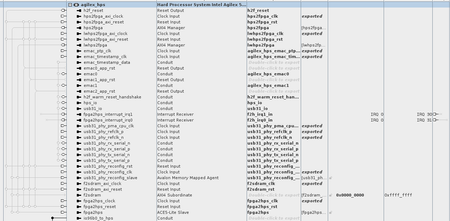
I am trying to route GMII signals through the Agilex5 HPS to the Fabric. In the .dts I am using, I have the following settings for the two EMACs: &gmac0 { status = "okay"; mac-mode = "gmii"; phy-mode = "gmii"; // must be added, and if no PHY, then add fixed link //phy-handle = <&emac0_phy0>; max-frame-size = <9000>; fixed-link { speed = <1000>; full-duplex; }; mdio0 { #address-cells = <1>; #size-cells = <0>; compatible = "snps,dwmac-mdio"; emac0_phy0: ethernet-phy@0 { reg = <0>; }; }; }; &gmac1 { status = "okay"; mac-mode = "gmii"; phy-mode = "gmii"; //phy-handle = <&emac1_phy0>; max-frame-size = <9000>; fixed-link { speed = <1000>; full-duplex; }; mdio0 { #address-cells = <1>; #size-cells = <0>; compatible = "snps,dwmac-mdio"; emac1_phy0: ethernet-phy@0 { reg = <0>; }; }; }; In the RTL I am connecting the two EMACs as followed: logic user_clk_pll_125, user_clk_pll_25, user_clk_pll_2_5; // 1G / 100M / 10M (* noprune *) logic [7:0] tx_dummy_counter; (* noprune *) logic emac0_mac_tx_clk_o_wire, emac0_mac_tx_clk_i_wire, emac0_mac_rx_clk_wire, emac0_mac_rst_tx_n_wire, emac0_mac_rst_rx_n_wire; (* noprune *) logic emac0_mac_txen_wire, emac0_mac_txer_wire, emac0_mac_rxdv_wire, emac0_mac_rxer_wire, emac0_mac_col_wire, emac0_mac_crs_wire; (* noprune *) logic [7:0] emac0_mac_rxd_wire; (* noprune *) logic [2:0] emac0_mac_speed_wire; (* noprune *) logic [7:0] emac0_mac_txd_o_wire; (* noprune *) logic [7:0] rx_dummy_counter; (* noprune *) logic emac1_mac_tx_clk_o_wire, emac1_mac_tx_clk_i_wire, emac1_mac_rx_clk_wire, emac1_mac_rst_tx_n_wire, emac1_mac_rst_rx_n_wire; (* noprune *) logic emac1_mac_txen_wire, emac1_mac_txer_wire, emac1_mac_rxdv_wire, emac1_mac_rxer_wire, emac1_mac_col_wire, emac1_mac_crs_wire; (* noprune *) logic [7:0] emac1_mac_rxd_wire; (* noprune *) logic [2:0] emac1_mac_speed_wire; (* noprune *) logic [7:0] emac1_mac_txd_o_wire; assign emac0_mac_rx_clk_wire = emac1_mac_tx_clk_o_wire; // 1G assign emac1_mac_rxdv_wire = emac0_mac_txen_wire; assign emac1_mac_rxer_wire = emac0_mac_txer_wire; assign emac1_mac_rxd_wire = emac0_mac_txd_o_wire; assign emac1_mac_col_wire = 1'b0; assign emac1_mac_crs_wire = 1'b0; assign emac0_mac_rx_clk_wire = emac0_mac_tx_clk_o_wire; // 1G assign emac0_mac_rxdv_wire = emac1_mac_txen_wire; assign emac0_mac_rxer_wire = emac1_mac_txer_wire; assign emac0_mac_rxd_wire = emac1_mac_txd_o_wire; assign emac0_mac_col_wire = 1'b0; assign emac0_mac_crs_wire = 1'b0; The GMII signals are exported from the Agilex HPS as followed: When the system boots, the following can be seen is dmesg: [ 1.443647] socfpga-dwmac 10810000.ethernet: Adding to iommu group 0 [ 1.450679] socfpga-dwmac 10810000.ethernet: IRQ eth_wake_irq not found [ 1.457291] socfpga-dwmac 10810000.ethernet: IRQ eth_lpi not found [ 1.463542] socfpga-dwmac 10810000.ethernet: RX VLAN HW Stripping [ 1.469741] socfpga-dwmac 10810000.ethernet: SMTG Hub Cross Timestamp supported [ 1.477398] socfpga-dwmac 10810000.ethernet: User ID: 0x76, Synopsys ID: 0x31 [ 1.484534] socfpga-dwmac 10810000.ethernet: XGMAC2 [ 1.489489] socfpga-dwmac 10810000.ethernet: DMA HW capability register supported [ 1.496943] socfpga-dwmac 10810000.ethernet: RX Checksum Offload Engine supported [ 1.504396] socfpga-dwmac 10810000.ethernet: COE Type 1 [ 1.509603] socfpga-dwmac 10810000.ethernet: TX Checksum insertion supported [ 1.516623] socfpga-dwmac 10810000.ethernet: TSO supported [ 1.522089] socfpga-dwmac 10810000.ethernet: Enable RX Mitigation via HW Watchdog Timer [ 1.530076] socfpga-dwmac 10810000.ethernet: device MAC address 42:ca:f5:1e:55:80 [ 1.537533] socfpga-dwmac 10810000.ethernet: Enabled L3L4 Flow TC (entries=16) [ 1.544737] socfpga-dwmac 10810000.ethernet: Enabled RFS Flow TC (entries=10) [ 1.551847] socfpga-dwmac 10810000.ethernet: TSO feature enabled [ 1.557831] socfpga-dwmac 10810000.ethernet: SPH feature enabled [ 1.563815] socfpga-dwmac 10810000.ethernet: TX COE limited to 2 tx queues [ 1.570665] socfpga-dwmac 10810000.ethernet: Using 40/40 bits DMA host/device width [ 1.581335] socfpga-dwmac 10820000.ethernet: Adding to iommu group 1 [ 1.588338] socfpga-dwmac 10820000.ethernet: IRQ eth_wake_irq not found [ 1.594945] socfpga-dwmac 10820000.ethernet: IRQ eth_lpi not found [ 1.601179] socfpga-dwmac 10820000.ethernet: RX VLAN HW Stripping [ 1.607380] socfpga-dwmac 10820000.ethernet: SMTG Hub Cross Timestamp supported [ 1.614905] socfpga-dwmac 10820000.ethernet: User ID: 0x76, Synopsys ID: 0x31 [ 1.622027] socfpga-dwmac 10820000.ethernet: XGMAC2 [ 1.626982] socfpga-dwmac 10820000.ethernet: DMA HW capability register supported [ 1.634436] socfpga-dwmac 10820000.ethernet: RX Checksum Offload Engine supported [ 1.641890] socfpga-dwmac 10820000.ethernet: COE Type 1 [ 1.647097] socfpga-dwmac 10820000.ethernet: TX Checksum insertion supported [ 1.654117] socfpga-dwmac 10820000.ethernet: TSO supported [ 1.659583] socfpga-dwmac 10820000.ethernet: Enable RX Mitigation via HW Watchdog Timer [ 1.667568] socfpga-dwmac 10820000.ethernet: device MAC address 3e:47:0a:4f:7b:96 [ 1.675024] socfpga-dwmac 10820000.ethernet: Enabled L3L4 Flow TC (entries=16) [ 1.682221] socfpga-dwmac 10820000.ethernet: Enabled RFS Flow TC (entries=10) [ 1.689330] socfpga-dwmac 10820000.ethernet: TSO feature enabled [ 1.695314] socfpga-dwmac 10820000.ethernet: SPH feature enabled [ 1.701298] socfpga-dwmac 10820000.ethernet: TX COE limited to 2 tx queues [ 1.708147] socfpga-dwmac 10820000.ethernet: Using 40/40 bits DMA host/device width [ 1.718293] socfpga-dwmac 10830000.ethernet: Adding to iommu group 2 [ 1.725245] socfpga-dwmac 10830000.ethernet: IRQ eth_wake_irq not found [ 1.731850] socfpga-dwmac 10830000.ethernet: IRQ eth_lpi not found [ 1.738075] socfpga-dwmac 10830000.ethernet: RX VLAN HW Stripping [ 1.744242] socfpga-dwmac 10830000.ethernet: SMTG Hub Cross Timestamp supported [ 1.751730] socfpga-dwmac 10830000.ethernet: User ID: 0x76, Synopsys ID: 0x31 [ 1.758854] socfpga-dwmac 10830000.ethernet: XGMAC2 [ 1.763807] socfpga-dwmac 10830000.ethernet: DMA HW capability register supported [ 1.771261] socfpga-dwmac 10830000.ethernet: RX Checksum Offload Engine supported [ 1.778712] socfpga-dwmac 10830000.ethernet: COE Type 1 [ 1.783917] socfpga-dwmac 10830000.ethernet: TX Checksum insertion supported [ 1.790936] socfpga-dwmac 10830000.ethernet: TSO supported [ 1.796400] socfpga-dwmac 10830000.ethernet: Enable RX Mitigation via HW Watchdog Timer [ 1.804372] socfpga-dwmac 10830000.ethernet: Enabled L3L4 Flow TC (entries=16) [ 1.811565] socfpga-dwmac 10830000.ethernet: Enabled RFS Flow TC (entries=10) [ 1.818673] socfpga-dwmac 10830000.ethernet: TSO feature enabled [ 1.824656] socfpga-dwmac 10830000.ethernet: SPH feature enabled [ 1.830639] socfpga-dwmac 10830000.ethernet: TX COE limited to 2 tx queues [ 1.837487] socfpga-dwmac 10830000.ethernet: Using 40/40 bits DMA host/device width ... [ 11.730428] socfpga-dwmac 10830000.ethernet eth2: Register MEM_TYPE_PAGE_POOL RxQ-0 [ 11.747001] socfpga-dwmac 10830000.ethernet eth2: Register MEM_TYPE_PAGE_POOL RxQ-1 [ 11.770275] socfpga-dwmac 10830000.ethernet eth2: Register MEM_TYPE_PAGE_POOL RxQ-2 [ 11.778338] socfpga-dwmac 10830000.ethernet eth2: Register MEM_TYPE_PAGE_POOL RxQ-3 [ 11.782322] socfpga-dwmac 10830000.ethernet eth2: Register MEM_TYPE_PAGE_POOL RxQ-4 [ 11.787412] socfpga-dwmac 10830000.ethernet eth2: Register MEM_TYPE_PAGE_POOL RxQ-5 [ 11.790998] socfpga-dwmac 10830000.ethernet eth2: Register MEM_TYPE_PAGE_POOL RxQ-6 [ 11.796018] socfpga-dwmac 10830000.ethernet eth2: Register MEM_TYPE_PAGE_POOL RxQ-7 [ 11.813781] fpga_manager fpga0: Stratix10 SOC FPGA Manager registered [ 11.913063] socfpga-dwmac 10830000.ethernet eth2: PHY [stmmac-2:01] driver [Micrel KSZ9031 Gigabit PHY] (irq=POLL) [ 11.913393] socfpga-dwmac 10830000.ethernet eth2: No Safety Features support found [ 11.913478] socfpga-dwmac 10830000.ethernet eth2: IEEE 1588-2008 Advanced Timestamp supported [ 12.001908] socfpga-dwmac 10830000.ethernet eth2: registered PTP clock [ 12.007839] socfpga-dwmac 10830000.ethernet eth2: FPE workqueue start [ 12.007940] socfpga-dwmac 10830000.ethernet eth2: configuring for phy/rgmii-id link mode [ 12.155854] socfpga-dwmac 10820000.ethernet eth1: Register MEM_TYPE_PAGE_POOL RxQ-0 [ 12.159161] socfpga-dwmac 10820000.ethernet eth1: Register MEM_TYPE_PAGE_POOL RxQ-1 [ 12.180998] socfpga-dwmac 10820000.ethernet eth1: Register MEM_TYPE_PAGE_POOL RxQ-2 [ 12.191086] socfpga-dwmac 10820000.ethernet eth1: Register MEM_TYPE_PAGE_POOL RxQ-3 [ 12.199787] socfpga-dwmac 10820000.ethernet eth1: Register MEM_TYPE_PAGE_POOL RxQ-4 [ 12.208205] socfpga-dwmac 10820000.ethernet eth1: Register MEM_TYPE_PAGE_POOL RxQ-5 [ 12.218464] socfpga-dwmac 10820000.ethernet eth1: Register MEM_TYPE_PAGE_POOL RxQ-6 [ 12.229854] socfpga-dwmac 10820000.ethernet eth1: Register MEM_TYPE_PAGE_POOL RxQ-7 [ 12.247722] socfpga-dwmac 10820000.ethernet eth1: No Safety Features support found [ 12.247967] socfpga-dwmac 10820000.ethernet eth1: IEEE 1588-2008 Advanced Timestamp supported [ 12.331440] socfpga-dwmac 10820000.ethernet eth1: registered PTP clock [ 12.332900] socfpga-dwmac 10820000.ethernet eth1: FPE workqueue start [ 12.332987] socfpga-dwmac 10820000.ethernet eth1: configuring for fixed/gmii link mode [ 12.343803] socfpga-dwmac 10820000.ethernet eth1: Link is Up - 100Mbps/Full - flow control off [ 12.344209] IPv6: ADDRCONF(NETDEV_CHANGE): eth1: link becomes ready [ 12.449807] of-fpga-region soc:base_fpga_region: FPGA Region probed [ 12.469882] socfpga-dwmac 10810000.ethernet eth0: Register MEM_TYPE_PAGE_POOL RxQ-0 [ 12.479649] socfpga-dwmac 10810000.ethernet eth0: Register MEM_TYPE_PAGE_POOL RxQ-1 [ 12.482568] socfpga-dwmac 10810000.ethernet eth0: Register MEM_TYPE_PAGE_POOL RxQ-2 [ 12.490255] socfpga-dwmac 10810000.ethernet eth0: Register MEM_TYPE_PAGE_POOL RxQ-3 [ 12.493314] socfpga-dwmac 10810000.ethernet eth0: Register MEM_TYPE_PAGE_POOL RxQ-4 [ 12.501735] socfpga-dwmac 10810000.ethernet eth0: Register MEM_TYPE_PAGE_POOL RxQ-5 [ 12.514200] socfpga-dwmac 10810000.ethernet eth0: Register MEM_TYPE_PAGE_POOL RxQ-6 [ 12.536765] socfpga-dwmac 10810000.ethernet eth0: Register MEM_TYPE_PAGE_POOL RxQ-7 [ 12.582718] socfpga-dwmac 10810000.ethernet eth0: No Safety Features support found [ 12.583005] socfpga-dwmac 10810000.ethernet eth0: IEEE 1588-2008 Advanced Timestamp supported [ 12.591157] socfpga-dwmac 10810000.ethernet eth0: registered PTP clock [ 12.601012] socfpga-dwmac 10810000.ethernet eth0: FPE workqueue start [ 12.601201] socfpga-dwmac 10810000.ethernet eth0: configuring for fixed/gmii link mode [ 12.611650] socfpga-dwmac 10810000.ethernet eth0: Link is Up - 100Mbps/Full - flow control off [ 12.615095] IPv6: ADDRCONF(NETDEV_CHANGE): eth0: link becomes ready ... (this log was from testing 100M, but the same occurs for 1G) In signal tap, no wires are toggled (even though it seems the output clocks are fine) Please help!519Views0likes11Comments