Forum Discussion

 Contributor
AshlingRISCFree IDE Build system: 'source directory does not appear to contain CMakeLists.txt"
 Contributor
Hi drbarryh
This post is referring to your first post about your design with mSGDMA IP.
CMake Error: The source directory "D:/VAREX_mSGDMA_Eval/software/hal_app" does not appear to contain CMakeLists.txt.
This is likely caused by missing niosv-app step between step 10 & 11.
The BSP CMakeLists.txt is generated automatically by BSP Editor, while the APP CMakeLists.txt is generated by niosv-app command.
10. Generated the BSP, created a simple C main application to configure the mSGDMAs and NIOSV/ m processor etc.
<<<< Need to run niosv-app HERE
11. Imported both the HAL_BSP and HAL_APP folders using: 'Import NIOS-V CMake Project...
Even if i add it manually then try to do a project build again i then see an error message saying the CmakeCache.txt file has not been created.
I see. I will replicate this behavior, and bring this to Ashling.
The quick workaround is to delete the "build" folder, and Build again.
(For your use case, it will be the D:/VAREX_mSGDMA_Eval/software/hal_app/build folder.)
Here i have also linked to an older post here in the knowledge base Claiming that "This problem is fixed starting with the Intel® Quartus® Prime Pro Edition Software version 21.4. and later". This appears to be NOT the case though :)
Agree with your findings. The KDB is incorrect. I will correct the KDB immediately.
The valid resolution is to identify whether it is BSP CMakeLists.txt or APP CMakeLists.txt.
- If it is BSP CMakeLists.txt, then it is likely that the user didn't run BSP Editor to generate the bsp folder.
- If it is APP CMakeLists.txt, then it is likely that the user didn't run niosv-app.
Once we get back the CMakeLists.txt, then proceed with subsequent cmake & make.
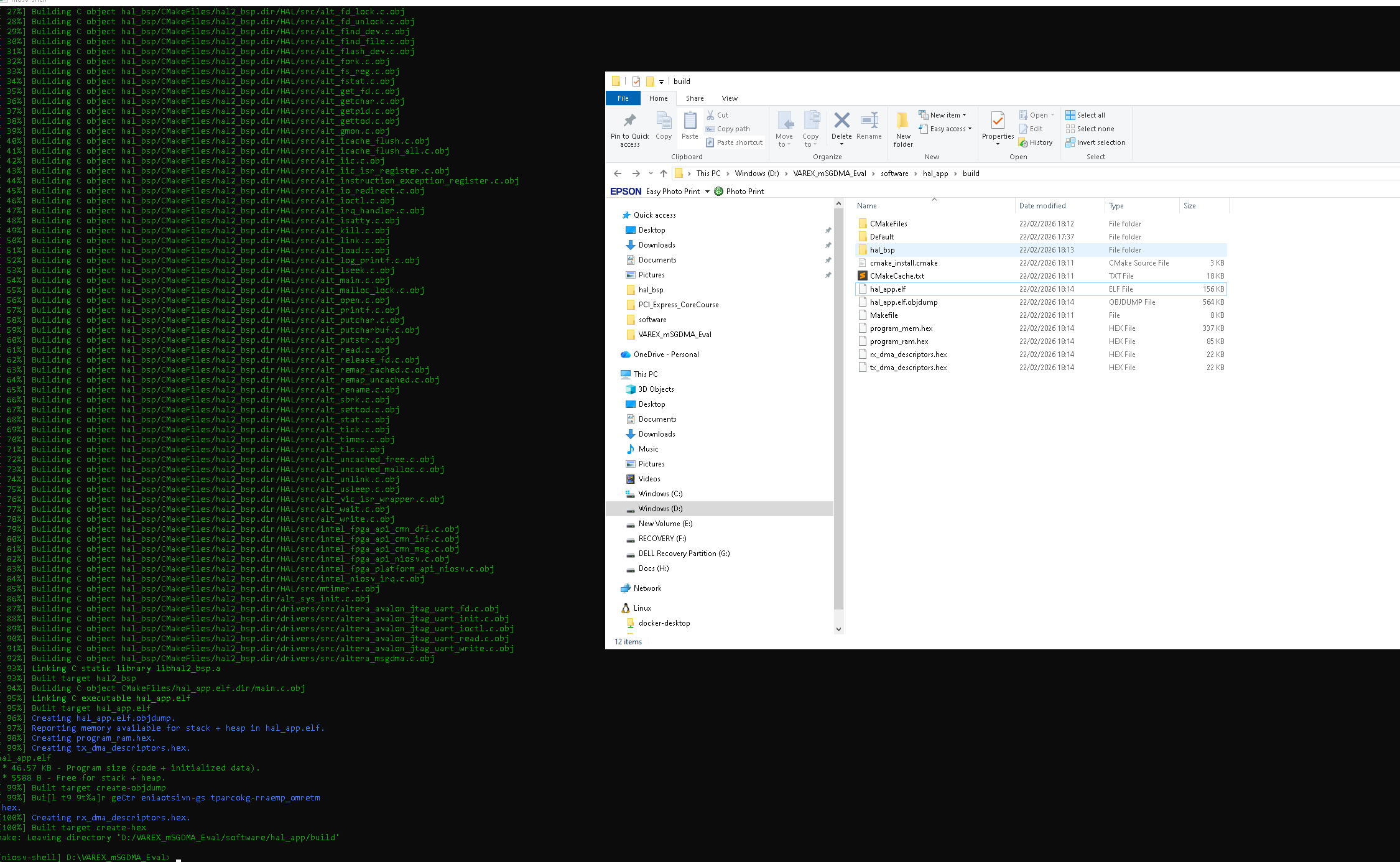
I have tried using niosv cli commands to build my ELF file ...and they seem to work, which means the AshlingRISC IDE is the culprit in the failed IDE build process:
The difference is niosv-app. Nevertheless, it is good to hear that you can proceed with CLI.
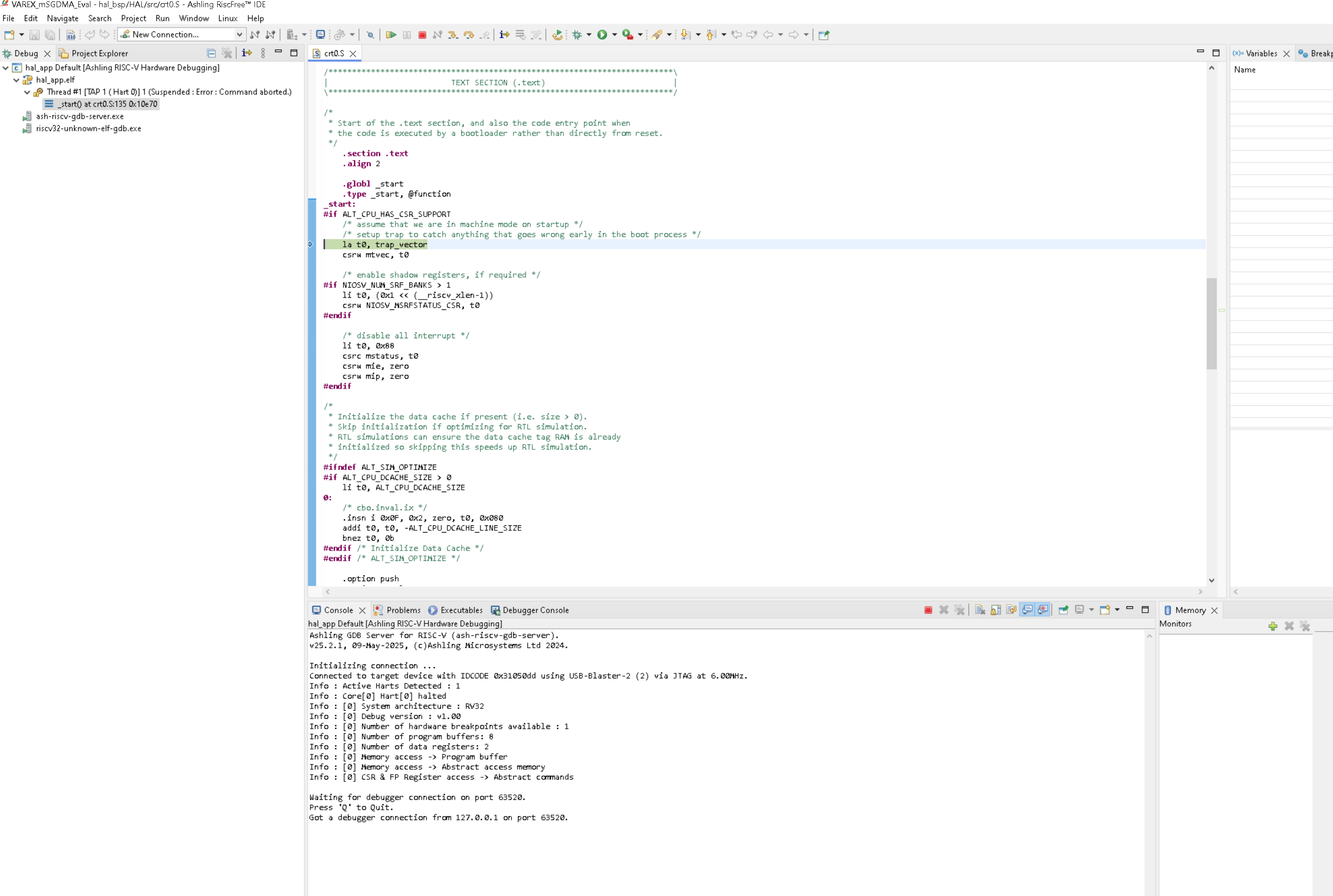
It looks like the GDB debugger detects the NIOSV/m processor (the 1 hard message) and then promptly crashed during part of the boot process. Does anybody have any ideas about why that might be and what is going on please ?
We can see that the Ashling GDB Debugger is reporting "Command Aborted". That should be the failing signature.
- If you run "niosv-download -g" in CLI, do you receive similar "Command Aborted" message?
(This taps in & out of the processor. It is to understand if the debug module is already faulty before debugging, or turns faulty during debugging.) - If Action 1 is successfully done without Command Aborted, next is "niosv-download -g <your_file>.elf".
(This taps in, download elf & out of the processor. Catching whether the download is causing the "command aborted") - Would you be able to simplify your code to simple "Hello World printf" and debug it?
Regards,
Liang Yu