Forum Discussion

 Honored Contributor
Quartus Prime Lite Edition Clock
Dear all;
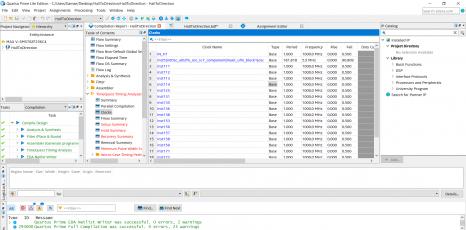
I designed a circuit in Quartus. When I control output signals of circuit with oscilloscope I can not get correct results. I think reason of wrong measurement result is clock signal. I didn't assign H1 input as clock, but Quartus assigns H1 as clock. I followed this path Assignments->Settings->Advanced Settings->Auto Global Clock->Off to turn off global clock. But under clocks H1 appear as clock. Could you help me please how I can close global clock assignment? Sincerely.https://alteraforum.com/forum/attachment.php?attachmentid=14062&stc=14 Replies
 Altera_Forum
Auto global has nothing to do with the issue you are seeing. That just tells the compiler to make use of the global clock resources in the device to distribute your clock signal. If you turn that off, either you have to assign clocks to global resources manually in the Assignment Editor or the compiler will just use local routing (instead of global) for your clock. The real issue (which is impossible to tell because your screen cap is too small to see) is if you have connected a clock signal to your design correctly, in the design itself and in the Pin Planner.
- Altera_Forum
This means Quartus does not think it needs your 'CLK' signal to implement your design, which means you're not using it as you thought you were.
Once you've corrected this error, use the 'Pin Planner' - under the 'Assignments' menu in Quartus - to assign your I/O signal to the pins you want. Cheers, Alex - Altera_Forum
I checked this file but I can not find anything about CLK.
- Altera_Forum
Check some of the report files generated by Quartus. In your project folder you should have an 'output_files' folder (depending on what version of Quartus you're using *). In there are files showing what Quartus has done with your design. Look at the *.pin file. This tells you about ALL the pins on your device, including which pins Quartus has used for the signals in your design. Check the clock input (and other signals) have been placed on the pins you're expecting.
* Older versions of Quartus put these report files in the main project directory. Cheers, Alex