Forum Discussion

 Occasional Contributor
max10 pin assignment question
device: 10MSCE144I7G It's single 3.3V power supply FPGA. Why quartus give me below warning when fitter?
Thank you, FvM, for the answer. To add on:
1) The default I/O standard for pins is device-specific. To change the default I/O standard:i) Click Assignments > Device.
ii) On the Device dialog box, click Device and Pin Options.
iii) In the Category list, select Voltage and then select the desired I/O standard.2) You should see as below:
Regards,
Richard Tan

6 Replies
- RichardT_altera
Super Contributor
Thank you for acknowledging the solution provided. I'm pleased to know that your question has been addressed.
Now, I will transitioning this thread to community support. If you have any further questions or concerns, please don't hesitate to reach out. Please login to https://supporttickets.intel.com/s/?language=en_US , view details of the desire request, and post a feed/response within the next 15 days to allow me to continue to support you. After 15 days, this thread will be transitioned to community support.
The community users will be able to help you on your follow-up questions.
Thank you and have a great day!
Best Regards,
Richard Tan
 lipingx
Yes, you are right, change the the default setting to assignment works fine.
still have two questions:
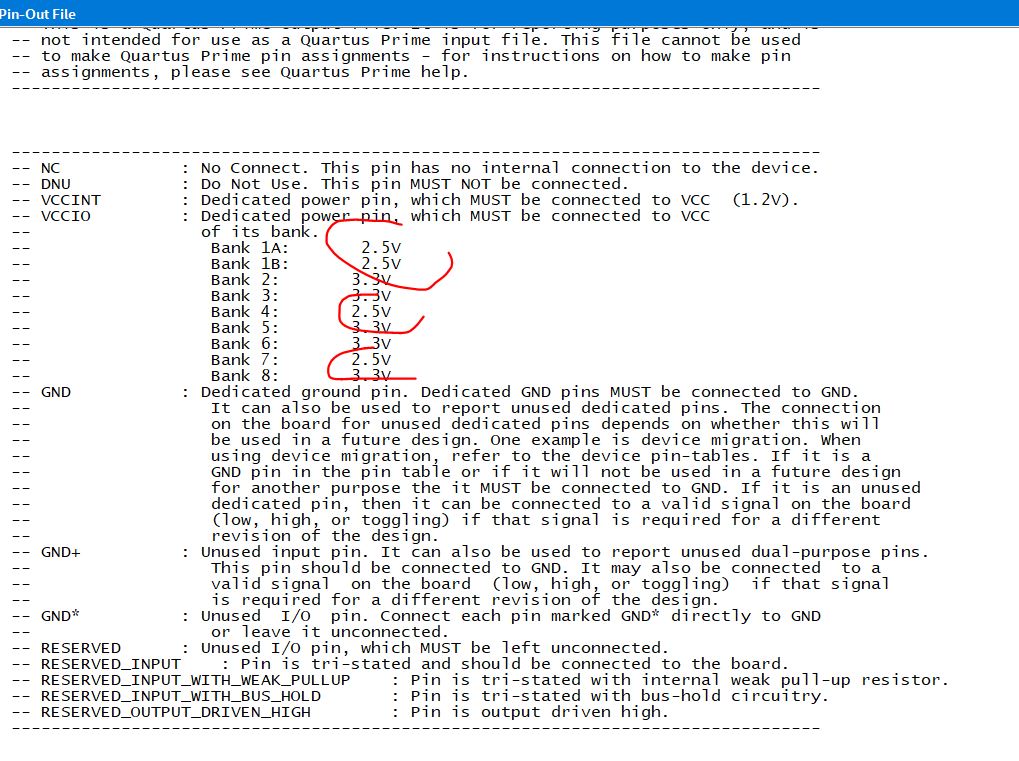
1) why bank 1, 4, 7 VCCIO is 2.5V. It should target 3.3V single supply.
2) I don't see this path, you can see my screen shot below.
Compilation Report\Fitter\Resource Section\I/O Standards Section\I/O Assigment Warnings
- RichardT_altera
Thank you, FvM, for the answer. To add on:
1) The default I/O standard for pins is device-specific. To change the default I/O standard:i) Click Assignments > Device.
ii) On the Device dialog box, click Device and Pin Options.
iii) In the Category list, select Voltage and then select the desired I/O standard.2) You should see as below:
Regards,
Richard Tan  FvM
FvMVCCIO selection is defined by chosen I/O-standard of individual pins and default I/O standard.
- FvM
Hi,
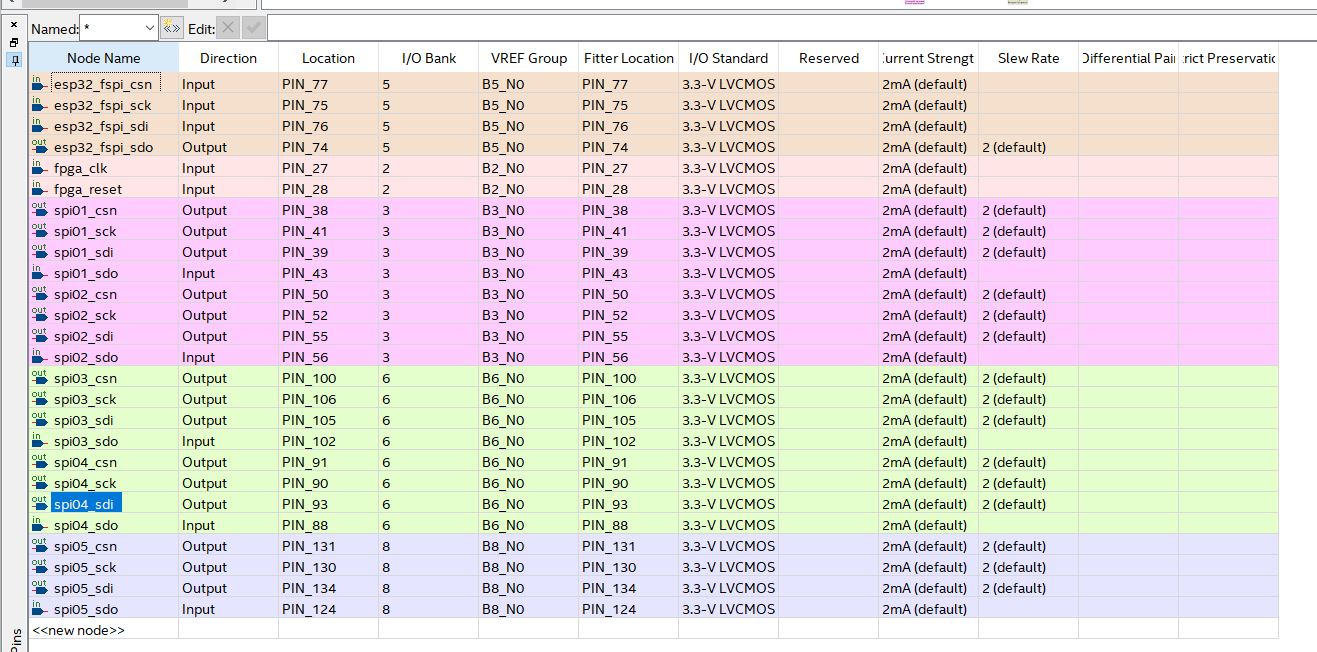
looking at pin planner, you'll find output or bidir pins with default current strength assignment. They are all flagged as incomplete assignment. Set explicite current strength, e.g. 2mA instead of 2mA (default).
You find mentioned "I/O Assignment Warnings" in Quartus GUI under
Compilation Report\Fitter\Resource Section\I/O Standards Section\I/O Assigment Warningsor as a decdicated section in project.fit.report
- lipingx
I can not find any incomplete assignment.
Please give me some instruction.