Serge93 Occasional Contributor
Occasional ContributorOccasional ContributorHello Support,
Today suddently, I could not configure anymore my Agilex 7-I Dev Kit.
I got the following message :
 Occasional Contributor
Hello Fakhul,
So,
About (1) : Yes it is the first time, the board was working well for several months, and one day when I was debugging a new IP, I did several power cycle, and suddenly I could not configure the board, it was amazing.
About (2) : My serial number is 8100650, so DK-DEV-AGI027-RA and AGIB027R29A1E1VB
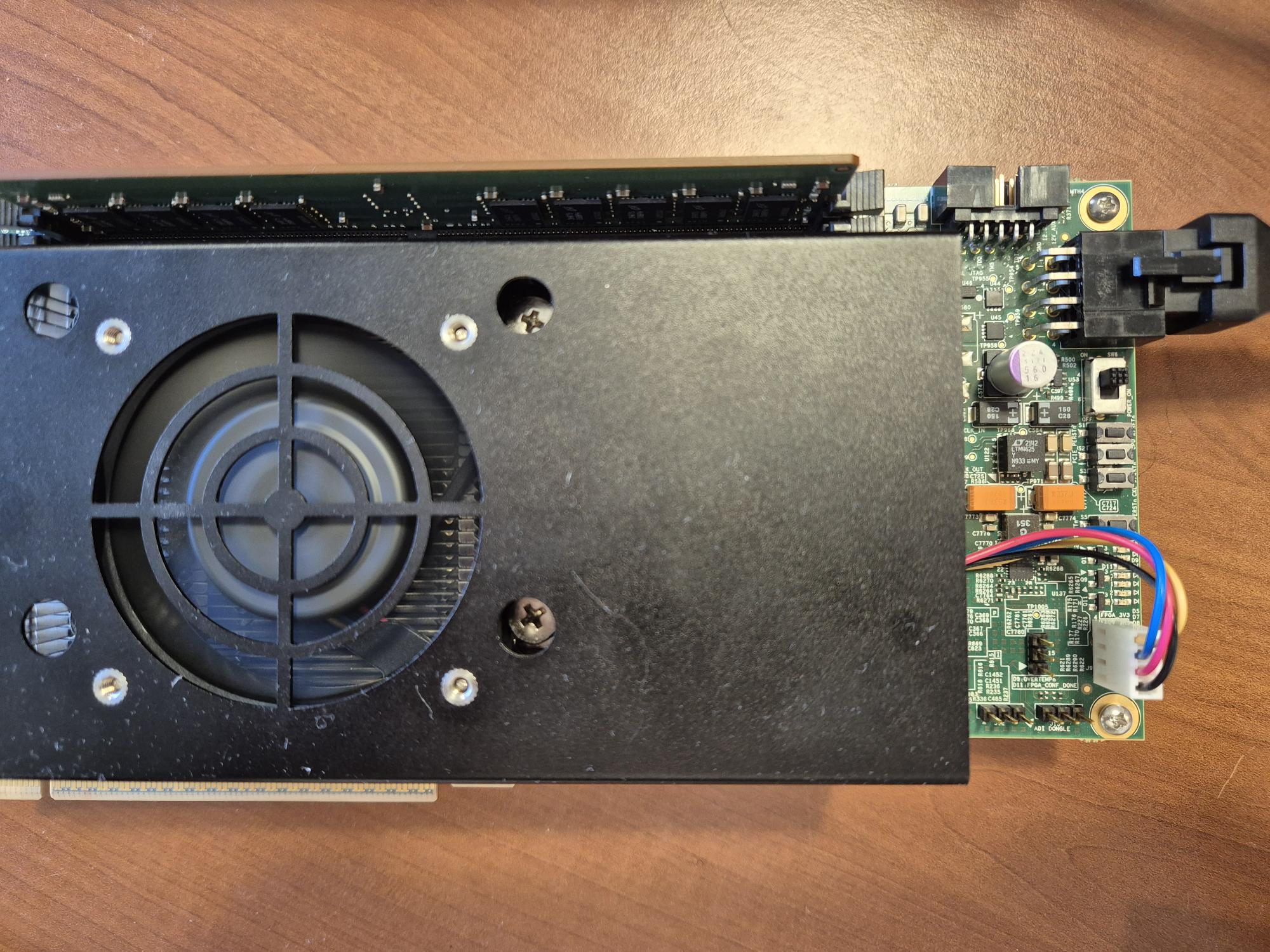
About (3) : Please see the picture attached
About (4) : I was unable to find you 'Device info -> Read Device Info' menu, where it is ?
About (5) : I using the board only in 'Bench Power Mode'. So no, LED D6 is off.
Thank you for help.
Serge

 Regular Contributor
Hi Serge,
Thanks. Since you are on bench power and D6 Power Good LED is OFF, the board rails are not up. That explains BTS showing no rails and the JTAG errors. The user guide defines D6 = Power Good (blue ON = all powers good, OFF = power fault) and shows bench power on J11 with SW6 = ON.
About (4) : I was unable to find you 'Device info -> Read Device Info' menu, where it is ?
It in the Configuration Debugger: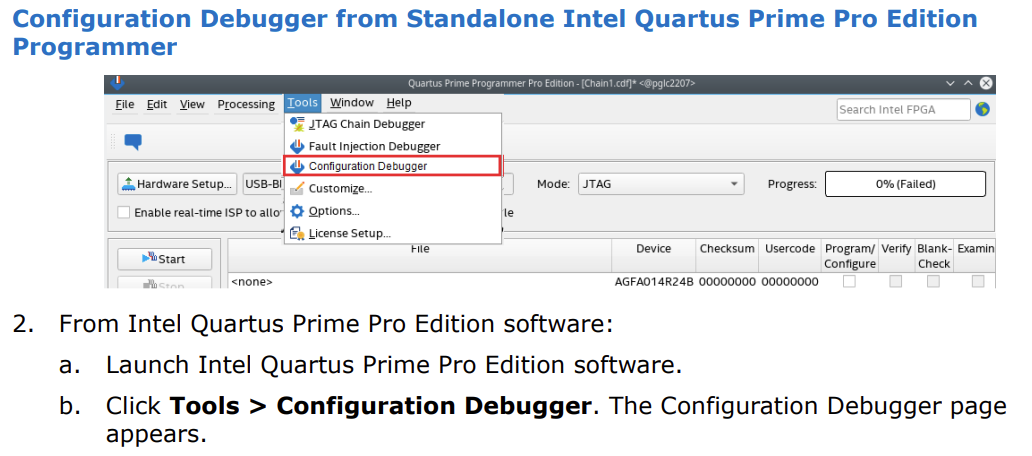
Please check these exactly as in the guide:
Regards,
Fakhrul
Occasional ContributorHello Fakhrul,
I tried to read the Device info, but it was impossible.
I measured the 12V at J11. The 12V is always present with SW6 Off or SW On. D6 reamins always Off.
Please see the picture attached of the baord with SW6 On. You will see D6 Off and the Fan On, i.e. the Power is on.
Thank you for help.
Serge
Occasional ContributorI reconfigured the MAX10 with the factory pof as suggested in the forum, same problem.
Is my board broken ?
Any help ?
Thank you
Serge
Regular ContributorHi Serge93,
Thanks for reporting this. Please try these quick steps:
Please share your kit ordering code and the output of jtagconfig --debug after step 3.
Regards,
Fakhrul
Occasional ContributorHello Fakhul,
I already did all what you said including trying to access the board through the BTS. I was able to reconfigure the MAX10 by bypassing the FPGA but it changed nothing. The Agilex 7i is impossible to configure even with an external USB Blaster with reduced clock.
kit ordering code : AGIPCIe8100650 / N24193-001
The Result of jtagconfig --debug is :
[niosv-shell] C:\Users\serge\AppData\Local\quartus> jtagconfig --debug
1) AGI FPGA Development Kit [USB-1]
(JTAG Server Version 25.3.1 Build 100 12/19/2025 SC Pro Edition)
Unable to read device chain - JTAG chain broken
Captured DR after reset = ()
Captured IR after reset = ()
Captured Bypass after reset = ()
Captured Bypass chain = ()
JTAG clock speed auto-adjustment is enabled. To disable, set JtagClockAutoAdjust parameter to 0
JTAG clock speed 24 MHz
Thanks for help.
Serge