Forum Discussion

 New Contributor
Different FPGA model shows: DEV-AGM039EA
Dear Altera Team,
Thank you for your support.
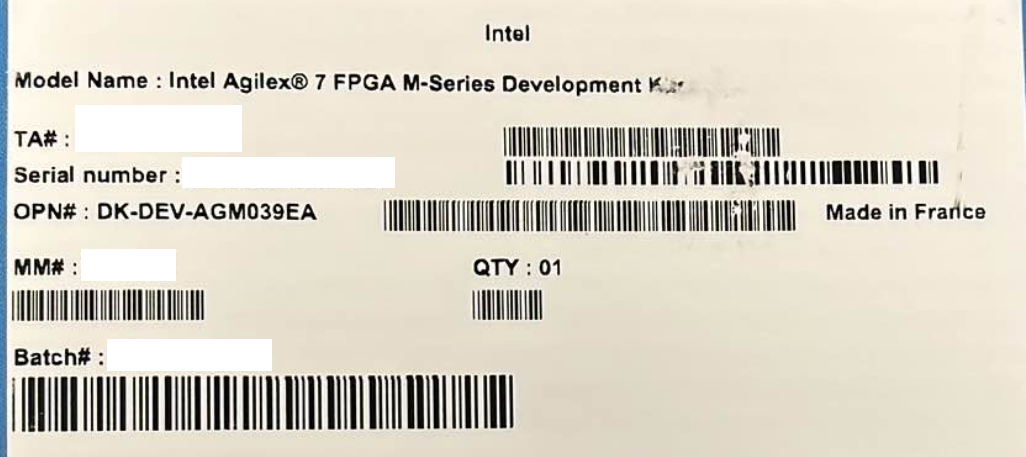
We have received the following inquiry from our customer regarding the development kit DK-DEV-AGM039EA.
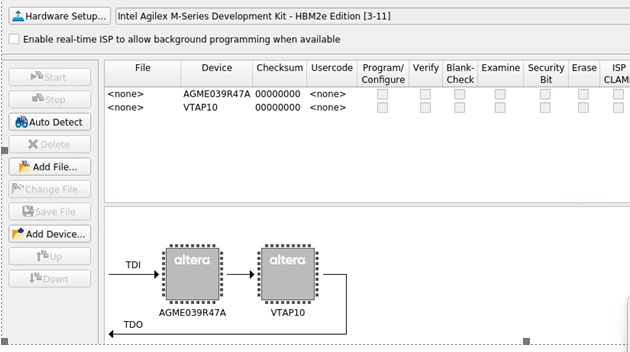
When checking the device using the tool, the FPGA device recognized by the tool appears to be different from the device listed in the catalog.
Catalog device: **AGMF039R47A**
Device detected by the tool: **AGME039R47A**
Could you please confirm whether the correct FPGA device is implemented on this development kit?
Additionally, the customer is currently conducting evaluation work with a target completion date of **March 20**. However, since the FPGA device appears to be different, the sample design for the evaluation board does not run properly.
Along with confirming the FPGA device difference, could you also advise whether a **sample design compatible with AGME039R47A** is available?
Your advice would be greatly appreciated.
Kind regards,
Takashi
T4908715
5 Replies
 Takashi69
For example
https://www.altera.com/products/devkit/po-3207/agilex-7-fpga-m-series-development-kit-hbm2e-edition-3x-f-tile-1x-r-tile
It is DK-DEV-AGM039EA: Agilex™ 7 FPGA M-Series Development Kit - HBM2e Edition page.
And it shows,
Device OPN(s) on Board AGMF039R47A1E1VC But Tool shows AGME039R47A1E1VC not AGMF039R47A1E1VC as picture previously attached.So it not able to run.Could you give some advice?Kind regards,Takashi- AqidAyman_Altera
Regular Contributor
Hello Takashi,
Firstly, I apologies for the delay response.
Regarding your issue here, from my understanding, you suspected the device on the board is having a different OPN that what was showing in the catalog and the website.
Here are my feedback and suggestions:
1- The device on the development kit with the ordering code: DK-DEV-AGM039EA should be AGMF039R47A1E1VC based on the user guide.
2- What is the Quartus version are you using? Can you try using 25.1.1 Pro Edition version?
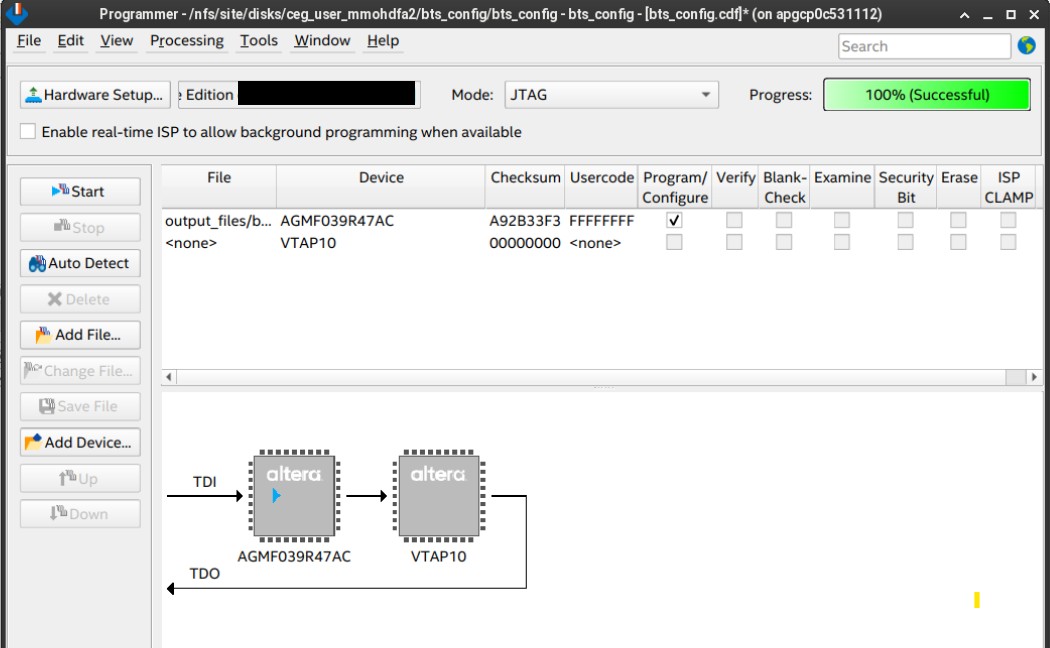
3- Can you try to program the device with any provided .sof file located in the Installer Package of the development kit? For example, you can find bts_config.sof located in the \DK-DEV-AGM039EA_25.1.1b125_final\DK-DEV-AGM039EA_25.1.1b125\examples\bts_config\output_files directory.
4- Can you share the serial number of the development kit? If needed, you can privately share to me via private message.
Regards,
Aqid- AqidAyman_Altera
Hello Takashi,
I tried on the same development kit (DK-DEV-AGM039EA) that is available and found the same situation as what your customer reported.
When I use the Quartus Programmer "Auto Detect", it will show AGME039R47A. However, you may ignore this, as this device has the same Device ID as AGMF039R47A. Quartus will auto-choose which device comes first in its list that has the same Device ID detected. Refer here: https://docs.altera.com/r/docs/683748/current/agilextm-7-jtag-boundary-scan-testing-user-guide/device-id
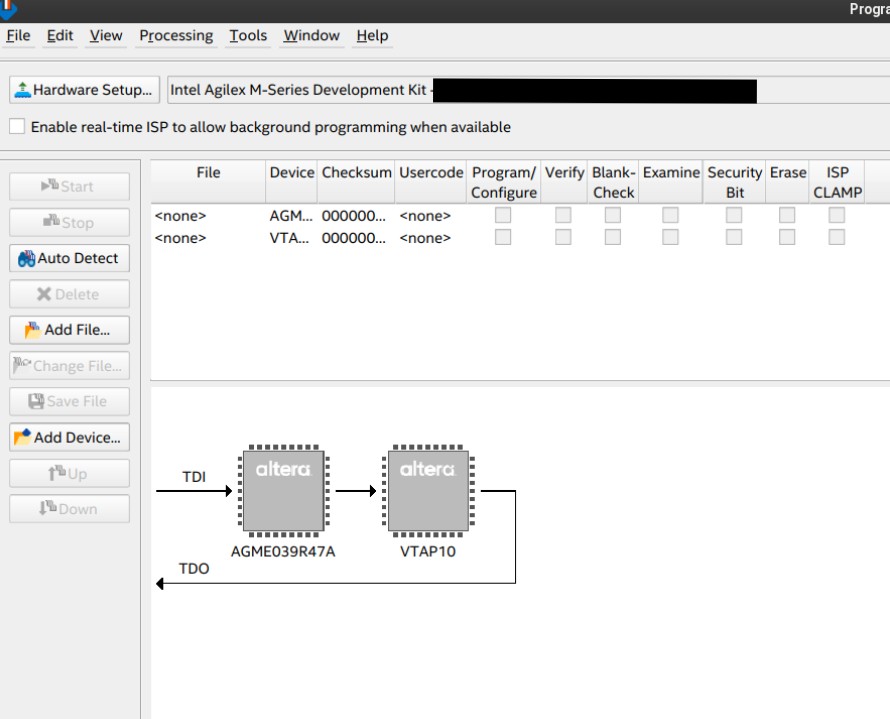
When I try to program the file with the .sof file available in the Installer Package, it programs successfully. So, there is no issue. The development kit should have the correct device OPN, which is AGMF039R47AC.
Regards,
Aqid
- Takashi69
Thank you so much Aqid-san!
Kind regards,
Takashi