Forum Discussion

Ragul New Contributor
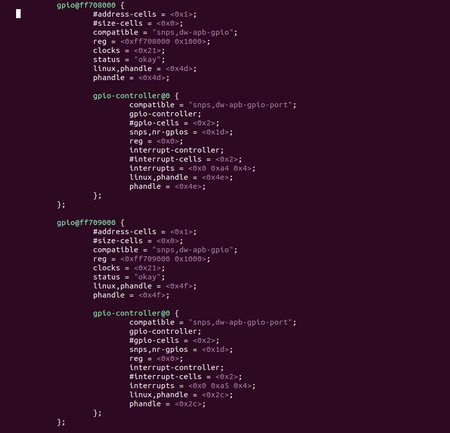
2 years agoNew Contributorhow to check the GPIO's which are available in *.dts file in linux.
Hello, I am using terasic DE10-nano.For this i downloaded the linux BSP micro SDcard image from this site:https://www.terasic.com.tw/cgi-bin/page/archive.pl?Language=English&CategoryNo=165&No=1046&...

Jeet14 Frequent Contributor
2 years agoFrequent ContributorHi,
You may need to boot your board once with the linux binaries/images.
From the log you can identify the gpiochip_id, the base address of gpio and the number bits configured in the gpio controller w.r.t your device tree *.dts file.
example from the boot log-
gpiochip_find_base: found new base at 480
gpio gpiochip0: (/soc/gpio@0xf9000270): added GPIO chardev (254:0)
gpio gpiochip0: registered GPIOs 480 to 511 on /soc/gpio@0xf9000270
*.dts file is having the node--> gpio@0xf9000270 with 32 bit.
Same you can verify from your boot log and the device tree. Later on export the gpio and set the direction. Reference-https://www.ics.com/blog/gpio-programming-using-sysfs-interface
Regards
Tiwari


