Forum Discussion

 New Contributor
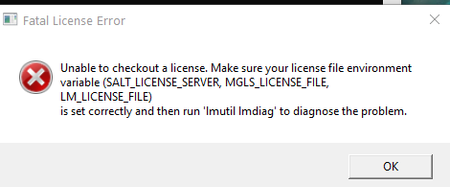
Questa License Issue
 1 year ago
It turned out there was a conflict with SALT_LICENSE_SERVER. Suggestion from the following link solved my issue.
Solved: Re: Questa License Issue - Intel Community -- "However, if a salt_license_server enviroment variable is present, because other Siemens software has created it, Questa is only checking this variable and skipping lm_license_file and mgls_license_file variables. The solution is to add the Questa license file to the salt_license_server entry."

 Frequent Contributor
I’m glad that the forum helped to addressed your query, I now transition this thread to community support.
If you have a new question, feel free to open a new thread to get the support from Intel experts.
Otherwise, the community users will continue to help you on this thread.
Thank you.


