Forum Discussion

 New Contributor
Quartus Prime Download

 Super Contributor
Could you share a screenshot of what you see when opening the Quartus Standard 25.1 installer GUI?
Super ContributorCould you share a screenshot of what you see when opening the Quartus Standard 25.1 installer GUI?
Regards,
Richard Tan
 Shuna2 months ago
This is the screenshot of the GUI installer for Version 25.1 std.
- RichardT_altera2 months ago
It looks like the installation was not completed successfully. You should see a green check mark next to the installed components when the installation is successful.
I would recommend uninstalling the affected Quartus 25.1 installation and ensuring that all residual files are removed.
After that, use the Quartus Installer to download and install both the Quartus software and the required device support packages.
Once the installation is complete, verify that all selected components show a green check mark.
Regards,
Richard Tan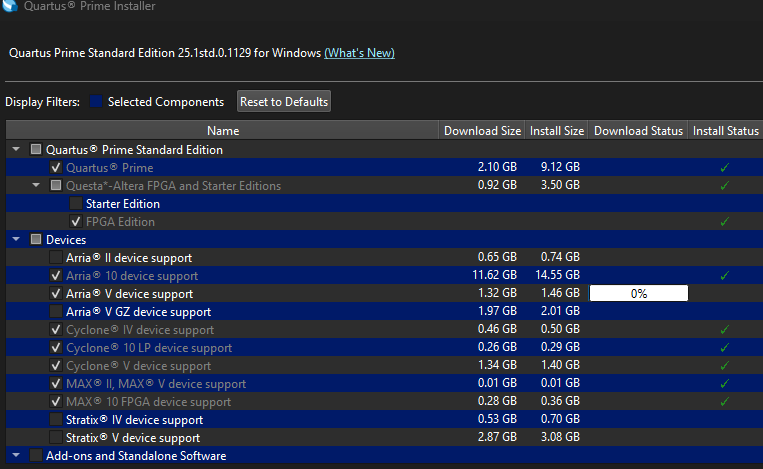
- Shuna2 months ago
I did get the green ticks after installation but still i am not getting the devices. I tried uninstalling and reinstalling but still i am able to get the devices.


