Forum Discussion

 Occasional Contributor
quartus disable automatic delay compensation
 2 years ago
So you're talking about the Optimize Hold Timing setting. Delay is added to meet hold timing at the expense of some setup slack. Assignments menu -> Settings -> Compiler Settings -> Advanced Fitter Settings.
 Super Contributor
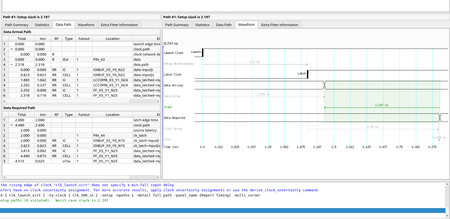
Optimize hold timing is for data paths only. For clocks, there used to be an option called Beneficial Skew that would intentionally add delay on the latch clock to improve setup slack (data can arrive later and still meet setup time).
I think this was removed at some point (I don't see it in my 23.3 Pro) because it wasn't good to have skew between the launch and latch clocks without user control. If you need skew like that, better to use a second PLL output (much more plentiful in newer devices than they used to be) and add a phase shift which you can set yourself.
 GOMEZ_IT2 years agoThanks again for your reply. I'm using Quartus Standard 22.1. On this version should I find an option to disable the skew between launch clock and latch clock that the tool automatically inserts to improve setup timing?


