Forum Discussion

 New Contributor
Platform designer GUI display is erratic for 1 particular qsys project file
I'm running Quartus 18.1 standard on Windows 10.
When I open 1 particular qsys project file, Platform designer appears to be running, but the screen updates intermittently and only around the mouse cursor. Menus do not disappear after moving the mouse away.
I installed Quartus 17.1, but had the same problem.
There is no problem with other project files.
6 Replies
 Chris2000
I tried opening this file on another computer and am having the same display problem.
 MPels
MPelsI have the same problem with Quartus 18.1 on a MSI laptop with a Nvidia GTX1660Ti graphics card. My issue though differs from yours as follows:
- Platform Designer does this with all qsys projects.
- The problem manifests on my laptop screen when I connect a second monitor.
- When I move the Platform Designer GUI window to the second monitor, the problem initially disappears on that monitor but reappears later.
- The Quartus Prime Standard Edition GUI window has no problem on either of my monitors.
- Temporarily unplugging the 2nd monitor HDMI cable and reattaching it, sometimes resolves the problem but only for a short duration or until I recompile the qsys design and the scripts start running in the pop-up window.
- The issue manifests when the mouse pointer crosses the panel border lines inside the Platform Designer GUI (the ones you use to adjust panel window sizes) or touches the U-D/L-R scroll tabs.
- When the mouse is dragged from R-L or L-R across the vertical panel window borders, this does not seem to occur.
- Chris2000
- MPels
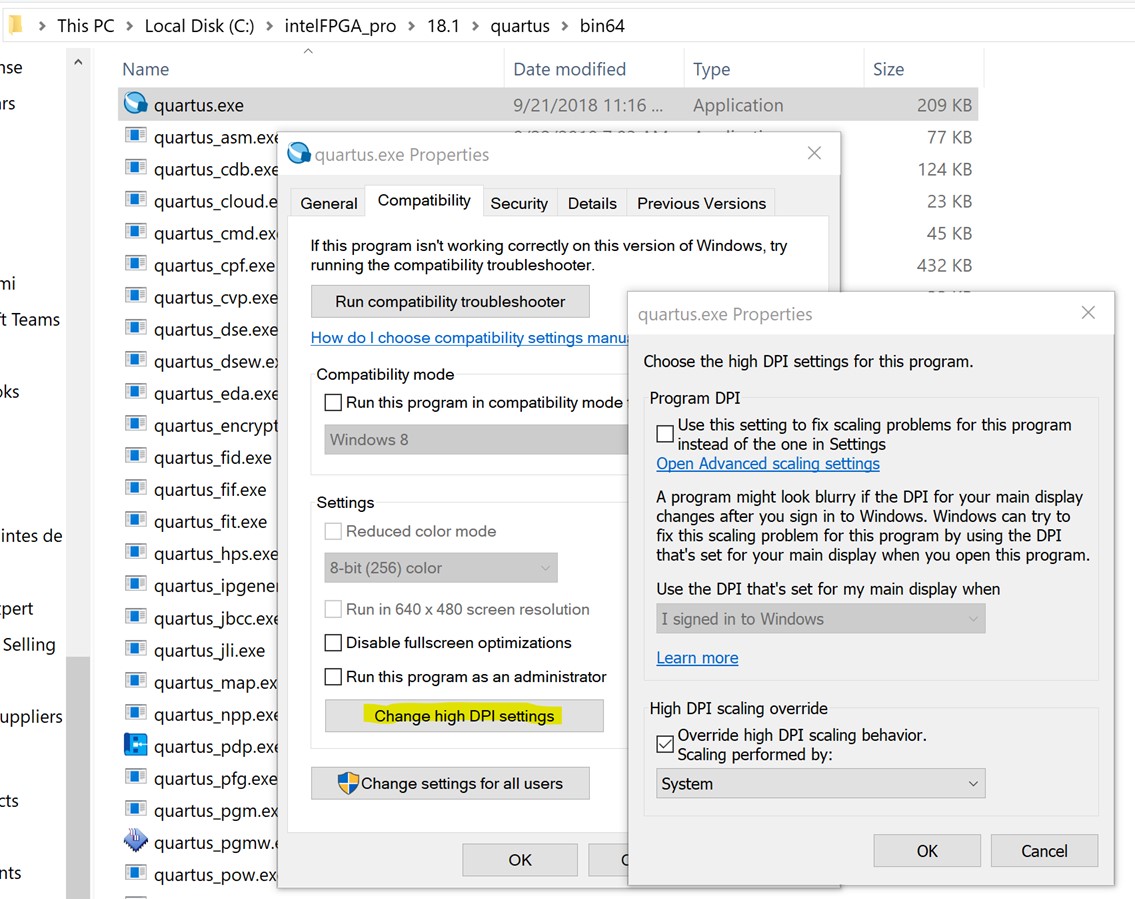
I tried the FAE suggestion in your reply and it also does not resolve my problem.
- MPels
I tried the FAE suggestion by applying the setting to 14 of the Platform Designer executable files in the "C:\intelFPGA\18.1\quartus\sopc_builder\bin" directory, and I haven't yet seen the problem manifest again. As the fault is intermittent in my case, it may be too soon to say for sure. I will reply to this post again if the problem decides to reappear.
The files I applied the setting to, are the following:
- MPels
I can confirm that this did not solve my problem.