Forum Discussion

 New Contributor
Node Finder Signal Tap

 Super Contributor
Hmm.
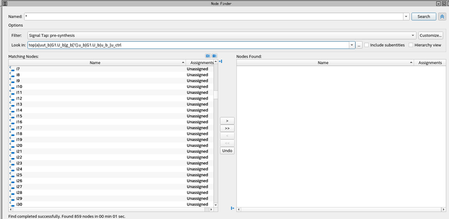
You should not have to set the signals as outputs for pre-synthesis signal tapping. I'd try turning on "Include subentities" just in case if for some reason the tool is thinking they are one level down.
I'd also try setting "Look in" to one level above with "Include subentities" turned on as well.
Post-fit nodes may not appear for a number of reasons using the post-fit filter, but anything in your code should show up with the pre-synthesis filter.
You don't say what version of Quartus this is, but you may also want to click "Customize" and make sure you haven't made adjustments to the pre-synthesis filter.
 ee5552 years ago
I am using Quartus Prime Version 21.4.0 Build 67
I tried going up a level in my design searching with include subentities and the signals I'm looking for still do not appear.
When I made the signals output ports, they appear in the node finder. I opened up the RTL viewer and I see the i signals connected to an input of a flop which its output is the signal I'm looking for. See below:When a_count_ovf_q and a_count_q are not output ports I am able to see these signals in the node finder.
For more context these are counter signals from a basic upcounter that gets updated in a process whenever a certain pulse goes high.
Also, I noticed that when these counter signals are not declared as output ports and I look in the RTL viewer, the logic in the above photo doesn't seem to exist. Is it just getting optimized out which is why I'm not seeing it in node finder?


