Forum Discussion

 New Contributor
Is it possible to simulate the FFT IP core inside Quartus
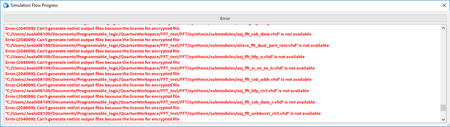

 Regular Contributor
Hi,
Sorry for any confusion. the ZiP that I sent to your consist of the complete folder after running simulation. The additional files that you are seeing are generated during the simulation.
By default, there should be no issue running the example design. However, after you generate the example design, you might want to copy the folder to C: drive, to reduce the file path length. I remember there is some limitation in max characters in the path length. Probably you could try to create your project folder directly at C:/test for example.
If you still encounter issue related to copying files, you can actually find the files in "src" and "test_data" folder one level up. You can tried copying these files into the Mentor folder and run again.
please let me know if there is any concern. Thank you.
 JWall406 years ago
I've tried moving everything into the mentor folder as you suggested and moving my project file onto the C drive, but still no joy.
I've attached a copy of my example folder with everything back in it original place, interested to see what happens if you try and run it
Many thanks


