Forum Discussion

 New Contributor
How to know if questa is correctly installed in my linux system?
- 1 year ago
Check the error message and see what it complain about.
The "#Error error loading design" seems to indicate that the Questa is unable to find the design files.
Check if the path to the file being loaded is incorrect, or the path contains a space character, or the file does not exist.
Check the line 12 in the ...msim_gate_vhdl.do file and see what is it about.
Do you run a full compilation in the Quartus prior to launch the Questa to run gate level simulation?
Regards,
Richard Tan

 New Contributor
First I tried installing FlexLM License Daemon v11.19.6.0 for Intel FPGA software at /opt/flexlm. I got three binaries from that: alterad, lmgrd and lmutil.
Running lmutil lmdiag returns:
lmutil - Copyright (c) 1989-2024 Flexera. All Rights Reserved.
FlexNet diagnostics on Mon 12/23/2024 19:27

-----------------------------------------------------
License file: /usr/local/flexlm/licenses/LR-209063_License.dat
-----------------------------------------------------
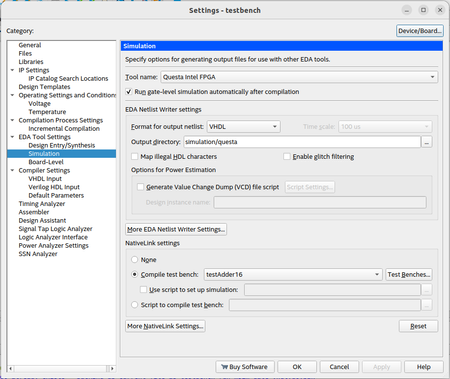
Then I tried downloading FLeLM License Daemon v11.19.5.0 for Siemens ModelSim/Questa Intel FPGA Software but executing the binary simply giver me the image attached.
This package does not seem to be available for Ubuntu. Am I trying to install the correct thing? Is that the saltd daemon? Is it installable for Ubuntu at all?


