Forum Discussion

 Contributor
File structure difference between Quartus Standard and Pro
 2 years ago
Quartus Project menu -> Add/Remove files from project. You may still be pointing to files that don't exist.
 Super Contributor
What is your target device? Arria 10 is the only family that is supported in both Standard and Pro.
Easiest solution in these types of situation is to simply delete and re-add the component/ip.
You mention also you are using custom components from another company. If you have the HDL code plus the associated _hw.tcl script file that describes how the components should work in Platform Designer, you should be OK. Do the custom components appear in the IP Catalog of Platform Designer? That makes sure PD is seeing all the files.
 Contributor
The target device is indeed an Arria10 FPGA.
I cannot remove the IP from the IP catalog, Quartus just doesn't allow me to remove it. So I tried removing the component's source from the ip/ folder. I first removed it and then tried generating HDL, then closed and re-launched PD after copying back the component's source folder into ip/ directory, and then generated HDL once again. The property errors seem to be gone now, but now I have a different error.
Error: max_xcvr_emif_if_0.xcvr_emif_if_0: Component xcvr_emif_if 16.1 not found or could not be instantiated
Error: qsys-generate failed with exit code 3: 1 Error, 15 Warnings
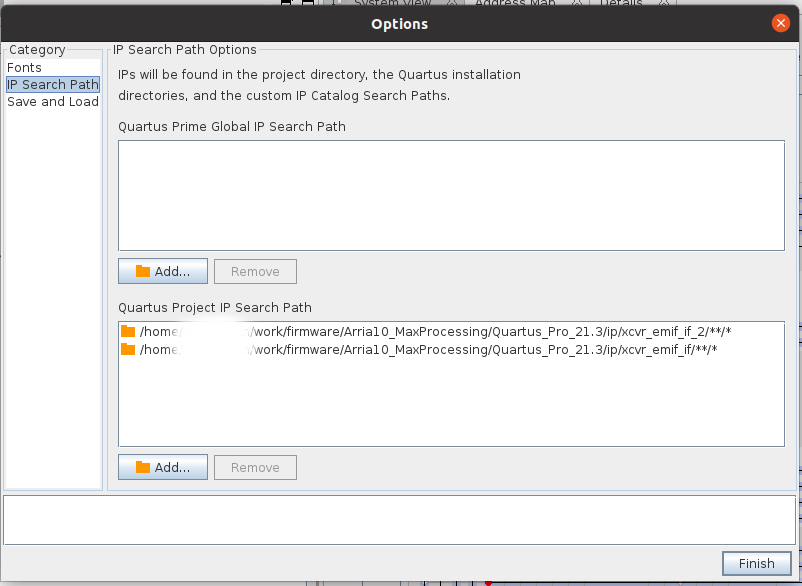
I tried removing & re-adding this IP's source folder into the ip/ folder as well, but seems like it's not the answer for this one. I added the component's source directory into the IP Search Paths and tried changing the version in the _hw.tcl file but both of these changes didn't help. Do you have any clue what might be wrong/missing here ? For your consideration, I added snippets for the first lines of the hw.tcl file and the paths used for the IP search path.
The components from the other company appear in the PD and in its IP Catalog, I have both the source code and _hw.tcl files.