Forum Discussion

 Contributor
Ashling RISC Free IDE fails to download ELF file

 New Contributor
Hi Dr Barry H,
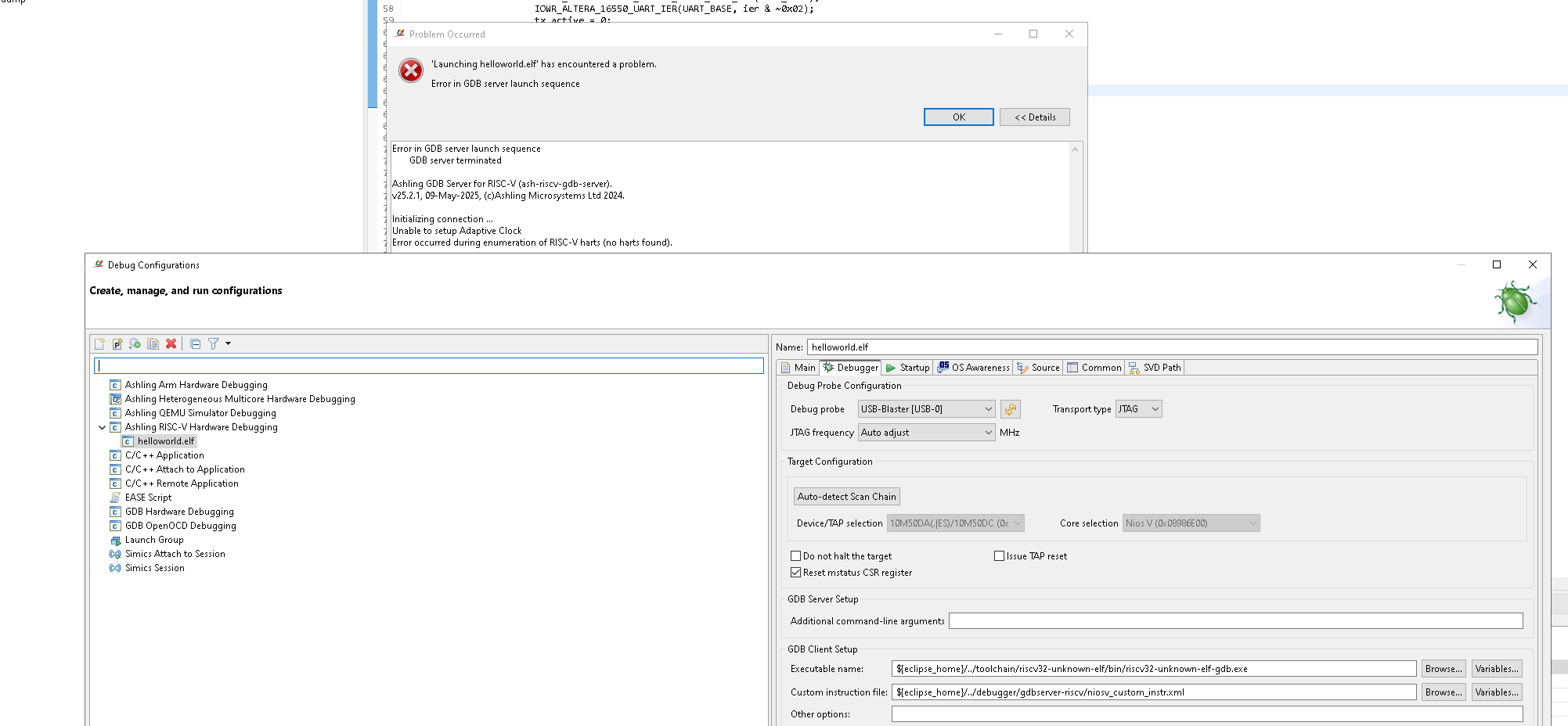
Given that 'Auto-detect Scan Chain' is working well, JTAG access is not broken. A second look at the error message suggests Ashling RiscFree is unable to communicate with the Nios V core, which can happen if the core is the being held in reset state (or otherwise not running/responding).
To further analyse the issue, could you please collect and share the following:
1. Share low level probe logging file generated by Ashling RiscFree:
In the 'Debugger' tab of the launch configuration, add the following to 'Additional command-line arguments' field.
--probe-log-level 7 --probe-log-path <path\to\store\log\file>Then re-launch the debug session. A log file (*.bin) should be generated at the specified location; please share that file.
2. Share 'jtagconfig' output:
From the Nios V shell, please run:
jtagconfig -d…and share the full output.
Regards,
Rejeesh
 Contributor
Hi Rajessh,
I have a couple of questions to ask you about the MAX10 designs.
Q1: Am i intended to use the tcl script bsp_script_original.tcl which is located here: \25.1std_max10_package\software to build an Ashling IDE project from scratch ?
If yes would i run it from the Software Directory in a NIOSV console ?
Q2: During sending this command : $ niosv-download -g -r software/app_iperf/build/app_iperf.elf -c 1
I see the following suspicious looking messages:
INFO: Starting gdb. Running "riscv32-unknown-elf-gdb -batch -ex set non-stop on -ex set arch riscv:rv32 -ex set remotetimeout 60 -ex target extended-remote localhost:64265 -ex monitor swreset 1 1 -ex load software/app_iperf/build/app_iperf.elf -ex set $mstatus &= ~(0x00000088) -ex continue&".
The target architecture is set to "riscv:rv32".
warning: No executable has been specified and target does not support
determining executable automatically. Try using the "file" command.
warning: No executable has been specified and target does not support
determining executable automatically. Try using the "file" command.
Program received signal SIGINT, Interrupt.
0x00000004 in ?? ()
Invalid reset option
Are these messages (in bold) meant to be there and the NIOSV CPU can recover from the SIGINT and this invalid reset option and the warning about the missing executable file ? I am not that familiar with this flow so can you explain what is going on please ?
Thanks, Dr Barry H