Forum Discussion

 Contributor
Ashling RISC Free IDE fails to download ELF file

 New Contributor
Hi Dr Barry H,
Given that 'Auto-detect Scan Chain' is working well, JTAG access is not broken. A second look at the error message suggests Ashling RiscFree is unable to communicate with the Nios V core, which can happen if the core is the being held in reset state (or otherwise not running/responding).
To further analyse the issue, could you please collect and share the following:
1. Share low level probe logging file generated by Ashling RiscFree:
In the 'Debugger' tab of the launch configuration, add the following to 'Additional command-line arguments' field.
--probe-log-level 7 --probe-log-path <path\to\store\log\file>Then re-launch the debug session. A log file (*.bin) should be generated at the specified location; please share that file.
2. Share 'jtagconfig' output:
From the Nios V shell, please run:
jtagconfig -d…and share the full output.
Regards,
Rejeesh
 Contributor
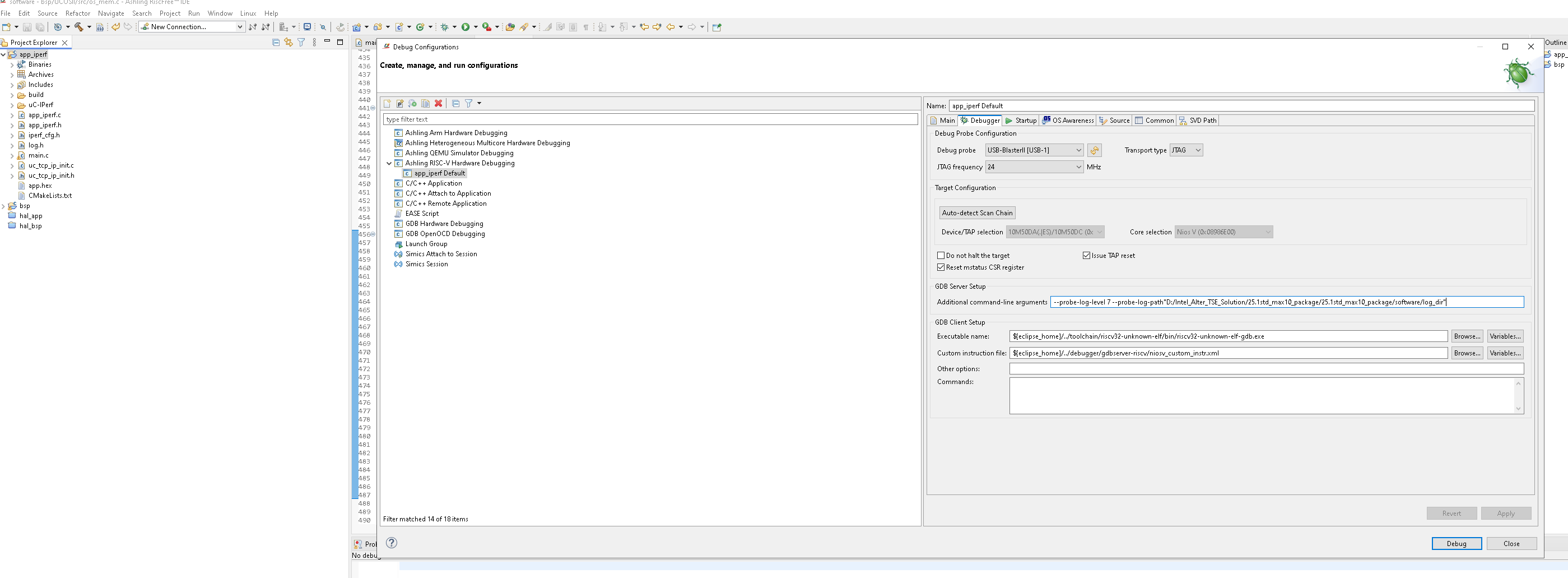
Hi Rajeesh, I was trying to follow your instructions for generating a level 7 log file but i got an error message and the gdb failed to run. Here is the exact command line i put in the In the 'Debugger' tab of the launch configuration, in the 'Additional command-line arguments' field. The Directory D:/Intel_Alter_TSE_Solution/25.1std_max10_package/25.1std_max10_package/software/log_dir does exist, i created it myself ::
--probe-log-level 7 --probe-log-path "D:/Intel_Alter_TSE_Solution/25.1std_max10_package/25.1std_max10_package/software/log_dir"
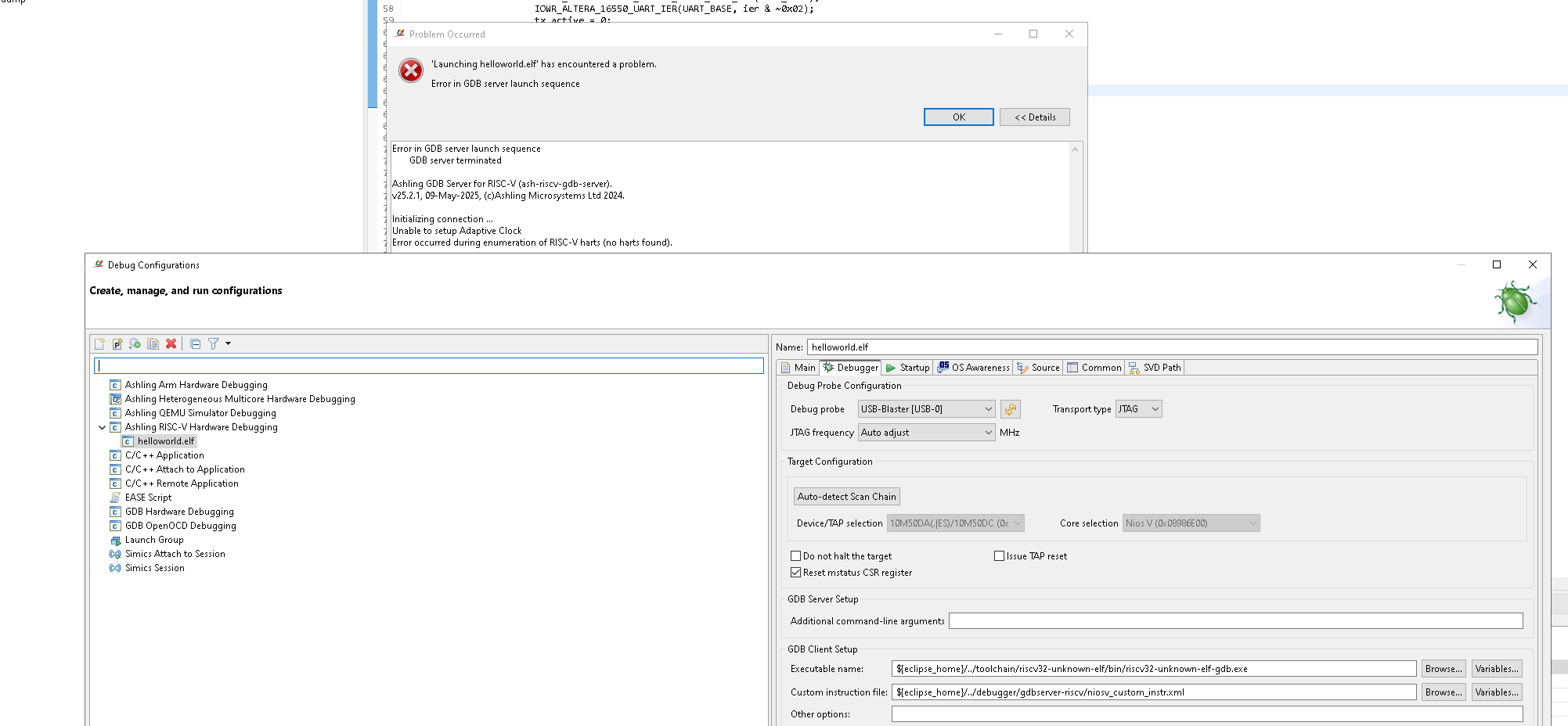
Error in GDB server launch sequence
Ashling GDB Server for RISC-V (ash-riscv-gdb-server).
v25.2.1, 09-May-2025, (c)Ashling Microsystems Ltd 2024.
Setting probe log level to 0x7.
Error: Error: Cannot open probe log file in specified/default directory: d:\intel_alter_tse_solution\25.1std_max10_package\25.1std_max10_package\software
Ashling GDB Server for RISC-V (ash-riscv-gdb-server).
v25.2.1, 09-May-2025, (c)Ashling Microsystems Ltd 2024.
Setting probe log level to 0x7.
Error: Error: Cannot open probe log file in specified/default directory: d:\intel_alter_tse_solution\25.1std_max10_package\25.1std_max10_package\software
I have attached a screenshot which shows the debugger setup page
Can you please take a look and see what the problem is here ?
Thanks, Dr Barry H