Forum Discussion

 Occasional Contributor
HLS Compiler 24.1 error - aocl-clang.exe - dll entry point not found
 2 years ago
Thanks Noah. Please install Quartus 23.1lite, then add HLS as an 'upgrade', paying attention to step 3 of the Getting Started Guide. Make sure you remove/rename any version of HLS that exists in 23.1lite; I spoke with some people in engineering and the error you're seeing might appear if HLS 24.1 pro happens to pick up the libraries from HLS 23.1std.
 Contributor
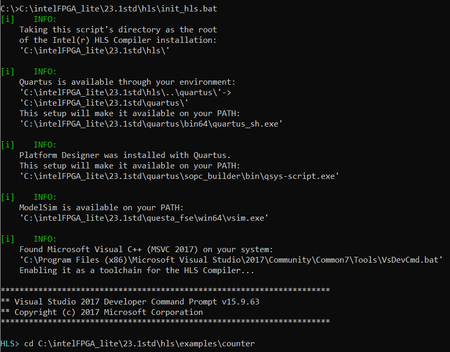
You should have everything you need by installing visual studio 2017 along with the C++ support. Make sure everything is updated (here is the working configuration I have):
 Occasional Contributor
I checked the Visual Studio installation and everything seems to be updated.
Just in case, I let the Visual Studio installer add the C++ redistributables instead of installing them separately, but the error in HLS compilation remains the same
