Forum Discussion

CosmoKramer Occasional Contributor
3 years agoOccasional Contributortiming analyzer vs timing analyzer gui
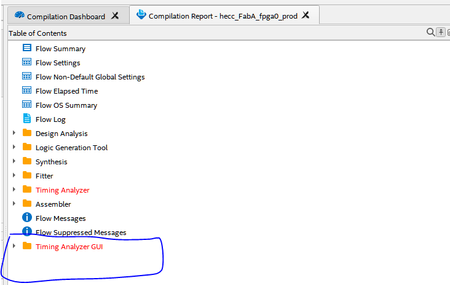
What is the difference between "timing analyzer" and "timing analyzer gui" ? list of clocks listed under "timing analyzer" is not same as "timing analyzer gui". I do not see anything about it in the...

sstrell Super Contributor
3 years agoSuper ContributorThe Timing Analyzer is the separate graphical tool and default reports appear in the "Timing Analyzer" folder in the compilation report. Reports listed under "Timing Analyzer GUI" are graphical reports generated, via Tcl commands, that appear in the compilation report without having to open the separate Timing Analyzer tool. It's basically a shortcut to be able to view graphical reports without having to open the separate tool.
Go the project settings -> Timing Analyzer -> Tcl Script Options tab to point to a script and have these reports generated automatically during a full compilation. This is handy if you always generate the same reports. You get the command from the Timing Analyzer tool, put it in a .tcl file, and point to it.


