Forum Discussion

 Occasional Contributor
Replacement of ModelSim

 Super Contributor
You may refer to the document linked below for instructions on how to set up and use Questa. It also includes an example design that you can follow.
Link: https://www.intel.com/content/www/us/en/docs/programmable/703090/21-1/simulation-quick-start.html
Regards,
Richard Tan
 Occasional Contributor
Thanks for the link.
Last time when I used ModelSim, I used wave window to do the simulation. Is this still possible with the Questa?
I still couldn't find out where to launch the Questa if I'm not using testbench. Can you tell me the path to open Questa directly?
Thank you.
 sstrell2 years ago
Questa is very similar to ModelSim so yes to your first question.
Assuming you are talking about the version installed with Quartus, it would be available in the Start menu along with Quartus, unless you did not install it. It is an optional install on top of Quartus.
- LChow32 years ago
I can find it in the Start menu (below), but when I click on it, nothing appear.
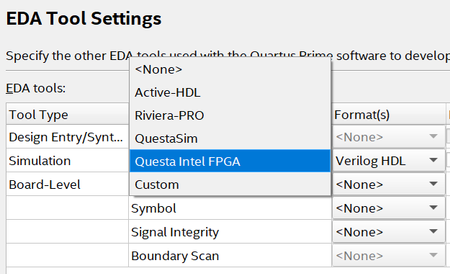
I have already set the following in the EDA Tool Settings:


