Forum Discussion

Omar77 New Contributor
1 year agoNew ContributorQuesta Starter Edition (25.1): Debug Visibility
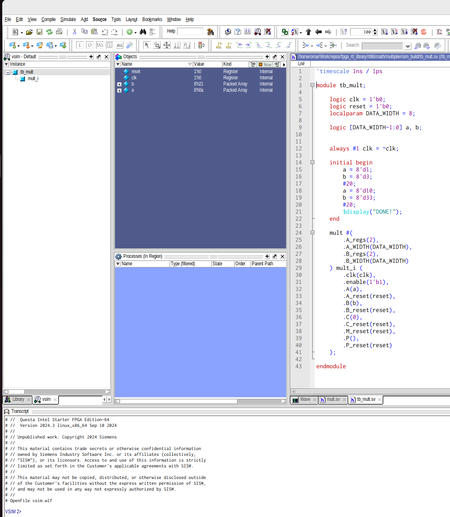
I have the Questa Starter Edition installed on my dev VM (running Ubuntu 24.04). I noticed recently that when I run my sims and view the resulting vsim.wlf file that only few signal are visible. For ...

RichardT_altera Super Contributor
1 year agoSuper ContributorYou can see that the tab windows ("sim" vs "vsim") are different from each other. I suggest reaching out to Siemens for further clarification regarding the differences between the "sim" and "vsim" tabs. They are the expertise on these.
In Altera, we recommend creating or generating a simulation setup script (.do file) to run the simulation.
Reference: https://www.intel.com/content/www/us/en/docs/programmable/691278/21-3/quick-start.html
That said, if you want to view all the signals, you can run the following command in the Questa GUI. This will execute the .do file and start the simulation. Having both "vsim" and "sim" window tab being shown as above.
vsim -view vsim.wlf -do <>_rtl_verilog.do
Regards,
Richard


