Forum Discussion

 New Contributor
No simulation option inside EDA Tool settings in Quartus Prime Pro 23.1 using Ubuntu 20.04.6 LTS
Hi Intel Community,
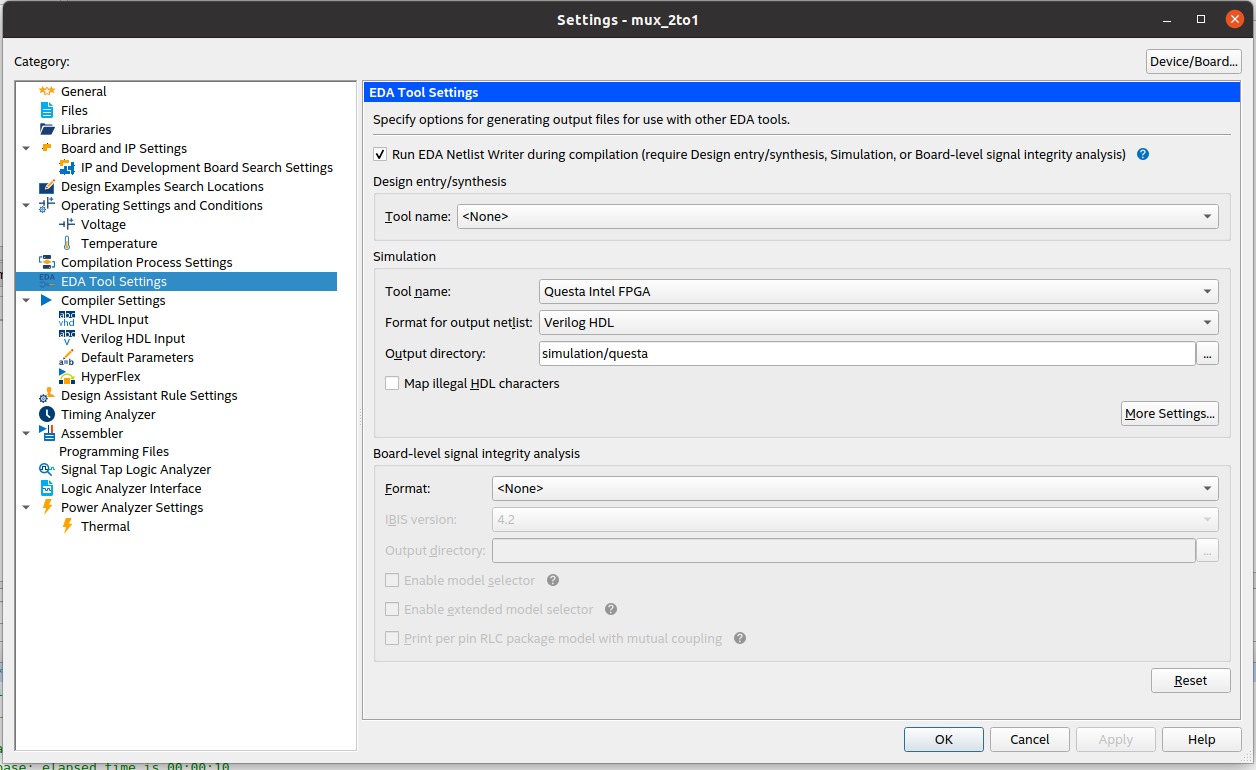
We have a Linux environment (Ubuntu 20.04.6 LTS), the most recent version of Intel Quartus Prime Pro 23.1 installed in it, and we purchased a licence for it. However, when we tried to simulate some VHDL files for verification in the test bench, we needed ModelSim-Intel FPGA or Questa-Intel FPGA, but sadly there was no option for simulation.
If we go into the EDA Tool settings option in the settings under the assignments tab, there is no choice for Simulation to add our VHDL test bench files in it to examine its simulation.
Please give us a practical solution so that we may simulate and verify it using ModelSim-Intel FPGA or Questa-Intel FPGA. Many thanks.
Abbas Ali
FPGA Engineer
7 Replies
 LukaszSmolinski
I have a similar problem on windows os.
I can not choose yours simulator. I'm tired with folder separator / \ and other stuff.- LukaszSmolinski
I will try do this by using command line:
https://www.intel.com/content/www/us/en/programmable/quartushelp/17.0/mapIdTopics/jka1465596847489.htm
 _AK6DN_
Frequent Contributor
Try the QuestaSim option.
- LukaszSmolinski
Did not help.
- _AK6DN_
Did you install QuestaSim when you installed Quartus?
- LukaszSmolinski
No i install
https://www.intel.com/content/www/us/en/software-kit/750666/modelsim-intel-fpgas-standard-edition-software-version-20-1-1.html
and older. Can not select any intel modelsim.
- _AK6DN_
Well I believe QuestaSim is what is distributed with Quartus now, not ModelSim.
You are trying to use an older version of ModelSim with a newer version of Quartus.
I have no further suggestion for you, maybe someone else has some input.