Forum Discussion

Altera_Forum's avatar
Altera_Forum
Icon for Honored Contributor rankHonored Contributor
11 years ago

Modelsim Altera Edition 10.1e - License not working

Hi,

I have a Modeslim AE License that i try to present to Modelsim but unfortunately, if I start Modelsim AE it shows the infamous message

Unable to checkout a license. Make sure your license file environment variable (e.g., LM_LICENSE_FILE)

is set correctly and then run 'lmutil lmdiag' to diagnose the problem.

Unable to checkout a license. Vsim is closing.

** Fatal: Invalid license environment. Application closing.

So I did the lmutil lmdiag thing and attached the outcome to this thread.

In my opinion, the problem is not that Modelsim does not find the license file as its contents are read by lmutil. So the environment variable is set correctly, right?

What else could be the problem? Is there no modelsim AE license contained in my license file? Since I'm not aware of all Altera vendor IDs, I don't know, if Modelsim is even in there.

I also checked tips from other posts in this forum (like deleting the .quartus and .modelsim files in my home directory which did nothing but discarding all my custom quartus settings . . . ).

I use the Altera tools on Debian Linux. The Quartus II (float) license is read correctly into Quartus during start from our licesnse server. But the Modelsim license is on my local machine.

Regards,

Maik

3 Replies

  • Altera_Forum's avatar
    Altera_Forum
    Icon for Honored Contributor rankHonored Contributor

    Could you post your LM_LICENSE_FILE Variable and a Screenshot of the License Setup - Page in Quartus?

    Have you set the local File additionally to the LM_LICENSE_FILE Variable?
  • Altera_Forum's avatar
    Altera_Forum
    Icon for Honored Contributor rankHonored Contributor

    Hi,

    this is what I get if I echon the important environments in my console:

    developer@ad-rts-devel:~$ echo $LM_LICENSE_FILE

    /opt/altera/14.0/modelsim_ae/licenses

    developer@ad-rts-devel:~$ echo $MGLS_LICENSE_FILE

    /opt/altera/14.0/modelsim_ae/licenses/0800277EDFDE_1413306000784.dat

    developer@ad-rts-devel:~$

    I have played around a little with those environments by adding the filename to the LM_... variable or by adding/removing the slash after the folder name. I also commented out the LM_... variable in my .bashrc file because the document "Altera Software Installation and Licensing" says that the MGLS_... variable should be enough for Modelsim.

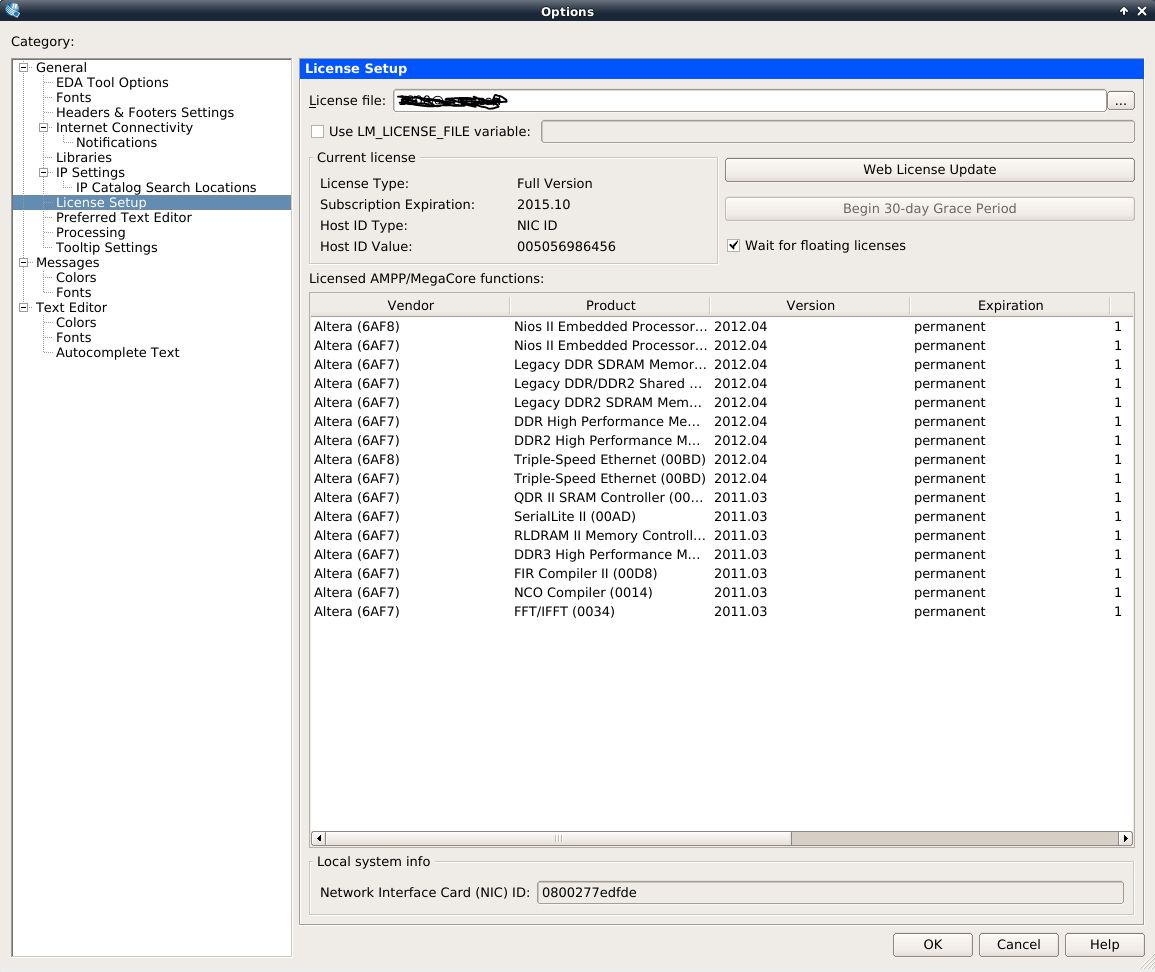
    I attaxched a screenshot of the license dialog of Quartus. However, I have to mention, that the Quartus license is located at a license server and the Modelsim AE license (a different one) is located on my hard drive. Both licenses have nothing to do with each other. The Modelsim license is just for a quick test to see if simulation speed increases significally with a full Modelsim Altera version. If so, I would purchase a full Modelsim AE license.

    Maik
  • Altera_Forum's avatar
    Altera_Forum
    Icon for Honored Contributor rankHonored Contributor

    Hi,

    sorry for wasting your time, but the problem is solved.

    The Modelsim AE license was jsut not contained in the license file. I just learned that the string "mgcld" must be found in the file in order to have a valid Modelsim AE license. This was not the case in my file.

    Now, the vendor send me another file and everything works fine.

    Regrads,

    Maik