Forum Discussion

 New Contributor
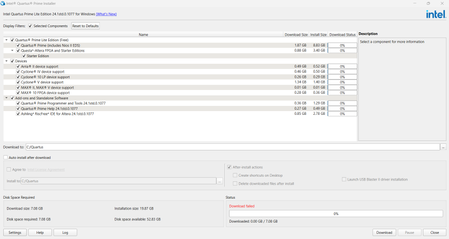
Issues with downloading
 New Contributor
I'm following the steps shown in the link you provided but i cant get it to work.
Any help would be appreciated

 Super Contributor
Oh no, you need to use the file name for the installer.
Example:
qinst-standard-windows-24.1std-1077.exe
In your case, it should be:
qinst-standard-windows-24.1std-1077.exe -sp"--cacert C:\cacert\caert.pem"
You get the filename when you download it. Alternatively, the filename is also stated in the Quartus Download Center.
https://www.altera.com/downloads/fpga-development-tools/quartus-prime-standard-edition-design-software-version-24-1-windows
As a reference, this is another forum thread with the same issue:
Regards,
Richard Tan
- jergosh5 months ago
thank you for the fast response i will try this now
- jergosh5 months ago
ive tried following this guidance however im still getting this
C:\Windows\System32>qinst-lite-windows-24.1std-1077.exe -sp"--cacert C:\cacert\cacert.pem
'qinst-lite-windows-24.1std-1077.exe' is not recognized as an internal or external command,
operable program or batch file.
- RichardT_altera4 months ago
Hi jergosh
As we have not receive any further response from you, we will continue to monitor this post for the next 5 days. If there are no further inquiries during this period, I will step back and allow the community to assist with any future follow-up questions.
Thank you for engaging with us!
Best regards,
Richard Tan


