Forum Discussion

 New Contributor
HDMI example an not change the device in V22.4 for aglixe FPGA

 Frequent Contributor
Hi Liang Hong,
Thank you for your patience.
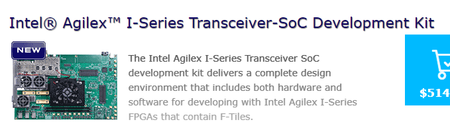
Based on you initial question, you screenshot the Intel Agilex I-Series Transceiver-SoC Development Kit.
Q1. May I confirm that you are using this devkit board?
If yes, you should be using the default OPN if you wish to use the full example design.
Q2.May I know the reason to use different OPN than default?
Currently for Agilex device, the HDMI IP Example Design only support I-series device.
If you are using the Intel Agilex I-Series Transceiver-SoC Development Kit, you can generate the IP with default OPN and program it directly.
Due to your desired OPN is different from default OPN, once generated you may need to modify the design and re-configure the pin assignment to your board.
You may change the "device selected" in the Target device tab by below steps:
1.Once you open the IP parameter editor, you may need to change the "select board" option to "Custom Development Kit"
IP Parameter Editor
2.Go to View -> Device Family, change the Device to your desired OPN.
View dropdown list
3.Once selected your OPN, you can generate the example design.
Select OPN
4.After generation, you are required to change the OPN in the .qsf file generated and re-configure the pin assignment.
If you do not re-assign the pin, it may lead to compilation error.
Hope this answers your question.
Thank you.
Best Regards,
ZulsyafiqH_Intel


