Forum Discussion

 New Contributor
Correct NIC physical address? or another problem
 3 years ago
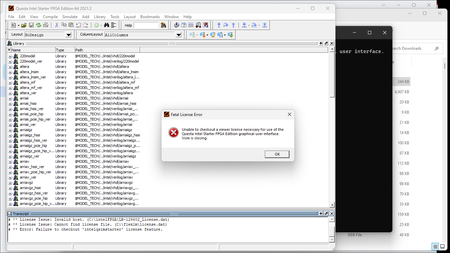
I don't know if we get a special badge for answering our own questions and solving our own problems but I got Questa running. It did turn out the the licensing system was happier with using the active wi-fi NIC physical address that I guessed would solve the problem. On the licensing system apparently you can't get a new license issued on the same computer by staring over again, but if you are the verified system admin on that computer you can edit the NIC physical address. I am not completely sure why my first entry did not work but after using the new license file that was sent to me within minutes, running the software as and administrator, and getting the LM_LICENSE_FILE variable set to the new license file then it works. So to sum it up if you get the NIC address wrong somehow you can edit the physical address ID as the verified system administrator for the computer that is to be licensed on the online Intel Licensing service. As for the question of could there be another problem the answer in this case was simple, just get the ID number right.
Mark

 Super Contributor
Hi Mark,
It's great to hear that you were able to successfully solve the licensing issue with Questa! Your approach of using the active Wi-Fi NIC physical address and editing it as a verified system administrator on the computer is a clever solution.
· The key was getting the NIC address right and ensuring that the software was run as an administrator with the correct license file and environment variable settings.
Your experience and solution could definitely help others who might encounter similar licensing issues with Questa or other software. Sometimes, it's the small details and steps that make all the difference in resolving technical challenges.
Thank you for sharing your experience and solution. It's always valuable to have such information available for the community. This thread will be transitioned to community support. If you have a new question, feel free to open a new thread to get the support from Intel experts. Thank you


