Forum Discussion

EBarc1 New Contributor
4 years agoNew ContributorCan't open project / permission error
Hello,
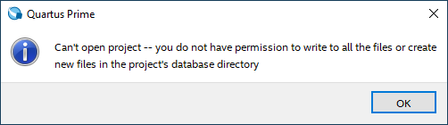
I keep getting this a lot, and the only way to solve it is to move my project files to some very specific folder:
I tried this: https://www.intel.com/content/www/us/en/support...

electronicsguyNew Contributor
3 years agoNew ContributorCorrection:
I chatted with my prof. and it turns out saving to the installation folder (what I specified earlier) is not best. It will be better to run a 'compatability test' on the 'Quartus.exe' file which can be found in C:\altera\[your_quartus_version_here]\quartus\[bin/bin64]\Quartus.exe
To run a compatibility test, right click on Quartus.exe and click 'show more options' then click 'troubleshoot compatability'.
Hope this works!


