Forum Discussion

MViss4 New Contributor
6 years agoNew ContributorNios II Software Build Tools for Eclipse (Quartus Prime 18.1) frequently crashing
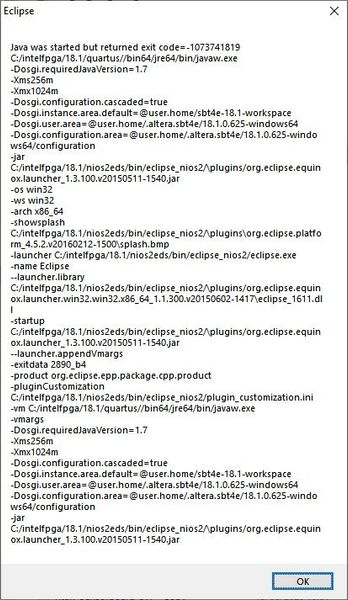
When debugging a project through the "debug" or "run" option eclipse frequently crashes. Find below 2 examples of the screens which appear when eclipse crashes. This is really annoying as you also ma...

MViss4New Contributor
4 years agoNew ContributorI can confirm that the procedure described by 'TheRealNeil' is the same as I use and is indeed very annoying and would like to add after 2(!) years without any improvement in the tooling:
- the jtagserver.exe sometimes starts consuming significantly more memory (check with windows task manager/ Sysinternals Process Explorer) if this is the case it definitely has to be terminated and restarted to even have working debug session...
- The processes that might have to be terminated (depending on the crash) might be:
- nios2-elf-gdb.exe
- nios2-gdb-server.exe
- eclipse.exe
- eclipse-nios2.exe
- jtagserver.exe
- bash
- Here after I start the Programmer (Quartus) which will start the jtagserver.exe
- Here after 'Nios II Software Build Tools for Eclipse ' can be started for a hopefully successful debug iteration otherwise the whole termination/startup process needs to be done again
- For remote work it is not always possible to unplug the JTAG cable, as a workaround I have added this hub https://www.yepkit.com/product/300110/YKUSH3 so I can power cycle the blaster remote


