Forum Discussion

 Occasional Contributor
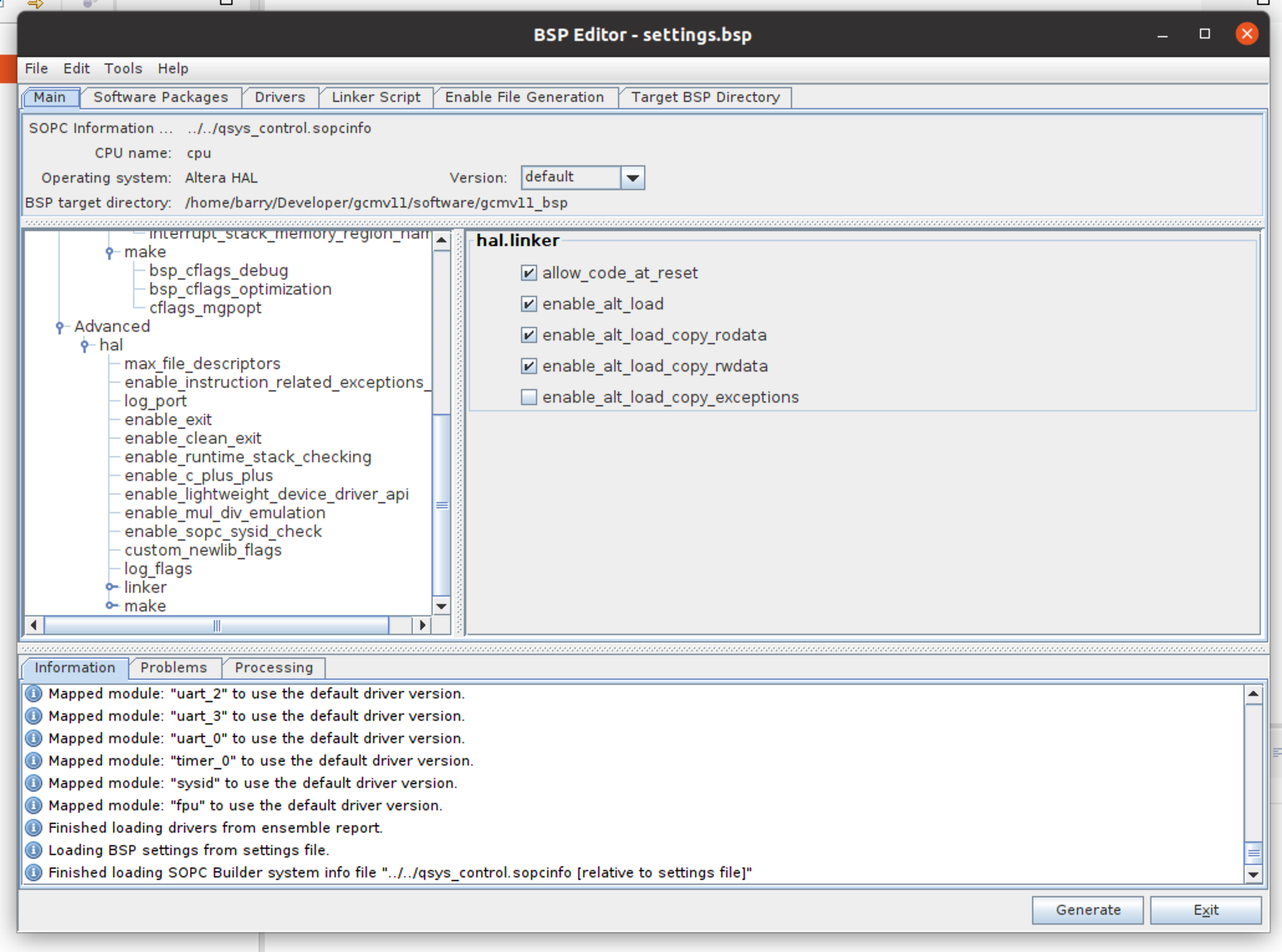
enable_alt_load_copy_rodata disabled in BSP Editor when using uC/OS-II
 Occasional Contributor
Hi Barry!
Thanks for reaching us.
Is the operative System you're using Windows or Ubuntu to implement your design on Quartus and eclipse?
I did the test with Quartus 20.1 installed on Windows machine and the options aren't disabled after selecting Micrium MicroC/OS-II.
could you tell me which OS you are working with?
Regards,
 Occasional Contributor
Thanks for the reply. I'm running Ubuntu 18.04 in a VM on MacOS. Everything else is working perfectly (including the USB blaster - I have completed a few projects using this set-up). I've tried configuring the BSP a few times with fresh projects and always get the same result.
It is interesting that the moment I remove OS2 from the BSP, those alt_load functions become available again.
It is also interesting Is there anything else I can try? A different configuration for example?
Just FYI, I do appear to be able to edit the settings.bsp file in a text editor and change the 'enabled' tags to true by hand. (see below) However, I can't tell as of yet whether this change has resulted in the correct bsp being generated.
<Setting>
                <SettingName>hal.linker.enable_alt_load_copy_rodata</SettingName>
                <Identifier>none</Identifier>
                <Type>Boolean</Type>
                <Value>0</Value>
                <DefaultValue>0</DefaultValue>
                <DestinationFile>none</DestinationFile>
                <Description>Causes the alt_load() facility to copy the .rodata section. If true, this setting defines the macro ALT_LOAD_COPY_RODATA in linker.h.</Description>
                <Restrictions>none</Restrictions>
                <Enabled>true</Enabled>
                <Group xsi:nil="true" xmlns:xsi="http://www.w3.org/2001/XMLSchema-instance"/>
        </Setting>