Forum Discussion

 New Contributor
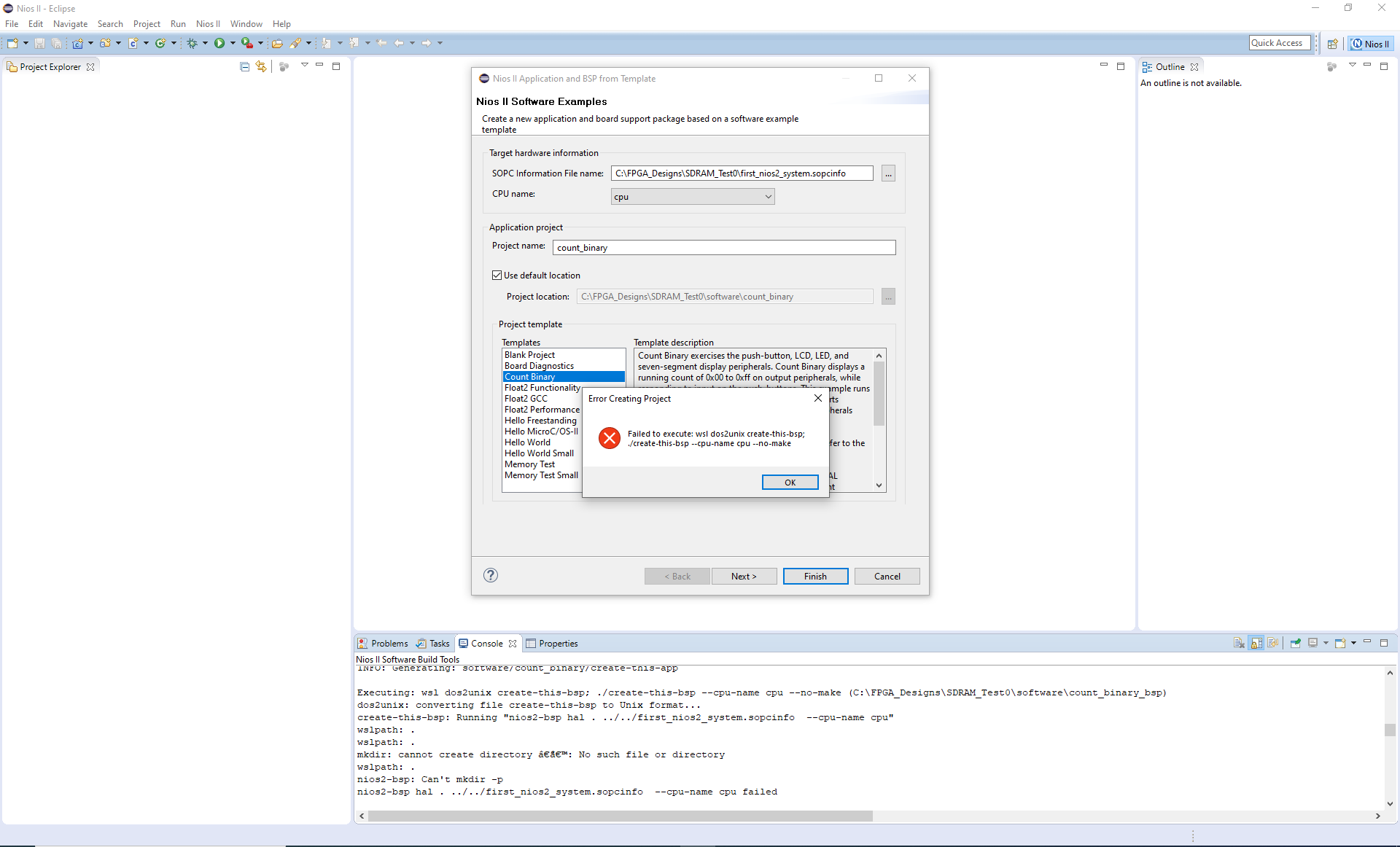
create-this-bsp - mkdir: cannot create directory: No such file or directory
 3 years ago
Hi to all.
"wslpath" command behaviour has been changed.So workaround is to patch a "intelFPGA\22.1std\nios2eds\sdk2\bin\nios2-bsp" script:
adjust_path() {
if [ "${_IS_WSL}" = "1" ] && [[ ! $1 =~ ^\/mnt\/* ]]; then
- echo "$(wslpath -u "$1")" #Line 44
+ echo "$(wslpath -u -a "$1")"
else
echo "$1"
fi

Sorry, this did not solve my problem.
NiosII EDS still reports ''failed to execute :wsl dos2unix create-this-bsp''....
 blckp8nt3 years ago
Hey Nikolay,
for me the workaround as described by kornev_online worked. I added the "-a" option to 'wslpath' command as he described. This seems to "force the result of wslpath to absolute path format".
To your question: What's with the wierd "‘’" directory name?!?!?
I found this table:
Looks like an empty path described by those two characters '' gets passed to mkdir. Maybe wslpath gets confused by relative paths, I dont know.
Thank you all for your help and kornev_online for your solution! I would have never solved this problem.
Best regards
 Do_Cong_Tru3 years ago
Hi to all.
I aggregated the way to solve this trouble. When I have done all, problem was over.
Here is the way to solve this error1. Install Wsl:2.a/ Run Ubuntub/ Run sudo nano /etc/wsl.conf' (for editing file wsl.conf)c/ Replace the following[automount]options = "metadata"d/ Save the file.3.Create a new environment variable in Windows:Name: WSLENVValue: SOPC_KIT_NIOS2/p4.Workaround is to patch a "intelFPGA\22.1std\nios2eds\sdk2\bin\nios2-bsp" script:adjust_path() {if [ "${_IS_WSL}" = "1" ] && [[ ! $1 =~ ^\/mnt\/* ]]; then- echo "$(wslpath -u "$1")" #Line 44+ echo "$(wslpath -u -a "$1")"elseecho "$1"fi5.Restart your PC and check again