Forum Discussion

 New Contributor
USing VCS RTL Simulation from quartus pro generated code
 New Contributor
HI , this is my answer
Have you Generate the Simulator Setup Script in the document section 2.5.3.2.1. ?
--> YES
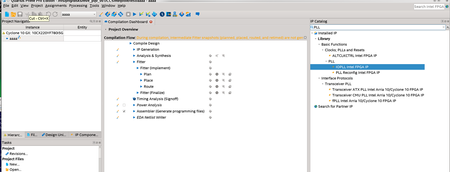
SEE second screen shots
1) scripts result are not same as
Intel Quartus Prime Pro Edition User Guide: Third-party Simulation
2) Without ignore comments in script,
cmd> source vcs_setup.sh
should be working. but not.
3) Can I get simple example such as only 1 PLL design for VCS RTL simulation .
to see waveform ( generated FSDB )
Thanks

 Super Contributor
The screenshot resolution is bad to look at but the second screenshot seems to generate HDL for the specific IP. Does not look like it generate the Simulator Setup Script.
Anyhow, you may checkout the User Guide below on how to run the simulation using the Questa Intel FPGA Edition. The scripting concept is the same for VCS.
https://www.intel.com/content/www/us/en/docs/programmable/691278/21-3/quick-start.html
- minjoolee4 years ago
\
->Generated simulation Model.
2) Actually, In mentor it is easy
A) After generation IP from quartus pro, turn off it
B) just want to run the simple script. ( eaxmple.run)
vlogen /!~~~path /generated_IP_name.v
-------------------------------------------
----MISSING PART (wanted part ) ----------------
-------------------------------------------
vcs top_name -kdb
simv
c) >> example.run
How to do it ?
d) ur example is for using Quartus,
even image link is broken
Thanks
- RichardT_altera4 years ago
There is changes being done to the document interface, that's probably cause the image broken.
Click the download button at the top to view the whole document with image.


