Forum Discussion

blasterdriverfail New Contributor
5 years agoNew ContributorUSB blaster driver installing fail in win10
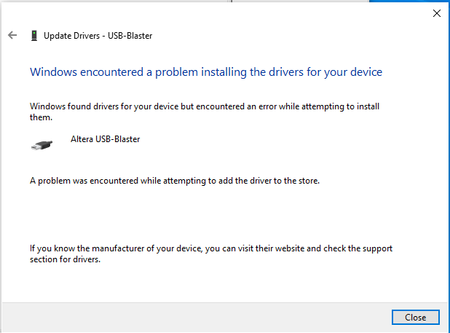
when install USB blaster driver in win10, it shows a problem, how to fix it?

JohnT_Altera Regular Contributor
5 years agoRegular ContributorHi,
The reason is that the driver signature has expired on USB-blaster. Please follow the step below to install the driver.
- Select the “Start” button.
- Type “startup”.
- Select “Change advanced startup settings“.
- Select “Restart now” under the “Advanced startup” area.
- Select “Troubleshoot“.
- Select “Advanced Options“.
- Select “Startup Options“.
- Select "Change settings".
- Select “Restart“.
- A menu will appear where you can press “7” on your keyboard to choose “Disable driver signing enforcement“.
- When the PC restarts, use Device Manager to update the drivers. You may get a warning about the signature, but installation will go ahead.
- Once finished, restart normally to re-enable signature enforcement.

Lawrence_L_Intel Occasional Contributor
5 years agoOccasional ContributorI have had the USB Blaster installed successfully on my Win10 machine and many others too. Is this something to do in latest versions of Windows 10?
Thanks


