Forum Discussion

 New Contributor
Intel FPGA Questor simulation doesn't see lower level components
- 3 years ago
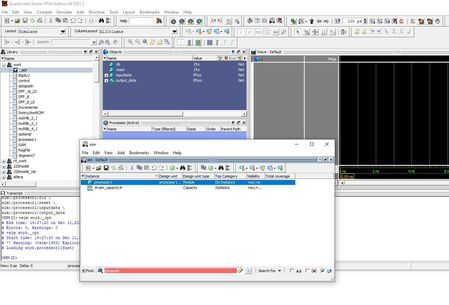
Ah! I think there is a slight different between Questa and Modelsim. The double-click on the processor1 in Modelsim provide full visibility into every aspect of the design (+acc=<full>). While Questa only provide visibility to ports only. (+acc=p)
Reference on -voptargs: https://users.ece.cmu.edu/~jhoe/doku/doku.php?id=a_short_intro_to_modelsim_verilog_simulator
I am not too sure why the changes though, people from the Siemen probably know this.
A few ways to get full visibility are:
1) Enter below command to get the full visibility. By adding -voptargs=+acc .
vsim -voptargs=+acc work.processor1
2) Right-click the processor1 and select simulate. Instead of double-click.
Best Regards,
Richard Tan

 Super Contributor
Thank you for acknowledge the solution provided.
I’m glad that your question has been addressed, I now transition this thread to community support. If you have a new question, Please login to ‘https://supporttickets.intel.com’, view details of the desire request, and post a feed/response within the next 15 days to allow me to continue to support you. After 15 days, this thread will be transitioned to community support. The community users will be able to help you on your follow-up questions.
Thank you.
Best Regards,
Richard Tan


