Occasional Contributor
How to simulate a design created in Platform Designer System
As I am comparatively new to Quartus Prime, I would like to know how to simulate my design that is created using Platform Designer System. I would like to elaborate a bit: my counter.v module is converted to a custom IP and I integrated that with an Avalon FIFO IP in platform designer system. Then synchronized all components and then executed "Generated HDL" and "Generate test bench" option in Platform Designer System. Also, I compiled the whole design in Quartus Prime Pro. May I know what I have to do to simulate the whole design? (I have model-sim with my Quartus Prime Pro 18.1.). I have got this doubt since I am using an off the shelf IP (Avalon FIFO IP) and a custom generated IP in my design.
Hi,
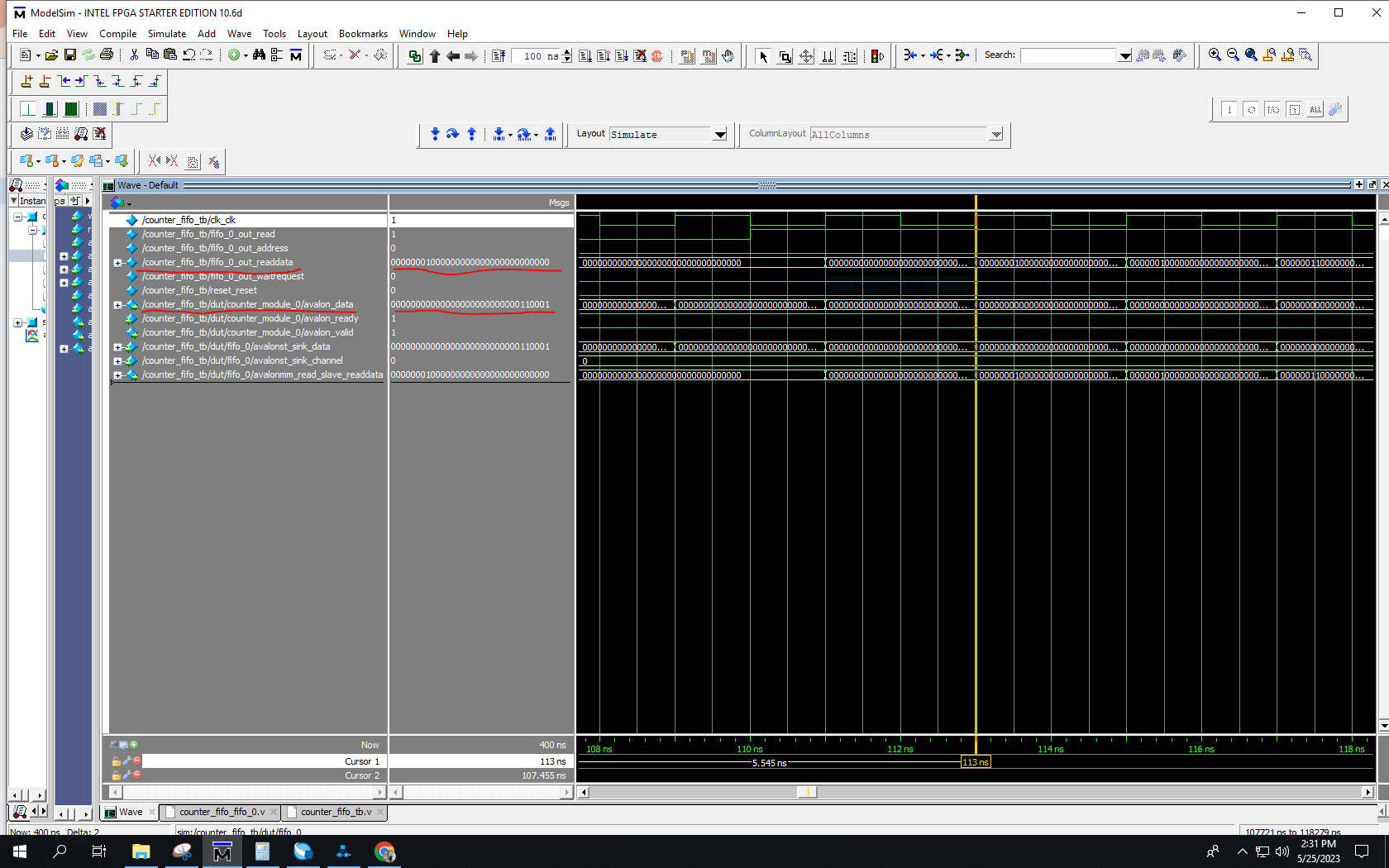
The testbench counter_fifo_tb.v that I sent to you before is just an example. If you want to get proper output waveform, you have to change a bit on the stimulus.
Below attached the edited testbench and proper output waveform image. As for the functionality, probably you still need to further verify from your side.
Thanks,
Best Regards,
Sheng