Forum Discussion

 Occasional Contributor
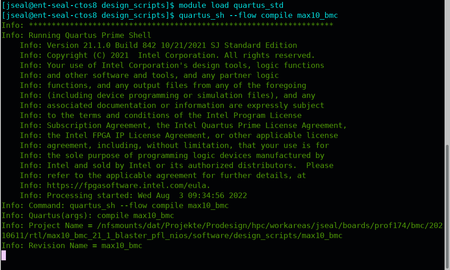
Command Line compile causing issue with Quartus Standard vs Quartus Prime Pro
 4 years ago
That's very odd. After you compile from the command line, what directories appear in the project folder? For a Standard compile, you should see db and incremental_db. In Pro, you would see qdb.
If you delete whichever of these directories you see, can you then open the project in the Standard GUI?
 Super Contributor
That's very odd. After you compile from the command line, what directories appear in the project folder? For a Standard compile, you should see db and incremental_db. In Pro, you would see qdb.
If you delete whichever of these directories you see, can you then open the project in the Standard GUI?
 Jacob114 years ago
Interestingly, I have db, qdb, and incremental_db. All of them.
But your comment has provided a solution. I deleted all 3 folders, re-compiled and only the db and incremental db folders were created. And the project opens fine again.
I think someone opened the project by mistake in quartus prime pro(maybe even me)....the first prompt asks if you want to convert the file structure so it can be opened here. If you press "yes" it creates a qdb folder, which apparently prevents prime standard from being able to open it.
Thank you for the reply.
Jacob
- sstrell4 years ago
That's probably exactly what happened. I forgot that a Standard project gets converted to Pro when you open it in Pro (though this really only works for Arria 10 designs since it's the only family supported in both). Weird to see all 3 of those folders, but glad you got it worked out.

