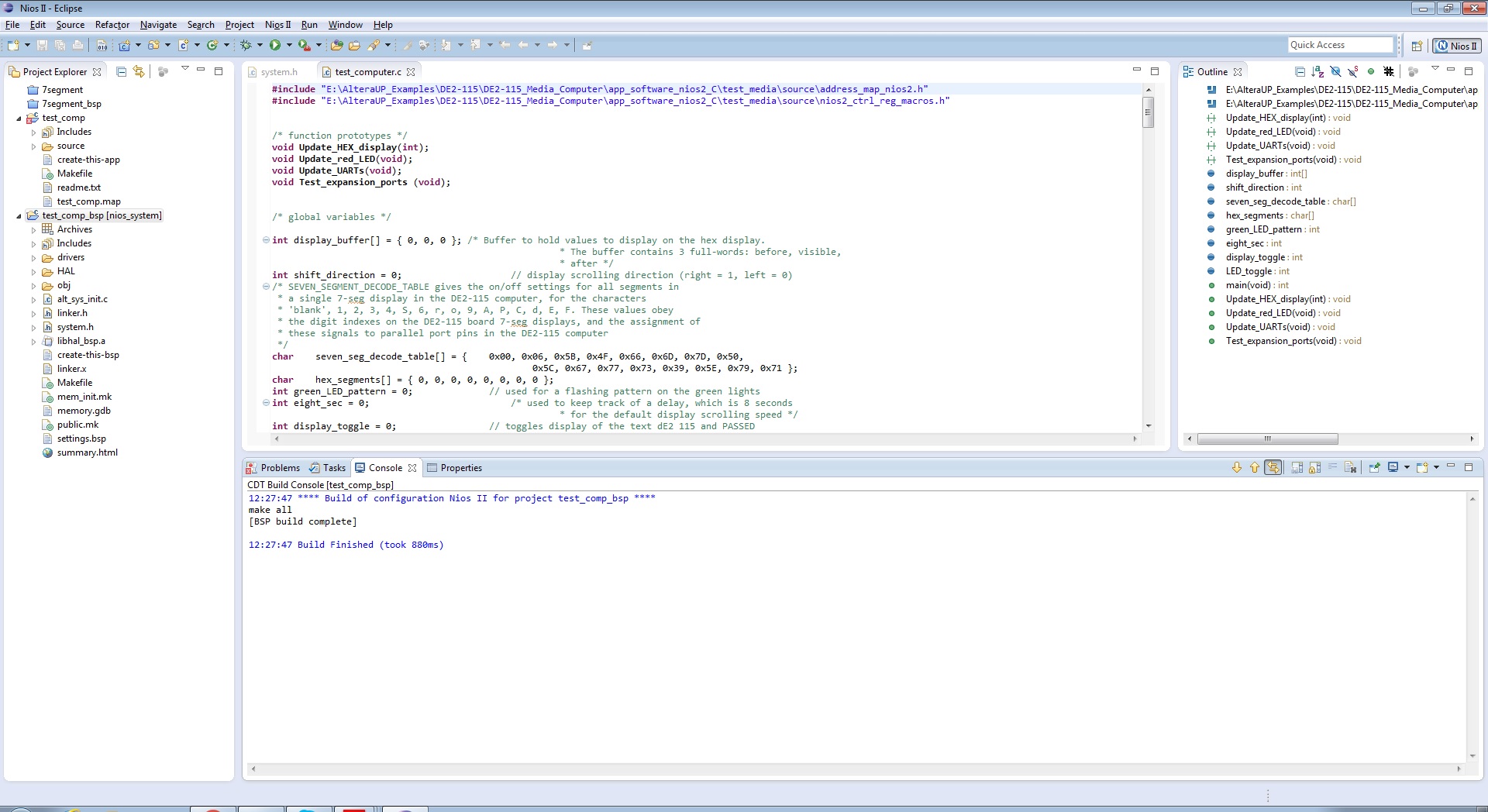
// test SRAM
* SRAM_ptr = SRAM_write;
SRAM_read = * SRAM_ptr;
if (SRAM_read != SRAM_write)
{
memory_error = 1;
}
SRAM_ptr += 1;
};
SRAM_write = ~SRAM_write;
if ( eight_sec > 80 )
{
eight_sec = 0; // restart the 8-second delay counter
if ( display_toggle == 0 )
{
display_toggle = 1;
display_buffer[0] = 0xbA55Ed; // code for the word PASSEd
display_buffer[1] = 0x0;
display_buffer[2] = 0x0;
}
else
{
display_toggle = 0;
display_buffer[0] = 0xdE20115; // code for the word dE2 115
display_buffer[1] = 0x0;
display_buffer[2] = 0x0;
}
}
};
display_buffer[0] = 0xe7787; // code for the word Error
display_buffer[1] = 0x0;
display_buffer[2] = 0x0;
while ( 1 )
{
Update_HEX_display ( display_buffer[1] );
}
return 0;
}
/*******************************************************************************
* Updates the value displayed on the hex display. The value is taken from the
* buffer.
********************************************************************************/
void Update_HEX_display( int buffer )
{
volatile int * HEX3_HEX0_ptr = (int *) HEX3_HEX0_BASE;
volatile int * HEX7_HEX4_ptr = (int *) HEX7_HEX4_BASE;
int shift_buffer, nibble;
char code;
int i;
shift_buffer = buffer;
for ( i = 0; i < 8; ++i )
{
nibble = shift_buffer & 0x0000000F; // character is in rightmost nibble
code = seven_seg_decode_table[nibble];
hex_segments[i] = code;
shift_buffer = shift_buffer >> 4;
}
*(HEX3_HEX0_ptr) = *(int *) hex_segments; // drive the hex displays
*(HEX7_HEX4_ptr) = *(int *) (hex_segments+4); // drive the hex displays
return;
}
/********************************************************************************
* Updates the value displayed on the red LEDs. The value is taken from the
* slider switches.
********************************************************************************/
void Update_red_LED( void )
{
volatile int * slider_switch_ptr = (int *) SW_BASE;
volatile int * red_LED_ptr = (int *) RED_LED_BASE;
int sw_values;
sw_values = *(slider_switch_ptr); // Read the SW slider switch values
if(LED_toggle == 0)
*(red_LED_ptr) = sw_values; // Light up the red LEDs
else
*(red_LED_ptr) = ~sw_values;
return;
}
/********************************************************************************
* Reads characteres received from either JTAG or serial port UARTs, and echo
* character to both ports.
********************************************************************************/
void Update_UARTs( void )
{
volatile int * JTAG_UART_ptr = (int *) JTAG_UART_BASE;
volatile int * UART_ptr = (int *) SERIAL_PORT_BASE;
int JTAG_data_register, JTAG_control_register;
char JTAG_char;
int UART_data_register, UART_control_register;
char UART_char;
// check for char from JTAG, echo to both JTAG and serial port UARTs
JTAG_data_register = *(JTAG_UART_ptr); // bit 15 is RVALID, bits 7-0 is char data
if ( (JTAG_data_register & 0x8000) ) // have valid data to read?
{
JTAG_char = (char) (JTAG_data_register & 0xFF); // extract the character
JTAG_control_register = *(JTAG_UART_ptr + 1); // upper halfword is WSPACE
if ( (JTAG_control_register & 0xFFFF0000) != 0) // okay to echo char to JTAG?
{
*(JTAG_UART_ptr) = JTAG_char; // echo the character
}
UART_control_register = *(UART_ptr + 1); // upper halfword is WSPACE
if ( (UART_control_register & 0xFFFF0000) != 0) // okay to echo char to serial port?
{
*(UART_ptr) = JTAG_char; // echo the character
}
}
// check for char from serial port UART, echo to both serial port and JTAG UARTs
UART_data_register = *(UART_ptr); // bit 15 is RVALID, bits 7-0 is char data
if ( (UART_data_register & 0x8000) ) // have valid data to read?
{
UART_char = (char) (UART_data_register & 0xFF); // extract the character
UART_control_register = *(UART_ptr + 1); // upper halfword is WSPACE
if ( (UART_control_register & 0xFFFF0000) != 0) // okay to echo char to serial port?
{
*(UART_ptr) = UART_char; // echo the character
}
JTAG_control_register = *(JTAG_UART_ptr + 1); // upper halfword is WSPACE
if ( (JTAG_control_register & 0xFFFF0000) != 0) // okay to echo char to serial port?
{
*(JTAG_UART_ptr) = UART_char; // echo the character
}
}
return;
}
/********************************************************************************
* This code tests the GPIO JP5 expansion port. The code requires one
* even-numbered data pin(e.g. D2) to be connected with one odd-numbered
* pin in the port(e.g. D3), which would typically be done using a wire
* or a pin connector.
* If the two pins work properly, the code will toggle the red LEDs.
* The 32 data pins' (D0 to D31) distribution on the 40-pin expansion port
* is shown at line 51
********************************************************************************/
void Test_expansion_ports( void )
{
volatile int * JP5_EXPANSION_ptr = (int *) EXPANSION_JP5_BASE;
// set all pins to be outputs and restore 1 to all pins
*(JP5_EXPANSION_ptr+1) = 0xffffffff;
*(JP5_EXPANSION_ptr) = 0xffffffff;
// set the even-numbered pins to be output pins and write 0 to all output pins
*(JP5_EXPANSION_ptr+1) = 0x55555555;
*(JP5_EXPANSION_ptr) = 0x0;
//read the input pins value
volatile int odd_in = *(JP5_EXPANSION_ptr);
//if one input pin connected to one output pin, its value would be drawn to 0.
int odd_correct = (odd_in != 0xaaaaaaaa) ? 1 : 0;

 Occasional Contributor