Forum Discussion

User1582192733150209 Occasional Contributor
6 years agoOccasional ContributorWhich part of design example eth_e2e_e10 based on platform designer
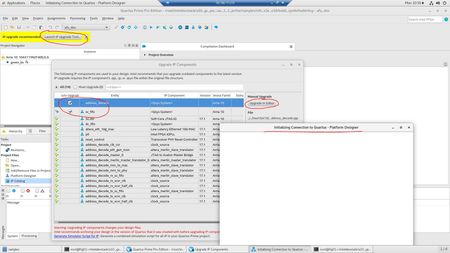
Hello Sir?Madam I am running the eth_e2e_e10 design example now. I have a IP upgrading issue now . When I open the Quartus pro GUI in linux, and open the dcd.qpf project , system reminder to u...

MEIYAN_L_Intel Frequent Contributor
6 years agoFrequent ContributorHi,
You may need to try the method as below:
1. Resize the monitor with different scale and layout as step below:
-Right-click an empty spot on the desktop.
-Click Personalize.
-Click Display Settings.
-Note the current setting of the "Change size of..." and "Resolution".
-Choose the size and resolution to 1920x1080.
-If the screen looks OK, click "Yes" to keep these display settings.
2. Resize Quartus Prime software front setting as steps below:
-open Quartus Prime software
-click Tools>Options>General>Fonts
Thanks

