User Profile

LChow3
 Occasional Contributor
Joined 6 years ago


User Widgets
Contributions
Re: Replacement of ModelSim
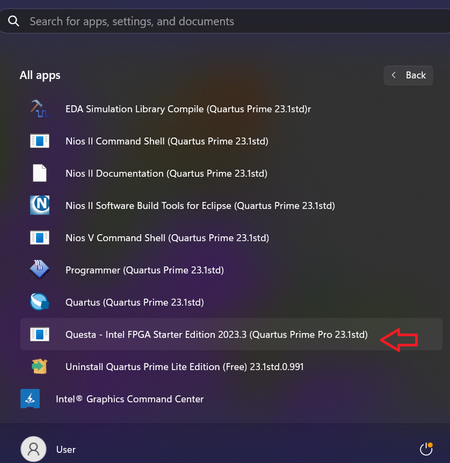
Thanks for the link. Last time when I used ModelSim, I used wave window to do the simulation. Is this still possible with the Questa? I still couldn't find out where to launch the Questa if I'm not using testbench. Can you tell me the path to open Questa directly? Thank you.2.7KViews0likes2CommentsReplacement of ModelSim
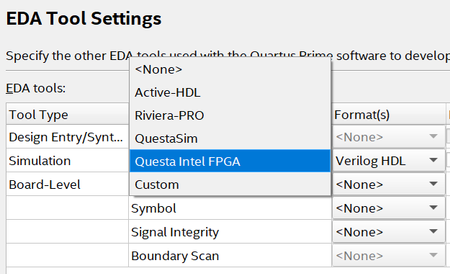
In the past, I used ModelSim for functional simulation. I just started to use Quartus Lite v.23. During the EDA Tool Settings, do I choose QuestaSim or Questa Intel FPGA? How do I launch Questa from Quartus? May I have the link to the documentation on how to use Questa? Thank you.2.9KViews0likes14CommentsRe: Which version of Quartus Prime Lite software is compatible with Windows 11?
Yes, it's Questasim. I haven't tried on Questasim yet. May I know if it's ok I used Windows 11 for Questasim? In the list of OS, I couldn't find about MAC, which version is suitable for MAC? Thank you.4.2KViews0likes0CommentsRe: Which version of Quartus Prime Lite software is compatible with Windows 11?
In this link https://www.intel.com/content/www/us/en/support/programmable/support-resources/design-software/os-support.html#tab-blade-1-2 It seems that Windows 11 is not compatible with the Questa*-Intel® FPGA Starter Edition. Any suggestion on which version of ModelSim I can use?4.2KViews0likes0Comments