Forum Discussion

 New Contributor
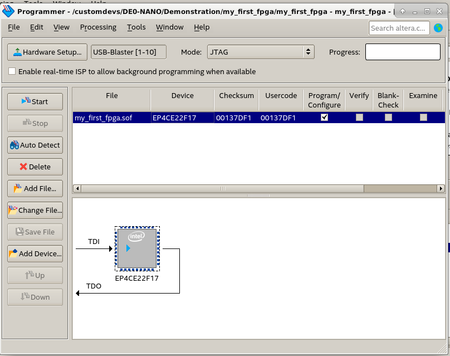
DE0-Nano Quartus Lite 19.1.0 Linux - Programming Failed - Error (209040): Can't access JTAG chain
 5 years ago
The problem seems to be caused by a SW issue..
Following the suggestion posted here
https://electronics.stackexchange.com/questions/239882/altera-cyclone-ii-jtag-after-as-programming
I installed libudev:i386:
$ sudo apt-get install libudev1:i386
$ sudo ln -sf /lib/x86_64-linux-gnu/libudev.so.1 /lib/x86_64-linux-gnu/libudev.so.0
Then, after pluggin the board:
$ sudo killall jtagd
$ jtagd --user-start
$ jtagconfig
1) USB-Blaster [1-10]
  020F30DD   10CL025(Y|Z)/EP3C25/EP4CE22
The above script can be placed the bin directory of installation, for example /opt/intelFPGA_lite/20.1/quartus/bin/usbblaster.sh (yes, I switched to 20.1 version):
#!/bin/sh /usr/bin/killall jtagd /opt/intelFPGA_lite/20.1/quartus/bin/jtagd --user-start and udev rules set as follows:
SUBSYSTEMS=="usb", ACTION=="add", ATTRS{idVendor}=="09fb", ATTRS{idProduct}=="6001", MODE="0666", GROUP="plugdev", SYMLINK+="usbblaster", RUN+="/opt/intelFPGA_lite/20.1/quartus/bin/usbblaster.sh"Works like a charm.
Simon

 Regular Contributor
Hi,
May I know if the issue is resolved after you reinstall the driver?
- simozz5 years ago
Hello @JohnT_Intel ,
I did not reinstall any Linux driver.
I experienced this issue with both 19.1 and 20.1 Quartus version.
If can be useful, I strongly suggest to increase verbose console debugging for this kind of issue, since it's easier to track the problem.
Regards,
Simon


