Forum Discussion

 Occasional Contributor
USB-Blaster II malfunction
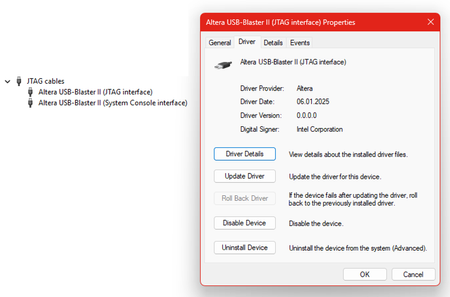
 Occasional Contributor
Hello Fakhrul,
For a new project, we need the ability to set the JTAG clock frequency below 4 MHz. The circuit design of our interface between the programmer and the FPGA requires a lower JTAG clock frequency to meet the timing requirements (tSetup, tHold). This is main reason why we purchased the USB-Blaster II and III.
As requested, I also tested an older version of the Programmer (version 20.1) in combination with the ALTERA evaluation board. This version develops the same issues. The only difference is that the JTAG server in version 20.1 does not yet support the “JtagClockAutoAdjust” parameter.
Has your engineering team set up a comparable hardware configuration to reproduce these failure modes? Were you able to confirm the issues described above?
Best regards
Frank

 Regular Contributor
Hi Frank,
Thank you for explaining the timing requirement. Our engineering team tested Quartus Prime 25.1 on a MAX 10 10M50DA board. Automatic adjustment, 400 kHz, and 10 kHz all completed. I also tested at 400 kHz, and the scan completed. The failure did not reproduce, so there is no further debug we can do.
On your boards, programming completed at 6 MHz and at 4 MHz with automatic adjustment off. Please use that setting.
With automatic adjustment on, the first TMS pattern goes to IR-Scan before the IDCODE read. That sequence is expected.
Regards,
Fakhrul
- FrankK5 days ago
Dear Fakhrul,
Thank you for your quick reply.
I was pleasantly surprised to see that the HW team had tested the USB-Blaster II in combination with MAX10 device at various JTAG clock settings without encountering any issues.
Did the HW team also use the Windows version of the programmer with the corresponding drivers, or were the tests performed using the Linux version?
Best regards
Frank- FakhrulA_altera2 days ago
Hi Frank,
Engineering tested this on Windows, while I tested it on Linux.
Regards,
Fakhrul
- FrankK3 hours ago
Hello Fakhrul,
It is good to hear that your hardware team was able to change the JTAG clock frequency of a USB-Blaster II under Windows without any issues.
In my case, this has never worked correctly, despite testing it on several different PCs. If your hardware team and I are using the same Programmer version under Windows, but the devices behave completely differently, the USB-Blaster itself appears to be almost the only remaining possible cause. Do you agree?
How can we proceed with troubleshooting?
As I mentioned previously, we absolutely need the ability to reduce the clock frequency, and the download is not always successful even when using the manual workarounds.
jtagconfig --setparam 1 JtagClockAutoAdjust 0
jtagconfig --setparam 1 JtagClock 6MI provided the serial number of my USB-Blaster at the beginning of my inquiry (UBII-000012141). Is there anything unusual about this serial number? Just to exclude, we are affected by a cloned device.
Best regards
Frank

