Forum Discussion

UTech New Contributor
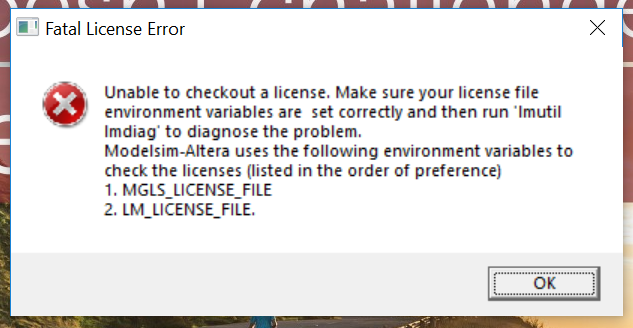
7 years agoNew ContributorUnable to open ModelSim-Altera edition 10.4b(Quartus prime 15.1). Facing fatal licence error
I have taken the licence for ModelSim-Altera edition 10.4b, I created the environmental variables for the licence, but still I'm facing the fatal licence error. Do I require Quartus prime licence als...

Abe Frequent Contributor
7 years agoFrequent ContributorWhy don't you set the LM_LICENSE_FILE variable as well and then try. Most tools use the LM_LICENSE_FILE variable to set licenses. If it still doesn't work, do the following:
- Open Windows Explorer and browse to the IntelFPGA folder where you have installed ModelSim Intel Edition. Eg C:\intelFPGA_lite\18.0\modelsim_ase
- Double-click the win32aloem folder and open it.
- Here search for the LMTOOLS.EXE file and double-click to run it.
- In the LMTOOLS window, select the Server Diags tab.
- Click the Perform Diagnostics button and wait for the tool to finish diagnostics.
- Copy and post the results here so that we can debug the issue.