Forum Discussion

SparkyNZ Contributor
5 years agoContributorQuartus 20.1 Lite Crashes - compiling simple project
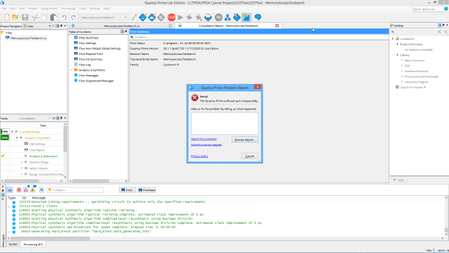
Can someone please help. I installed Quartus on my laptop to do some work on the go but it crashes when I try compiling.
I checked the minimum requirements - my laptop meets them easy. What'...

sstrell Super Contributor
5 years agoSuper ContributorWith Quartus closed, delete the db and incremental_db folders in your project directory if present. Start Quartus again and start the compile.
If it still crashes, you might have a bad Quartus install. Uninstall and reinstall.
 SparkyNZ5 years ago
Thanks @sstrell . I gave that a go. Deleting the folders and then restarting made no difference. I then uninstall both 14.1 and 20.1 Quartus installations but it stil failed with the below report:
Problem Details
Error:
Internal Error: Sub-system: DEV, File: /quartus/ddb/dev/dev_pad_info_body.cpp, Line: 358
Key not defined in data file: INT_PAD_COUNTStack Trace:0x40f6d: DEV_PAD_INFO::get_number_of_pads + 0x3024d (DDB_DEV)0x2936bd: CUT_RPT_UTILITY::get_user_pins_available + 0x7d (db_cut)0x2b71de: CUT_RPT_UTILITY::update_summary + 0x3cde (db_cut)0x12fd6: QSYN_FRAMEWORK::do_mini_merge + 0x3b6 (quartus_map)0x23832: QSYN_FRAMEWORK::write_qic_databases + 0x932 (quartus_map)0x22574: QSYN_FRAMEWORK::write_databases + 0x114 (quartus_map)0x115c8: qexe_do_normal + 0x2a8 (comp_qexe)0x16622: qexe_run + 0x432 (comp_qexe)0x17371: qexe_standard_main + 0xc1 (comp_qexe)0x1b42b: qsyn_main + 0x53b (quartus_map)0x13258: msg_main_thread + 0x18 (CCL_MSG)0x14a5e: msg_thread_wrapper + 0x6e (CCL_MSG)0x16af0: mem_thread_wrapper + 0x70 (ccl_mem)0x12af1: msg_exe_main + 0xa1 (CCL_MSG)0x2a236: __tmainCRTStartup + 0x10e (quartus_map)0x13d1: BaseThreadInitThunk + 0x21 (KERNEL32)0x154e3: RtlUserThreadStart + 0x33 (ntdll)End-trace
Executable: quartus_map
Comment:
None

System Information
Platform: windows64
OS name: Windows 8.1
OS version: 6.3

Quartus Prime Information
Address bits: 64
Version: 20.1.1
Build: 720
Edition: Lite Edition


