Forum Discussion

 Contributor
Linux Qsys Now "platform designer", ALT_PLL Altera FPGA IP doesn't save, crash.

 New Contributor
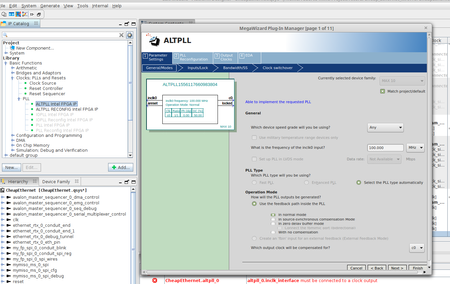
I'm on Quartus Prime Lite 23.1 on Linux, and this ALTPLL Altera FPGA IP module (now called ALTPLL Intel FPGA IP) still does not work. Using the hack mentioned here I can get get the wizard to create it, but I cannot configure it. Any time you get to the (3) Output Clocks page, the wizard crashes. The hack seems to keep it from aborting and deleting it, but there's no way to configure the clocks.
This is a major bummer... it seems to be unusable. If anyone knows how to get around this so the output clocks can be configured... I'd greatly appreciate it.
 New Contributor
I'm on Quartus Prime Lite 23.1 on Linux too, on the same Coursera class. I managed to configure the clocks by attaching gdb to the wizard, setting a breakpoint on the crashing function, and forcing return of two frames always when it gets called.
First, to enable attaching gdb to a running proces, run as root:
# echo 0 > /proc/sys/kernel/yama/ptrace_scope
Run the PLL wizard from Quartus. In a separate terminal, find the PID of the wizard process (the number from the second column):
$ ps aux | grep mega_altpllq
Attach gdb to it (substitute the proper pid), set up a few things, and resume the wizard:
$ gdb -p 260525
(gdb) set confirm off
(gdb) br _ZN27ALTCLKLOCK_CLK_SETTING_PAGE29should_enable_disable_controlERK10UI_QSTRING
(gdb) c
Proceed with the wizard. When switching to the (3) Output Clocks page, or on any modification of the data therein (which you need a handful of times), the breakpoint triggers. Switch to the terminal with gdb and do
(gdb) return
(gdb) return
(gdb) c
When you're done with the wizard, you can exit the gdb and close the terminal.
I also applied the change to the if in the .tcl file. I don't know if it's needed.
I agree with the sentiment that this is a fun class and that the tooling is a huge pain.

