Forum Discussion

 Contributor
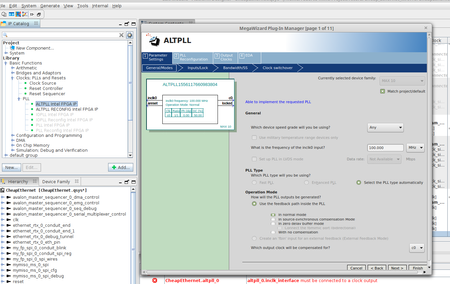
Linux Qsys Now "platform designer", ALT_PLL Altera FPGA IP doesn't save, crash.

 New Contributor
This post is a bit far afield from the original post. But if you're taking the FPGA Design for Embedded Systems Specialization on Coursera and attempting to use a Linux for Quartus Prime, you'll probably end up here.
Intel stopped licensing modelsim from Mentor (now Siemens) before Quartus Prime 23. That will be the next hurdle. And if you do try to get modelsim running under linux (the assignment grader uses modelsim scripting), you will need to get an older version of Quartus running (and the older version may not be available on Intel's site anymore, so you may need to use the class' provided binaries). The modelsim executable was compiled in 32 bit mode, so you'll need to go install 32 bit system libraries. There are breadcrumbs out there to explain. Where you will be stopped dead in your tracks is when you get to using Nios. Nios uses a custom modified version of eclipse. Eclipse is a bit crufty and demands a specific version of the Java virtual machine. I fought with that mightily. Under Ubuntu it was just a non starter. Intel suggests it *can* work under SUSE. I stood up a version of SUSE in an attempt to make it work. I was never successful. I have a day job. I got sick of dumping time into tool issues. This pained me. Like you, I am a Linux advocate -- I haven't run Windows at home as my daily driver in at least 15 years. I wasn't willing to give up. So, I hear you. To your criticism of this. I get it. I think the challenge for the creators of the class is that the effort to create the class is HUGE. To retool the class to use a newer version of Quartus would mean redoing the videos and the quizzes. Basically they'd need to start over. I will say that when I did switch to Windows, it just worked (using the binaries provided by the class). I understand the idealism. But, be careful, your time is valuable. I think I posted comments about this in the class forum. Look me up. It's been a year plus. I will say that it was a fun class! I'll also say that the automatic grader (at the time) didn't give good feedback and sometimes would give you points off for reasons that were inexplicable. Don't fret over that.
New ContributorWelp... thank you for that insight. I've been taking these courses and fighting my way until I too got stuck with this bug on week 2 of the last course. I have the same issues trying to run the ALT_PLL creation dialog. I guess it's time to dust off the Windows installation.
As for ModelSim, I used the standalone version 20.1. The installer needed some libraries under Fedora (not officially supported), just check what library was missing if the installer crashes.


