Forum Discussion

 New Contributor
Legacy 2011 Altera University Floating License SSLC cannot locate license
 New Contributor
Hello,
I am going to do as they asked where I apply for a membership then for a license. Admittedly, the re-assignment of the same license file would be preferred as it would save a lot of time. I was unable to include the .lic file itself but converted a copy of the file into a .txt file. The contents inside are unaltered from the original .lic file.
Thank you so much

 Contributor
Hi idk,
Thank you for sharing the license file. At this time, the licensing team is unable to support transferring or reassigning the existing license to a new server. Therefore, obtaining a new license through the University Program process would be the recommended path moving forward.
However, there may be another option. If you still have access to the original SSLC account used to generate these licenses, including the owner email address and login credentials, you may be able to rehost the license to the new server through SSLC (https://licensing.altera.com/sslc/s/)
Based on the license file you provided, I noticed that the licenses have maintenance expiration dates until 2030 or 2040:
NIOS II Soft Processor MegaCore — 50 seats
- Maintenance expires: December 2030 (2030.12)
Quartus II Subscription Edition University Floating License — 50 seats
- Maintenance expires: January 2040 (2040.01)
Thank you for sharing the license file. At this time, the licensing team is unable to support transferring or reassigning the existing license to a new server. Therefore, obtaining a new license through the University Program process would be the recommended path moving forward.
However, there may be another option, if you still have access to the original SSLC account used to generate these licenses (including the owner email address and login credentials), you may be able to rehost the license to the new server through the SSLC self-service process. Based on the license file you provided, I noticed that the licenses have maintenance expiration dates until 2030 and 2040.
You may refer to Section 6.6.13, "Rehosting All Licenses from Current Computer to a Different Computer," in the Altera FPGA Software Installation and Licensing User Guide (https://docs.altera.com/r/docs/683472/26.1/altera-fpga-software-installation-and-licensing/answers-to-top-faqs). You may be able to rehost the license to the new server by following the documented steps.
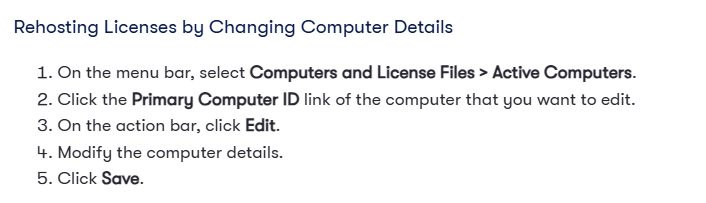
Kindly let me know if we are able to proceed with this. Thank you.
Regards,
Zi Ying
- ZiYingE_Altera1 month ago
Hi idk,
I would like to follow up and check if there have been any updates regarding this issue.
Were you able to proceed with the license rehosting process through SSLC using the original account, or are you currently waiting for a new license from the Altera University Program?
Please let me know if you require any assistance with either option. I would be happy to help.
Thank you.
Regards,
ZiYingE_Altera- ZiYingE_Altera1 month ago
Hi idk,
Do we have any update regarding our issue? Kindly let me know if you need any assistance or have any questions.
Thank you.Regards,
ZiYingE_Altera- ZiYingE_Altera1 month ago
Hi idk,
As we do not receive any response from you, we will close the case for now. If you still need further assistance, you are welcome response to this case, someone will be right with you.
Thank you.
Regards,
ZiYingE_Altera


